Top 5 AI Tools to Fix Blurry Photos Without Photoshop in 2026
Introduction
Ever opened an old photo you couldn’t wait to share… only to realize it’s blurry?
Maybe it’s a vintage trip photo, a product snap, or a moment in time that cannot be captured again. The photo is still worth keeping — it just needs a little help.
Not long ago, fixing that meant opening Photoshop and hoping you knew what you were doing. But now an AI can handle all that heavy lifting in just a few clicks. We’ve tested a handful of these tools, and the thing that’s most obvious is that there isn’t one clear winner.
Instead of asking, “Which is the best AI editing tool?” You need to ask, “Which one is the best for my photo?” We’re going to give you that answer.
Why So Many Photos End Up Blurry in the First Place
A bad camera isn’t to blame in most cases for a blurry shot. The main culprit is everyday situations that are hard to get away with.
Motion Blur Happens Faster Than You Think
You don’t realize but motion blur happens so quickly! The smallest movement of a hand, a person passing by, or a photograph taken during the night will result in a hazy image.
Compression Removes More Detail Than Most People Realize
Many images found on social media, saved from messages, or recovered from old archives become less detailed through compression.
Low-Light Photography Creates Noise and Soft Images
When the light is too low, the camera has a hard time focusing. When not enough light enters the lens, the photo has more noise and less fine detail.
AI-Generated and Upscaled Images Can Also Look Soft
Even AI-generated or upscaled images can look blurry. Sometimes they appear smooth at first glance but still lack the fine details that make an image look sharp.
What I Learned After Testing AI Photo Enhancement Tools
Since one picture isn’t enough for a true comparison, I put all these free online tools to work on blurry portraits, product shots, old family albums, snapshots shared via social media, and the odd screenshot.
I varied the intensity of the blur, from images that are just a bit blurry to those that are almost impossible to clean.
One thing became obvious quickly: they all have their strengths!
A few of the tools were good at making faces clearer, while others were more skilled when dealing with products and text. Some were exceptionally quick but less accurate.
That’s when I realized “I didn’t need one perfect tool—I just needed the right tool for the right photo”.
The Best AI Tools for Different Types of Blurry Photos
1. Wink — Best for Portraits, Selfies, and Everyday Photos
Let’s start with our #1 choice.
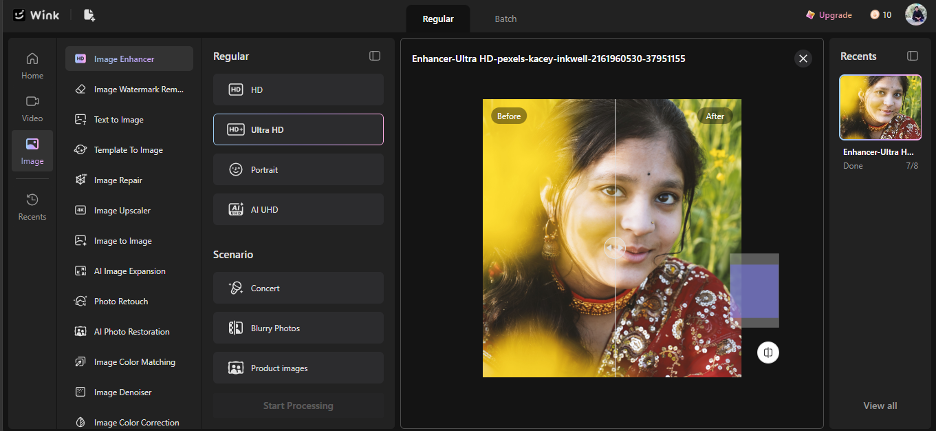
If you mostly plan to fix photos that feature people, Wink Image Enhancer is a great option. Wink is ideal for sharpening faces, restoring detail, and enhancing image clarity while not looking too much like the photos were edited in a harsh way. Wink also enables you to enhance a batch of images at once and allows you to tone down the amount of editing if needed.
Why it stands out
- Designed to enhance portraits, selfies, and old family photos
- Scene-based AI automatically adapts to portraits, products, screenshots, and more
- Supports HD, Ultra HD, Portrait, and AI UHD enhancement modes
Later, as you explore the tool, you’ll notice that Wink also focuses on making AI photo enhancement simple for everyday users rather than professional photo editors.
2. Vmake — Best for Product Photos and E-commerce Images
Did you ever see a close-up product shot where the packaging text and labels looked like a smudge? I’ve seen many of these blurry product photos and always wondered if there’s some tool to clear them up.
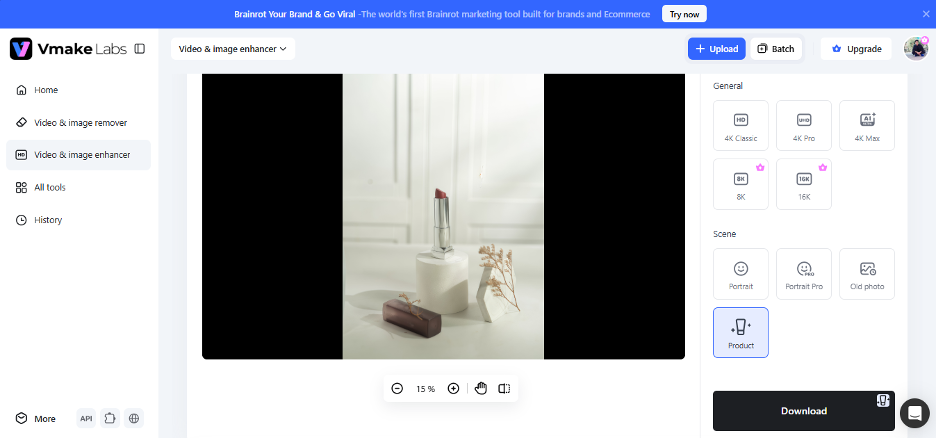
This is where Vmake AI Image Enhancer comes in handy. Give it a sharpen boost, enhance texture quality and ensure all text on packaging pops with a single mouse click. You can even get your folder of images boosted all at once.
Why it stands out
- Great for product photos and online store images
- Makes labels, logos, and small details clearer
- Automatically picks the best AI enhancement
- AI UHD mode for blurry or low-quality images
- Batch enhancement for multiple photos
What I loved the most is that it has a special Product mode to enhance product photos in a single click. You can check the result below in the image as well.
3. Zawa — Best for Creative Marketing Graphics
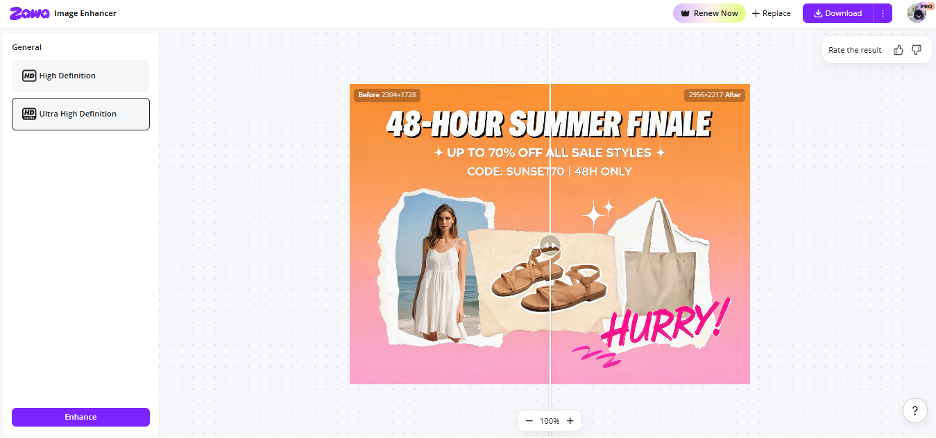
Design work like an ad, social post or poster seems too unclear? If you’re looking for the best AI tool to smooth up the graphics in your marketing design, Zawa’s AI Image Enhancer will do great. It’s able to enhance your graphic designs and photos, bring back details, and create sharper images that will look perfect without overworking.
Why it stands out
- Great for social media graphics, posters, and marketing visuals
- Sharpen blurry designs while keeping them natural-looking
- Improves text, graphics, and image clarity
- One-click AI enhancement with minimal effort
- Works well for promotional content and creative projects
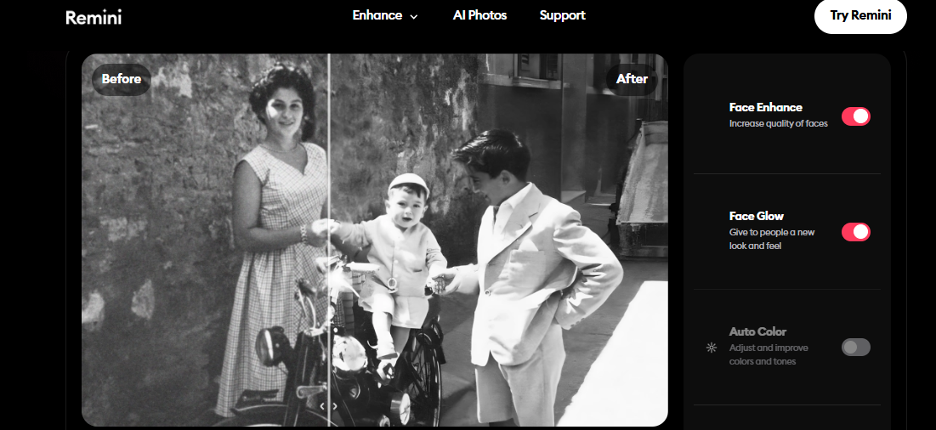
4. Remini — Best for Restoring Old Family Photos
Do you have an aging, faded, out-of-focus, or unrecognizable family photograph?
One of the best apps out there to give your precious memories new life is called Remini. It works on restoring old and unclear photographs and photographs of people by sharpening the faces and other features, fixing blur, colors, details, etc. In just one touch.
Why it stands out
- Great for old family photos and vintage portraits
- Sharpens faces and restores lost details
- Reduces blur, noise, and faded colors
- Automatically improves photo quality with one tap
- Can enlarge images while keeping them clear
5. Clipdrop — Best for Designers and Content Creators
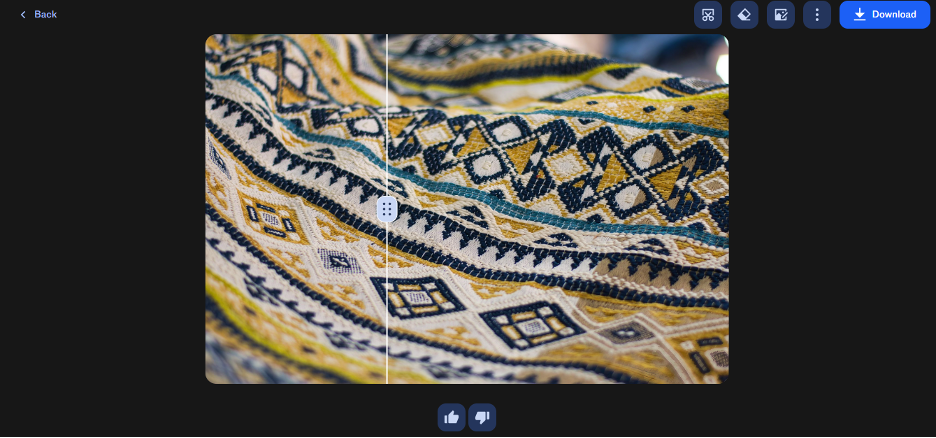
Found exactly the right photo, but it’s tiny or pixelated for your design? Clipdrop works like this. Fix up any photo in just a few seconds with sharpening, denoising, and enhancement. Then, you’ll be able to remove the background, erase objects, and resize the image right there.
Why it stands out
- Great for designers and content creators
- Upscales images by 2× or 4×
- Removes blur, noise, and compression
- Includes background removal and object cleanup
- Can uncrop and resize images
Which AI Tool Should You Choose?
| If you want to… | Best choice |
| Improve selfies and portraits | Wink |
| Enhance product photos | Vmake |
| Create marketing graphics | Zawa |
| Restore old family photos | Remini |
| Edit creative assets | Clipdrop |
What AI Can—and Can’t—Fix
The one thing after testing these tools: AI does a fantastic job with photos, but it can’t do miracles.
If your photos were slightly blurry, had been compressed after sharing them on social media, or were taken in dimly lit surroundings, these tools helped to spruce them up.
I even made one of my favorite older family photographs significantly more in focus after using these AI-enhancement tools.
When there is simply not enough to work with (extremely blurry photos or photographs out of focus), AI can’t really help much.
Conclusion
A fuzzy photo doesn’t need to remain fuzzy forever. All the options here achieve the same task with different interfaces, so it really narrows down to which tool will best achieve the results you need.
If you’re uncertain about where to begin, stick with Wink – a user-friendly option for portraits and daily shots that produce quite natural results. Which tool you end up selecting is less important than the fact that all the software can save you from a photo that you assumed was too flawed ever to be cleared.