What Is the Best AI Face Swap Video Tool for Stable Results?
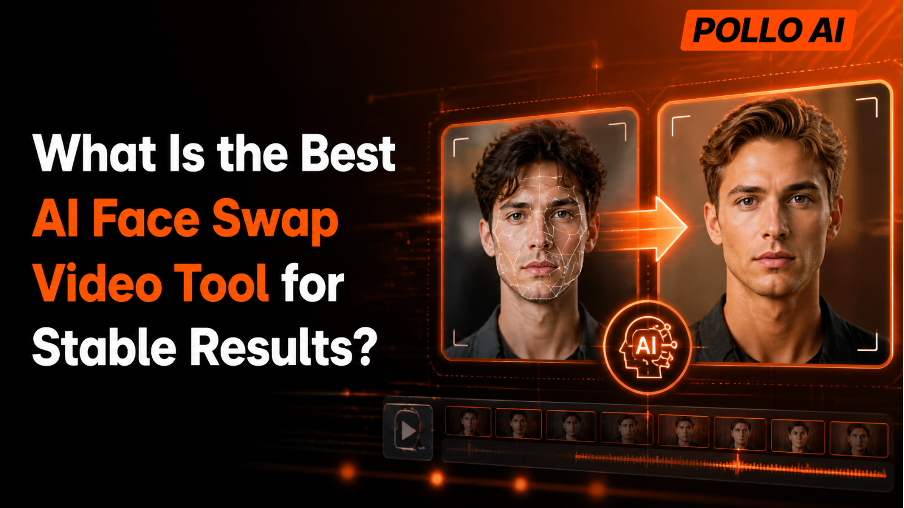
The best tool is the one that keeps the new face aligned, lit and expressive from the first frame to the last. Slipping, flickering and pasted-on edges are what ruin most swaps. This guide explains what to look for, how to prepare your footage, and how to run an AI video face swap that holds up through head turns and changing light.
What Makes an AI Face Swap Video Tool Stable?
A stable tool tracks the selected face across frames and adapts the replacement to the original scene. Compare any tool against these five points:
| What to check | Why it matters | What Pollo AI offers |
| Face tracking | Keeps the new face aligned during head turns and movement | Follows the selected face across frames |
| Lighting match | Prevents a face that looks brighter or flatter than the scene | Adjusts to the light, shadows and skin tone of the clip |
| Expression match | Keeps the performance believable | Adapts to the original expressions and movement |
| Manual work | Masking and frame-by-frame fixes take hours | No masking, rotoscoping or timeline editing |
| Input limits | Decides whether your footage fits | MP4 or MOV, up to 500 MB and 30 minutes |
How Do You Get Stable Results From an AI Face Swap Video?
Start with a clear target face and a clip where the subject is easy to see, then upload both and review the result. Follow these steps in order:
- Choose a clip with a clearly visible face. Footage where the subject is easy to follow gives the tracking more to work with. Keep it within the 500 MB and 30-minute limit, in MP4 or MOV.
- Prepare a clear target face image. Use a sharp, front-facing photo with even light. If the photo is dim or has a distracting background, brighten the face photo with a free AI photo editor before you upload it.

- Upload the video and the target face. Add the clip and the image, or try the sample videos and images first to see how the tool behaves.
- Click Create. The tool detects, tracks and replaces the face automatically.
- Review the tricky moments. Scrub through head turns, fast movement and lighting changes. These are where stability shows.
- Download and share. Save the finished video and post it on any platform.
If one moment looks off, try a different target photo and run it again.
Which Face Swap Video Tool Fits Your Project?
Choose by what you are making, then test one short clip. Pollo AI lists these audiences for its video face swap:
| Creator | Typical project | Why stability matters |
| Social media creators | Reaction clips, memes and trending scenes for TikTok, Reels and Shorts | Viewers notice a face that drifts |
| Marketers and brands | Testing different presenters or angles in UGC video ads before another shoot | The face has to stay consistent across variants |
| Entertainment editors | Recasting movie moments and character-driven footage | The original movement and atmosphere must stay intact |
| Music and fan creators | Dance clips, performance footage and fan edits | Fast motion tests the tracking |
For a bigger transformation, such as changing the character, product or setting, Pollo Recast keeps the original action and camera movement while you change more of the scene.
Why Choose Pollo AI for Face Swap Video?
Pollo AI tracks the face, blends it into the scene and removes the manual editing work. Its specific strengths are:
- Stable face tracking. The replacement stays aligned through head turns, expressions and natural movement.
- Scene-aware blending. Facial details adapt to the light, shadows, skin tone and expressions of the original clip.
- No manual masking. There is no rotoscoping, frame-by-frame adjustment or timeline editing.
- Generous input limits. Videos up to 500 MB and 30 minutes.
- Works with generated clips. You can start from your own footage or from a video made with image to video.
- A photo option. A dedicated photo face swap tool handles portraits, social images and memes.
Use face swap only with appropriate consent and content rights, and never for deceptive impersonation, harassment or fraud.
Ready to Make a Stable Face Swap With Pollo AI?
You don’t need editing skills to get a swap that looks like it belongs. Pick one short clip and one clear face photo, upload both to Pollo AI, and check the result through the head turns. You can start with free credits, so your first test costs only a few minutes.