SaveFrom.net Alternatives: 6 Video Downloaders Worth Trying
SaveFrom.net still works, and plenty of people still use it. The friction is around the edges rather than in the downloading itself.
The domain moves. It has changed address repeatedly over the years and is blocked outright in some regions, which means the URL you bookmarked may not be the one that works next month. Search for it and you land among clone sites that copy the layout closely enough to be convincing. The pages carry pop-ups and redirects, and some of the buttons that look like download buttons are advertising. And at 1080p and above it commonly serves video and audio as separate streams, so the file you get can arrive without sound; 720p is the option that reliably includes audio.
Snaptube addresses those four things fairly directly, so it goes first, followed by four alternatives that each handle part of the problem.
Snaptube

The domain issue is the one that stops applying entirely. Snaptube is an Android app that sits on your phone, covering over a hundred platforms from there. Once it is installed there is no address to remember, no bookmark to re-check, and nothing to search for when the old link stops resolving. You paste a link into an app you already have rather than going looking for a working site first. If the recurring annoyance is that your downloader keeps moving house, that is the fix.
On cost, both are free, but they are free in different ways. SaveFrom.net is funded by the pop-ups and redirects on the page. Snaptube has no paid tier and no subscription either, and it is not monetising your visit through interstitials in the middle of the task. Every resolution and every format is available without payment, so there is no version of this where a feature you need turns out to be behind a wall.
The button problem disappears for the same structural reason. On an ad-funded download page, part of the skill is working out which of several similar-looking buttons is the real one, and getting it wrong installs something or opens a new tab you did not want. In the app there is one download control and it does what it says. Snaptube is Security verified, and it is carried in the app stores of the major Android manufacturers — Xiaomi GetApps, Huawei AppGallery, Samsung Galaxy Store and others — which is a meaningful difference when the alternative is judging an unfamiliar page on its appearance.
As for the split-stream problem, files come down complete. Video and audio arrive combined at every quality level rather than only at 720p, so choosing a higher resolution does not quietly cost you the sound. Once the file is on the phone it stays there and plays through the built-in player without needing the site to still exist, which is the other half of the domain question: a site can vanish, a file on your device cannot.
Installing the Snaptube download application takes a moment from any of those manufacturer stores, and needs two permissions, storage and network.
BitDownloader

If you want to stay with a web tool rather than install anything, this is the closest match in spirit with much less of the noise. Browser-based, no registration, and a broad range of platforms covered.
The page being comparatively plain is the entire appeal. Fewer competing buttons means fewer chances to click the wrong one, and there is no chain of redirects standing between you and the file. Quality goes to 1080p. Its traffic is modest by comparison, which cuts both ways: less of a target for imitators, but also fewer independent reviews if you want to read up on it first. Treat it as a utility you keep a link to rather than a site you visit.
SaveTheVideo
The one to reach for when subtitles are part of what you need. It pulls closed captions along with the video, which makes it materially more useful than the rest of this list for lectures, recorded interviews, and anything in a language you are still working on.
Conversion options are broad, with MP4 and MP3 among them, and it runs in a browser on any operating system. Be clear-eyed about the trade, though: this one carries substantial advertising and redirects of its own. It fixes the domain-hunting and the split-audio problem, but not the busy-page problem, so you are swapping part of the SaveFrom experience rather than escaping all of it.
Hitube

Hitube gives you both routes without forcing the decision now. Its web page asks for no account and takes a pasted link; the Android package adds batch downloading and picks up a transfer that dropped out partway. Coverage spans the main social platforms at up to 1080p.
Its most practical use in this context is as a second opinion. When a link fails somewhere else, running the same link through here takes about twenty seconds and settles the question of whether the tool was at fault or the source was never downloadable in the first place. That is worth having regardless of which downloader you settle on.
Video Grabber
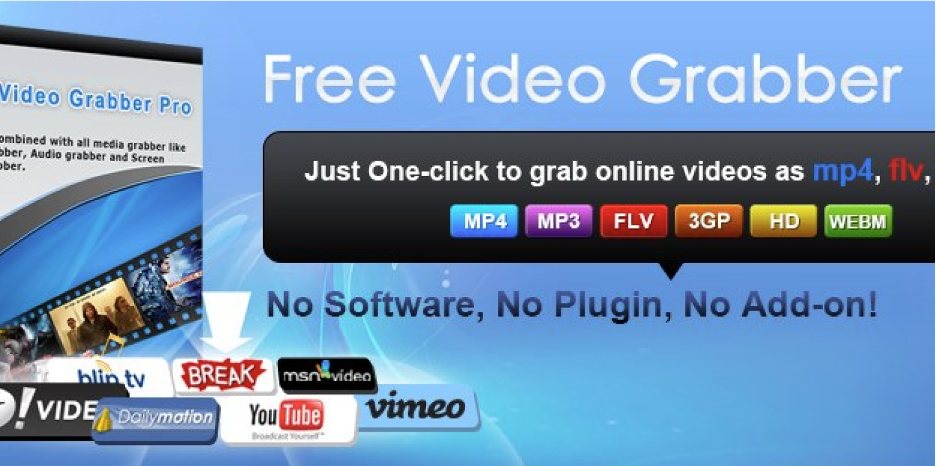
Address stability is the relevant advantage here. It has sat at the same location for years under Apowersoft’s maintenance, so it is not a name you have to go re-find every few months when the old bookmark stops resolving. Given that domain churn is the main complaint we started with, that counts for something.
It works in the browser across a wide set of sites, outputs several formats including MP3, and supports 1080p. One caveat: the page pushes the developer’s paid desktop software fairly firmly, so read what a button says before pressing it rather than after.
When It Is Actually Time to Switch
Three signals worth acting on. If you have had to search for your downloader’s current address more than once, the tool is costing you time before you even use it. If you have clicked a button that turned out to be an advert, you are being asked to be careful on someone else’s behalf. And if a file has ever arrived without sound at a high resolution, the split-stream behaviour is not going to stop happening. Any one of those is reason enough to move the job onto your own device instead of a page you have to keep locating, which is why Snaptube is the first option on this list. If installing is genuinely not possible, BitDownloader is the least noisy of the web options here.