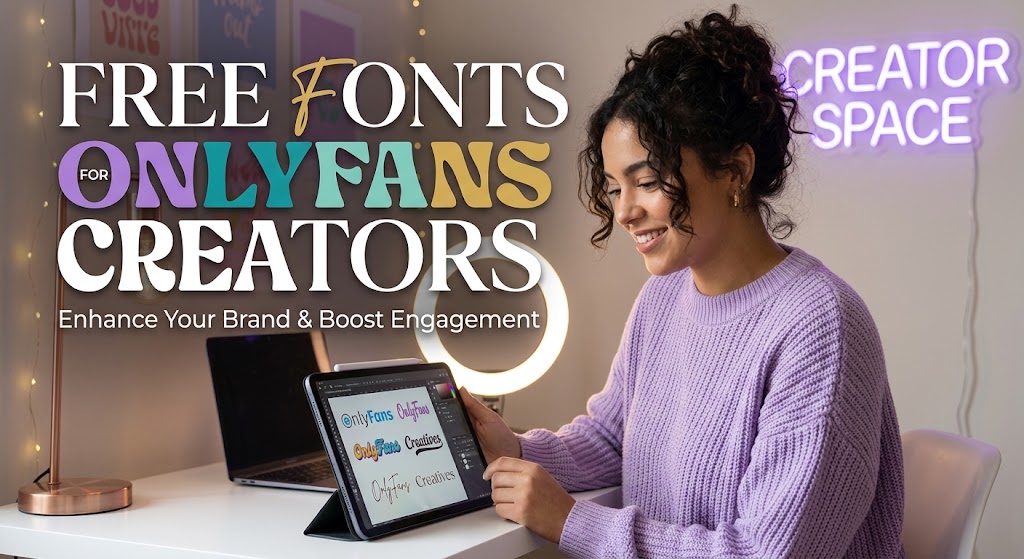
Free fonts for OnlyFans creators: which licenses actually allow commercial use
A subscription page is a business, and the fonts on its banners, logo and watermark are business tools. Here is how to tell which free fonts you can use once fans are paying.
Most creators pick fonts the way most people do: scroll through a download site, find something that looks right, click the button and move on. That works fine for a birthday card. It gets more complicated the moment a design starts earning money.
Creators on OnlyFans, Patreon, Fansly and similar platforms use type everywhere. It appears on profile banners, promo graphics, price cards, watermarks, logos, merch and the covers of paid bundles. Every one of those uses sits inside a paid product, which means every one of them is, in licensing terms, commercial use.
The good news is that there are thousands of excellent fonts that allow exactly this, at no cost. The trick is knowing which licenses say so, and which ones only look free. This guide walks through the main license types you will meet on free font sites, what each one allows, and a simple routine for staying on the right side of all of them.
One note before we start: this is general information to help you read licenses with confidence, not legal advice. When a project is large or unusual, check the specific license text or ask the designer.
Why paid content changes the rules
Font licenses usually draw one big line: personal use on one side, commercial use on the other. Personal use means things you make for yourself with no money involved. Commercial use means anything connected to earning income, whether you sell the design itself or use it to promote something you sell.
For a creator with a paid subscription, almost everything falls on the commercial side. A banner that encourages people to subscribe is advertising. A watermark on paid photos is part of a product. A logo is part of a brand. Even a “free” preview post exists to bring in paying fans.
This matters more every year, because paid creator work is now a large economy in its own right. On Patreon alone, the company reports that more than 10 million fans pay for memberships each month and that creators have earned over $10 billion since 2013. A lot of those creators run small businesses that started as hobbies, and the fonts they chose in the hobby stage often stay with them long after the first payment arrives.
License type 1: the SIL Open Font License
If you only learn one font license, make it this one. The SIL Open Font License, usually shortened to OFL, is the most widely used open license for fonts. According to the Wikipedia entry on the OFL, version 1.1 was published in February 2007 by SIL Global, and it allows fonts to be embedded in commercially sold products.
In practice, an OFL font gives a creator a lot of freedom:
- You can use it for banners, promo graphics, watermarks, logos and paid posts.
- Images, videos and documents you make with it are not bound by the license at all.
- You can modify it, as long as any modified font you share stays under the OFL and does not use a reserved font name.
There is one main restriction: you cannot sell the font file on its own. SIL’s own font FAQ confirms that the OFL allows bundling with applications, even commercial ones, with some conditions attached. For a creator, that restriction almost never comes up. You are selling content, not fonts.
The same Wikipedia entry notes that most open-source fonts use the OFL, so you will meet it constantly on free font sites. When a font page lists this license, you can use it on a paid page with confidence.
License type 2: “free for commercial use” custom licenses
Many independent designers release fonts under their own short license that says the font is free for commercial use. These are often generous and perfectly suitable for creators, but they are not all the same.
Some allow everything except reselling the font. Some ask for a credit line. Some allow commercial use in digital designs but exclude logos, or exclude products made for resale such as printed merchandise. Because each designer writes their own wording, reading the text that comes with the download is the one reliable check.
Reputable font sites make this easier by showing the license information and the designer’s details on each font page, often with a link to buy an extended version. Treat that information as a starting point, then open the license file inside the download to confirm.
License type 3: “free for personal use” and demo versions
This is where most creators get caught out. A font marked “free for personal use” is not free for a business. It is a sample, offered so people can try it before buying a commercial license.
Demo versions work the same way. They are often missing characters, numbers or accents, and they come with a license that limits them to non-commercial projects. Designers release them in good faith, and most would be delighted to sell a commercial license to a creator who likes their work. Buying one is usually straightforward and often surprisingly affordable.
The simple rule: if the font says personal use only, keep it off anything connected to a paid page until you have bought the right license.
Special cases worth checking
Even with a commercial license, a few uses are sometimes treated separately. They are worth a quick check before you commit:
- Logos. Some licenses allow a font in a logo; a few ask for an extended license because the logo becomes a lasting brand asset.
- Merchandise. Printing a font on items for sale, such as shirts, mugs or posters, can require a merchandise or print-on-demand license.
- Websites and apps. Installing a font on your computer to make images is different from embedding it in a website or app. Web and app use can need a separate license.
- Video. Most licenses allow text in videos, but some commercial foundry licenses cover this separately for large productions.
For most creators, the everyday uses (images, promos, watermarks, paid posts) are covered by any genuine commercial license. The special cases mainly matter once a creator starts selling physical products or builds a custom site.
A five-minute routine for every new font
Staying organized takes very little time if you build it into the moment you download a font:
- Check the license before you download. Look for OFL, a clear commercial-use statement, or a link to buy a commercial license.
- Open the license file. Most downloads include a text file. Read the part about commercial use and anything excluded.
- Save the proof. Keep the license file and a screenshot of the font page, with the date, in a folder for your brand assets.
- Note special uses. If you plan a logo or merch, confirm those uses now rather than after a design goes live.
- Keep a short list. Two or three licensed fonts used consistently look more professional than ten fonts used once.
That last point matters for more than licensing. A small, consistent set of fonts is what makes a creator’s banners, promos and watermark look like they belong to the same brand.
Good type supports growth, but it is only one part of it
A clean, consistent look helps a page feel trustworthy, and trust helps visitors decide to subscribe. Creators on subscription platforms compete with thousands of other pages for the same attention, and presentation is one of the few parts of that competition they fully control.
Fonts do not bring fans by themselves, though. Visitors still have to find a page before they can be impressed by it. That is why many creators and the agencies that support them treat branding and subscriber acquisition as two separate jobs. Design makes the page convincing. A specialist channel, whether social media, collaborations or search, brings the right visitors to it. A growing group of services focuses on subscriber acquisition alone, connecting a creator’s page with people whose searches show they want exactly that niche.
When those two pieces work together, each one makes the other more effective. OnlyGuider.ads is one example of a service built around the second piece, and it works best when the page it sends visitors to already looks the part.
The short version
Once fans are paying, every font on your page is a business tool. OFL fonts are the safest default. Designer licenses that say “free for commercial use” are usually fine, as long as you read the details. Fonts marked “personal use only” need a paid license first.
Spend five minutes checking each new font, keep a copy of every license, and your brand can grow as far as your audience takes it without a single typeface holding it back.