
BIMI: Getting Your Logo in the Inbox and Why It Boosts Open Rates
Key Takeaways:
- BIMI strictly requires your domain to be at full DMARC enforcement. If your authentication isn’t locked down, your logo won’t show up.
- While a VMC requires a trademark and grants Gmail’s blue checkmark, Google’s adoption of CMCs means non-trademarked brands can now get their logo in the inbox, too.
- BIMI boosts open rates by helping your emails stand out in a crowded list view and reassuring recipients that your message is safe to open.
- Standard PNGs or basic SVGs will be rejected. Your logo must be formatted precisely as an SVG Tiny P/S vector graphic with a 1:1 square aspect ratio.
- Between certificate validation and inbox providers aggressively caching DNS records, expect it to take anywhere from a few days to a couple of weeks for your logo to reliably render across all supported clients.
Some brands show a small logo beside the sender name; others just show a generic initial. That logo is BIMI email verification, and it’s quietly becoming a competitive advantage in the inbox. Here’s how it works and why it’s worth setting up.
Email inboxes were once a space where recipients could instantly recognize legitimate senders. Today, brand impersonation, look-alike domains, and sophisticated phishing attacks make it much harder for users to tell authentic messages apart from fraud. In response, modern inbox providers have shifted toward visual validation protocols.
Brand Indicators for Message Identification (BIMI) bridges the gap between email authentication and brand visibility, giving marketing and security teams a shared mechanism to prove sender identity in plain sight.
What BIMI Actually Is
Brand Indicators for Message Identification (BIMI) is an open email specification that displays an organization’s verified logo next to incoming messages in supporting inboxes.
Unlike informal mechanisms, such as uploading a profile photo to a Google Workspace account or using web promo annotations, BIMI operates directly on top of the global DNS and standardized email security protocols.
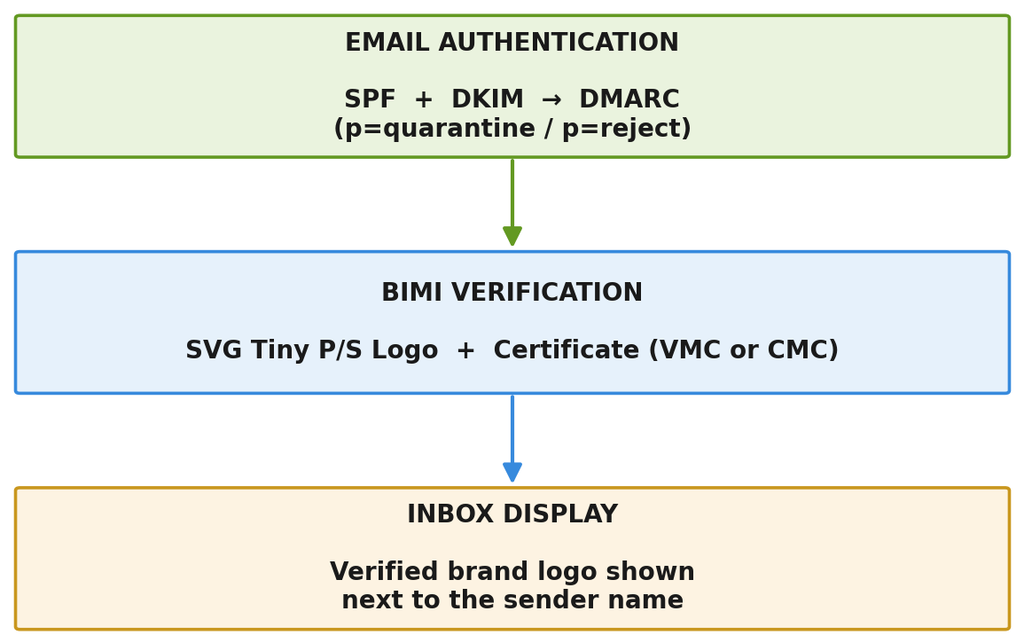
BIMI functions as a technical trust signal. When an email server receives a message, it verifies whether the domain passes SPF and DKIM authentication, aligned under a strict DMARC policy. Only when the domain passes these checks will the mailbox provider query the domain’s BIMI DNS record, retrieve the verified logo file and optional certificate, and render the brand mark beside the email in the recipient’s view.
Because logo display is tied directly to domain authentication, spoofers and unauthorized senders cannot display your brand’s logo, even if they attempt to forge your visible header identity.
Why the Logo Matters More Than It Looks
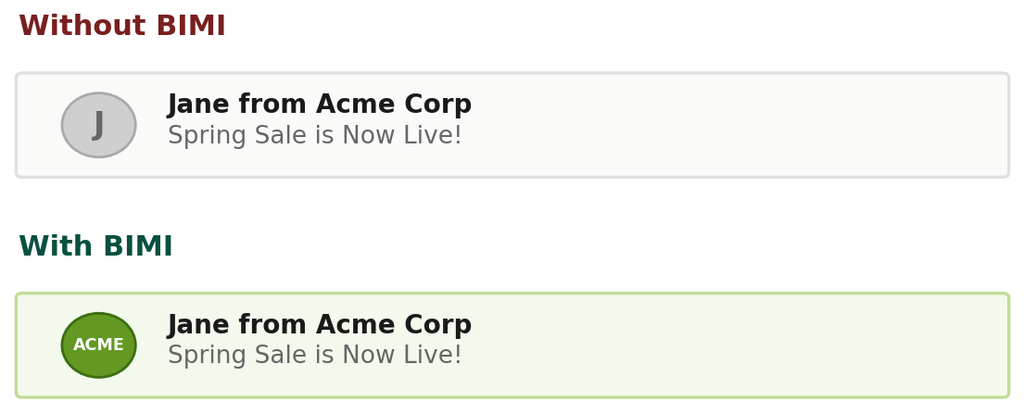
Hypothetical inbox preview, for illustration only.
BIMI changes sender dynamics:
- Standard email clients display a circular fallback avatar (that usually contains the first letter of the sender name or a gray silhouette) when no logo is verified. A crisp, colorful brand logo breaks the visual monotony of the inbox list view.
- Modern email users are increasingly cautious about phishing. When a subscriber recognizes a trusted brand mark, cognitive friction drops. They are far less likely to hesitate, suspect fraud, or report the email as spam.
- BIMI requires strict DMARC enforcement p=quarantine or p=reject. By securing the domain against unauthorized spoofing, bad actors are blocked from using your domain name. Subscribers eventually learn that messages carrying your official BIMI logo represent verified communication.
- Whether you send order confirmations, security updates, or marketing broadcasts, BIMI provides a uniform visual identity, be it on web, desktop, and mobile email applications.
The Open-Rate Question: What the Evidence Says
A common claim in martech circles is that BIMI delivers immediate spikes in email open rates. While early sender studies documented open-rate lifts ranging between 10% and 39%, these numbers require context and are best treated as directional rather than current benchmarks.
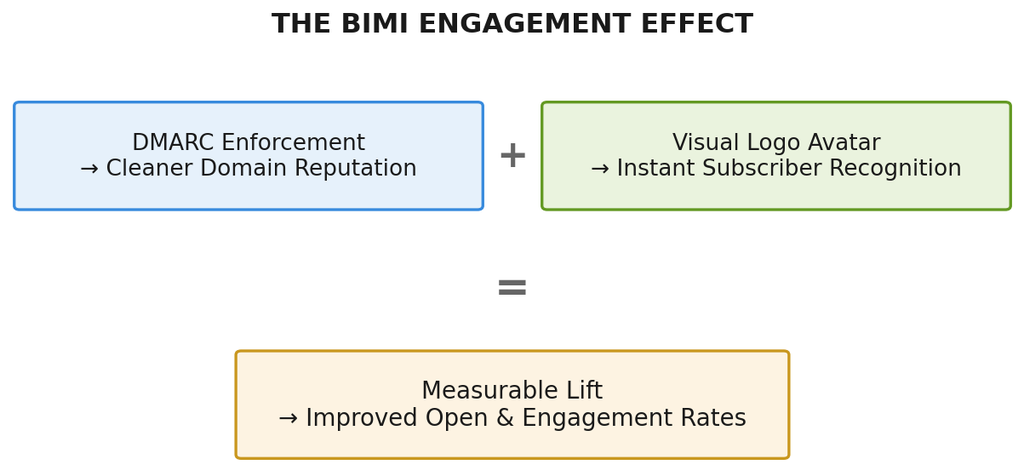
BIMI does not alter mailbox routing algorithms or magically bypass spam filters on its own. Instead, any lift in engagement is the result of two distinct factors:
- Inboxes supporting BIMI highlight verified messages, which helps catch the subscriber’s eye faster.
- Reaching DMARC enforcement requires cleaning up sending sources, which eliminates unauthenticated relays, and improving domain reputation.
What It Takes to Get Your Logo in the Inbox
Displaying a logo requires specific technical setup to ensure security and cross-platform compatibility.
1. DMARC Enforcement for BIMI Email
You cannot deploy BIMI under a monitoring DMARC policy (p=none). Your published DMARC record must be configured to an enforcement state across your organizational domain and all subdomains:
- p=quarantine (with pct=100), or
- p=reject
2. BIMI-Compliant SVG Logo Format
Inboxes do not accept standard .png, .jpg, or generic .svg graphics files. The logo must strictly adhere to the BIMI Group’s official specification for SVG Tiny Portable/Secure.
Key requirements include:
- Aspect Ratio: Perfectly square.
- ViewBox: Space-delimited numeric values.
- Content Constraints: Must be purely vector-based. No embedded bitmap images, external fonts, scripts, animations, or interactive elements.
- File Size: Recommended to remain below 32 KB for rapid loading.
3. A Verified Digital Certificate
To prove ownership of the logo, domain administrators must obtain a digital authority certificate: either a Verified Mark Certificate VMC or a Common Mark Certificate CMC, which has to be issued by an approved Certificate Authority CA such as DigiCert or Entrust.
4. A Published BIMI DNS Record
A TXT record must be created under the _bimi subdomain selector pointing to the public locations of your SVG logo file and certificate.
VMC vs. CMC: Which One You Need
In the past, a Verified Mark Certificate VMC was the only way to display logos in major providers like Gmail. VMCs require an officially registered trademark with a recognized government intellectual property office. Because trademark registration takes time and financial investment, this created a high barrier for startups, smaller businesses, and regional brands.
To broaden access, mailbox providers, with Google’s leadership, expanded support to include Common Mark Certificates CMCs.
| Feature / Requirement | VMC | CMC |
| Trademark Requirement | Registered trademark required | No trademark required (prior usage check) |
| Primary Target | Established enterprises & trademarked brands | Startups, SMBs, non-trademarked entities |
| Inbox Visual Indicator | Logo avatar + Verified Blue Checkmark (in Gmail) | Logo avatar only (no blue checkmark) |
| Validation Period | Requires IP office trademark validation | Requires proof of 1+ year logo usage |
| Cost & Speed | Higher cost, longer validation window | Lower cost, streamlined validation process |
Choosing between the two depends on your intellectual property status:
- If your organization holds registered trademarks in your operating territories, a VMC remains the gold standard, unlocking both the logo avatar and Gmail’s verified blue checkmark. Learn more details in this guide on VMC for BIMI.
- If you operate without a registered trademark or wish to use a secondary brand logo in email communications, a CMC provides an accessible path to display your logo avatar in Gmail and supporting clients.
Which Inboxes Support BIMI Today
As of 2026, BIMI support spans major consumer and enterprise mailbox providers, though exact display behavior depends on the certificate type used.
| Provider | VMC Support | CMC Support | Notes |
| Gmail | Yes | Yes | Blue checkmark with VMC |
| Apple Mail | Yes | Yes | Supported on iOS 16+ / macOS |
| Yahoo Mail | Yes | Yes | Early BIMI pioneer |
| Fastmail | Yes | Yes | Full inbound/outbound support |
| La Poste / AOL | Yes | Pilot | Supports open standards |
- Gmail – Supports both VMC and CMC. Emails using a VMC receive a prominent verified checkmark beside the logo, while CMC setups display the logo avatar without the checkmark.
- Apple Mail iOS 16+, iPadOS 16+, macOS Ventura+ – Displays verified logos directly in the inbox header and message list when authenticated.
- Yahoo Mail & AOL – Longtime champions of BIMI; display logos across webmail and mobile apps.
- Fastmail & Regional Providers – Support standard BIMI DNS records for visual domain verification.
Step-by-Step Setup Overview
Deploying BIMI requires coordination between your security team, brand designer, and DNS administrator.
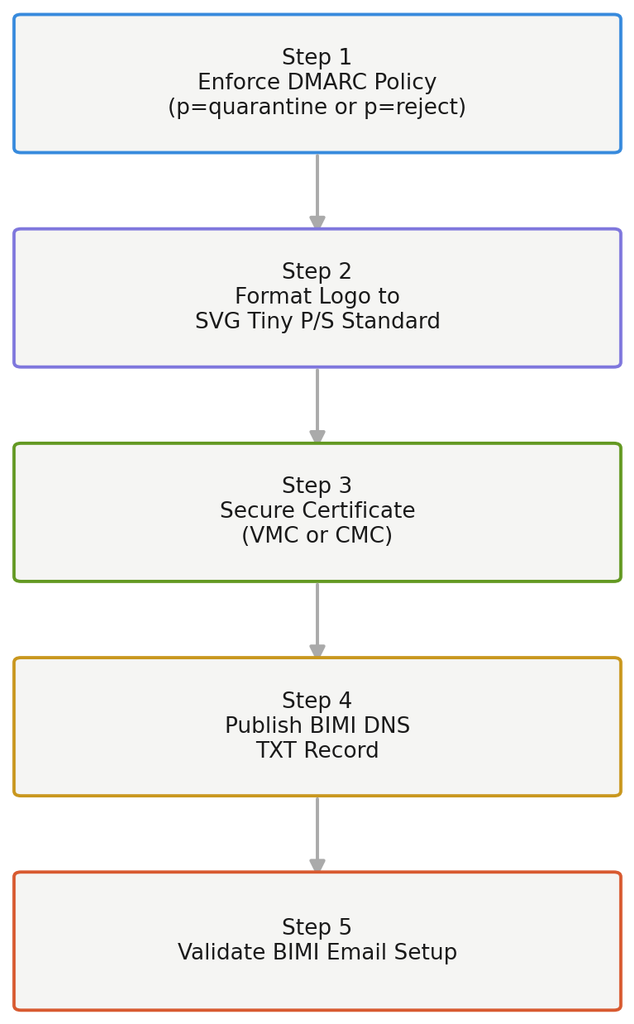
Step 1: Reach DMARC Enforcement
Ensure your domain has SPF and DKIM configured across all sending services. Transition your DMARC policy from p=none to p=quarantine or p=reject.
Step 2: Prepare Your SVG Logo to Spec
Convert your master logo file into an uncompressed, square vector layout. Strip out extra layers, convert text elements into vector outlines/paths, set an explicit viewBox, and export using the SVG Tiny 1.2 / SVG Tiny P/S profile. Host the resulting file on a publicly accessible HTTPS web server.
Step 3: Obtain a VMC or CMC
Apply through an accredited Certificate Authority such as DigiCert or Entrust. Provide domain ownership details along with trademark registration credentials for VMC or proof of prior commercial logo usage for CMC. Once issued, host the certificate file .pem on a public HTTPS server.
Step 4: Publish Your BIMI DNS Record
Add a TXT record to your domain’s DNS under the default selector.
In plain terms, this record just tells inboxes where to find your logo and certificate.
Step 5: Validate Your BIMI Email Setup
Once DNS propagation completes, verify your configuration using a free online BIMI record lookup tool. The tool checks your DNS syntax, verifies logo format compliance, and validates certificate integrity.
Frequently Asked Questions
Do I need a trademark to display my logo in Gmail?
No. Google now supports Common Mark Certificates (CMCs). CMCs allow non-trademarked logos to display as inbox avatars, provided the organization proves prior logo use and maintains DMARC enforcement.
Does BIMI guarantee higher open rates?
No protocol can guarantee specific open rates. BIMI enhances inbox visibility, brand recognition, and recipient trust. Senders typically experience improved engagement, but actual performance depends on your audience, email relevance, content quality, and recipient inbox client mix.
How long does it take to get a VMC or CMC?
Obtaining a VMC takes anywhere from two weeks to several months, depending on whether your registered trademark is already approved in an accepted jurisdiction. CMCs feature a streamlined validation process, which often completes within a few business days once domain ownership and logo usage evidence are confirmed.
Why isn’t my logo showing even after I set up BIMI?
Common reasons for non-display include:
- Your DMARC policy is still set to p=none.
- The logo file uses embedded bitmaps, invalid tags, non-square dimensions, or comma-delimited viewBox syntax.
- Mailbox providers cache BIMI records and logos aggressively; updates may take 48–72 hours to propagate.
- The recipient’s email software does not yet render BIMI logos.
Getting a verified logo in front of inboxes comes down to sequencing: lock in DMARC enforcement first, then layer on the SVG logo and certificate work. Once your BIMI email setup is live, the propagation window is the only thing left to wait out. Check your DNS record with a lookup tool, then give it a day or two before assuming something is wrong.