Best Apps for Fun AI Photo Experiments
AI photo apps make it easy to experiment with your appearance, create playful transformations, and turn everyday photos into something unexpected. In this guide, we compare five apps that take different approaches to AI photo editing, from future-baby predictions and facial analysis to face swaps, portrait effects, and creative image generation.
AI Baby Generator
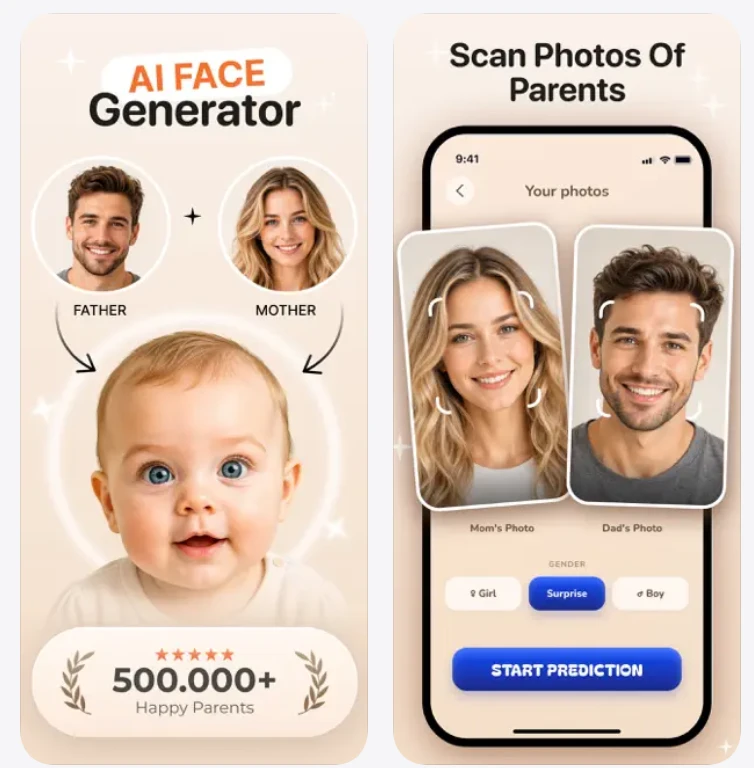
AI Baby is an entertainment app that creates an AI-generated image of what a future child might look like based on photos of two parents. Users can choose the baby’s gender, customize appearance settings, generate multiple versions, and explore additional family-themed AI features.
Key Features
- AI Baby Generation: Combines two parent photos to generate an AI interpretation of a future baby.
- Gender and Look Customization: Lets users choose Boy, Girl, or Surprise and select appearance styles such as Asian, African, European, or Latino.
- Aging Effect: Shows how the generated face could look at different ages, from 20 to 100.
- Parent × Child Comparison: Compares facial features including the eyes, nose, lips, face shape, and eyebrows.
- Photo Presets: Provides ready-made themes for birthdays, weddings, family scenes, fairy tales, and other settings.
- Additional Experiments: Includes Couple Match, Face Analytics, Astro Prediction, baby-name tools, and themed family images.
LooxUP
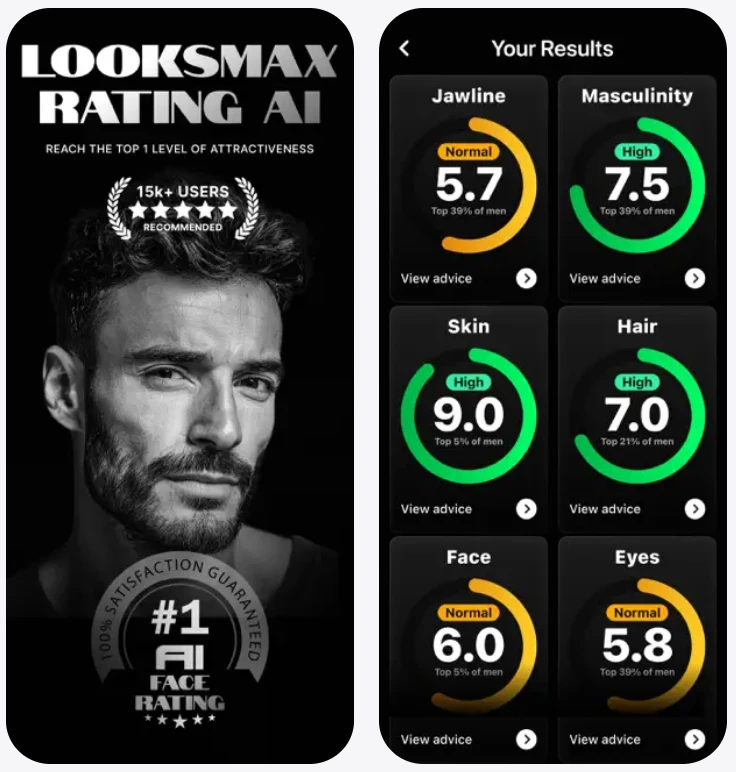
Looksmax App takes a more analytical approach to AI photo experiments. Rather than primarily transforming a selfie, it evaluates facial characteristics and presents the results as a face score alongside personalized appearance recommendations. Its guidance covers areas such as facial structure, hair, skin, and personal style.
Key Features
- AI Face Rating: Generates an attractiveness score based on the uploaded photo.
- Face Structure Analysis: Evaluates face shape, proportions, symmetry, and overall balance.
- Hairstyle Guide: Suggests hairstyles intended to complement the user’s facial features.
- Skincare Guidance: Provides recommendations based on detected skin characteristics.
- Style Recommendations: Suggests clothing and colors based on the user’s appearance.
- Personalized Plan: Creates a step-by-step plan focused on appearance improvement.
- Progress Tracking: Allows users to monitor changes in their results over time.
Reface
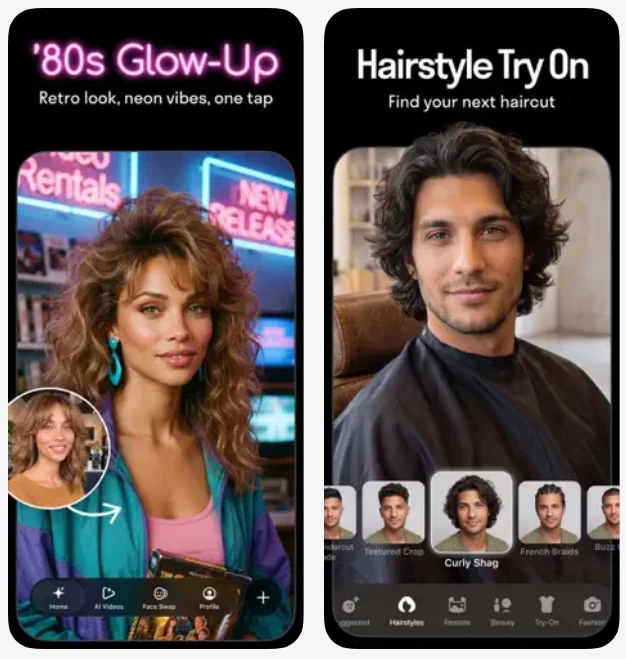
Reface is an AI-powered face swap and photo editing app built around playful visual transformations. Users can place their face into videos and images, create AI avatars and stylized portraits, try different hairstyles, animate photos, and generate other AI-based variations of their appearance.
Key Features
- Face Swap: Places the user’s face into videos, movie-style images, character artwork, and other visual content.
- AI Avatars and Photo Generation: Creates stylized avatars, portraits, AI characters, and themed images.
- AI Hairstyles: Lets users preview different haircuts, hairstyles, and hair colors.
- Photo Animation: Adds motion to still images and can make faces appear to sing or lip-sync.
- Creative Transformations: Includes aging effects, gender swaps, face morphing, and other visual changes.
- AI Baby Generator: Combines parent photos to create an AI-generated interpretation of a future baby.
- Themed Effects: Offers seasonal and occasion-based styles for Halloween, Christmas, weddings, birthdays, vacations, and more.
FaceApp
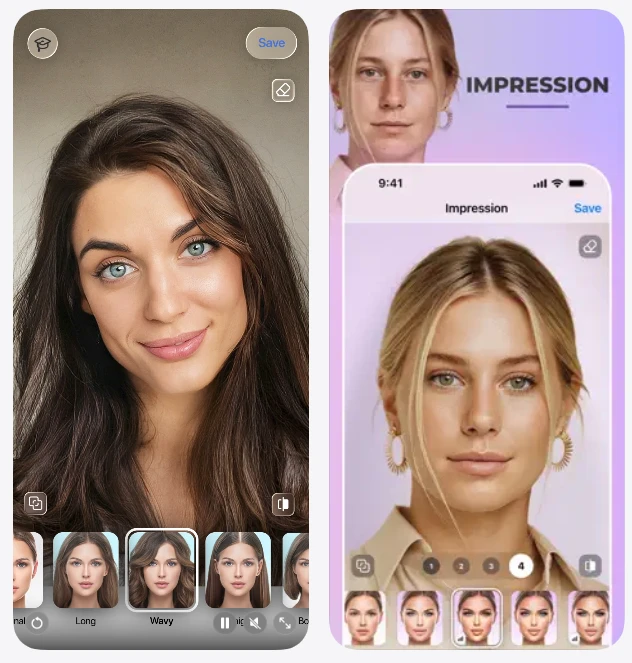
FaceApp is an AI-based portrait editor focused on realistic-looking changes to faces and selfies. Its tools are designed for quick transformations ranging from subtle retouching to makeup and hairstyle experiments, making it suitable for users who want to explore different versions of their appearance without advanced editing skills.
Key Features
- Retouching: Reduces visible imperfections and helps create a more even-looking skin tone.
- Impression Filters: Applies complete portrait transformations with a single effect.
- Makeup: Lets users experiment with ready-made makeup styles.
- Hairstyle Editing: Provides hairstyle transformations and previews of different looks.
- Hair Volume: Changes or enhances the appearance of hair volume.
- Creative Filters: Includes effects designed to give portraits a more playful or distinctive look.
Photoleap
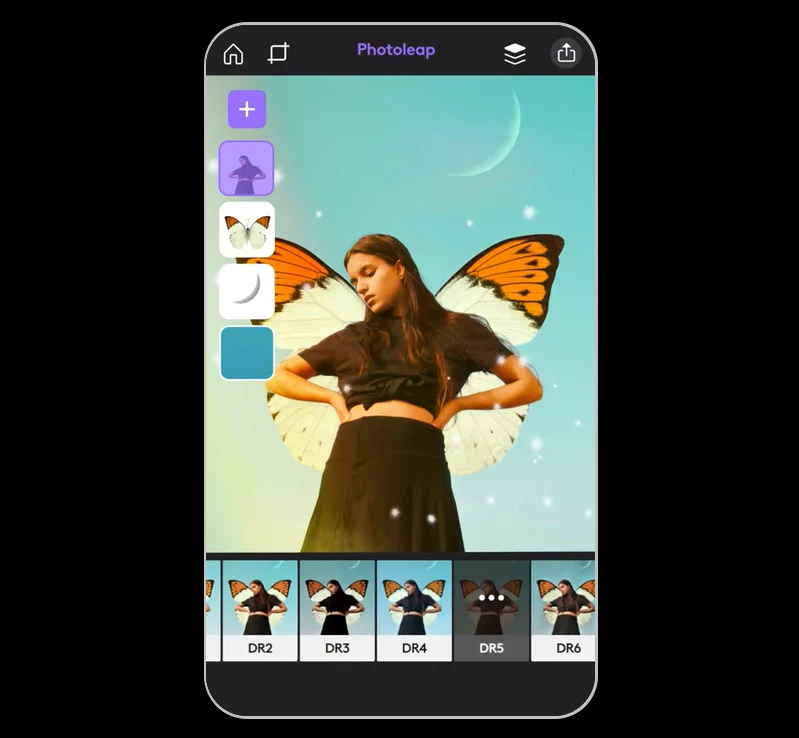
Photoleap is a broader photo editing and creative AI app. Unlike tools centered mainly on facial transformations, it combines AI image generation with traditional editing features. This makes it suitable for users who want to experiment not only with selfies but also with full scenes, backgrounds, compositions, and digital artwork.
Key Features
- AI Image Generator: Creates images and digital artwork from text prompts.
- Photo Animation: Adds motion and 3D-style effects to still images.
- Layers and Blending: Combines multiple photos using layers, transparency, and blending modes.
- Background Editing: Lets users replace or modify image backgrounds.
- Creative Effects: Includes filters, presets, brushes, fonts, lighting effects, and other design tools.
- Image Correction: Provides tools for tonal adjustments, color correction, grain, blur, cropping, and object or blemish removal.
- Advanced Editing: Supports features such as RAW images, 16-bit image depth, custom canvas sizes, and saved editing sessions.