A Practical AI Video Workflow for E-Commerce Product Stories
Product videos have a demanding job. They need to attract attention, communicate useful information, and represent an item accurately within a very short time.
For a large company, producing several versions may involve a studio, models, editors, and a dedicated advertising team. For a small e-commerce business, the same task often falls to one or two people.
I became interested in AI video because I wanted to create more visual options without organizing a new shoot for every campaign. The technology appeared well suited to concept testing and lifestyle scenes, but I soon learned that product content requires more discipline than general creative experimentation.
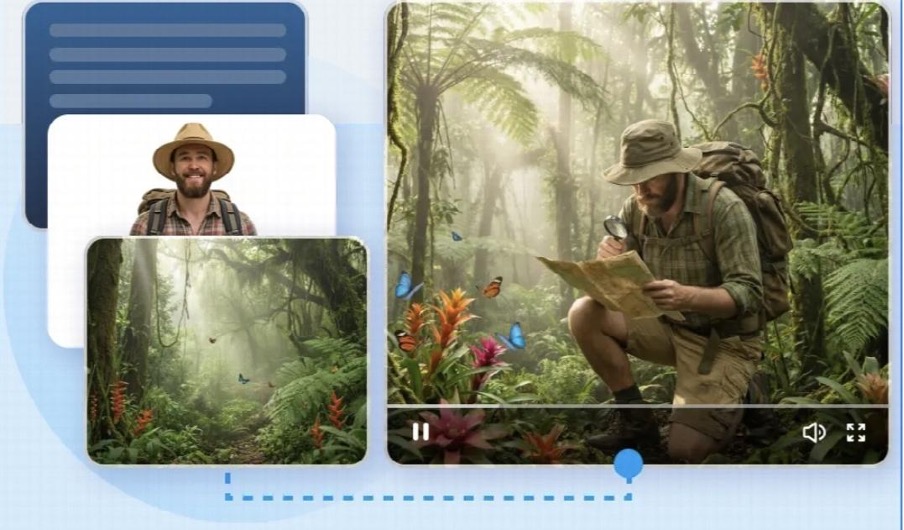
Seedance 2.0 offered a useful starting point because it can combine product images with prompts, motion references, and audio. Rather than asking the model to invent an item from a description, I could provide visual evidence of what the product should look like and use the prompt to define how it should be presented.
Accuracy Comes Before Atmosphere
The first rule in my workflow is simple: the generated product must remain recognizable.
A beautiful scene is not useful if the packaging, proportions, materials, or colors are incorrect.
Before generation, I prepare clean images from several angles. I include the front, side, and any detail that distinguishes the product. If the material has an important texture or reflective surface, I add a close-up.
I also decide which details can tolerate creative interpretation and which must remain exact.
This reference package becomes the visual foundation of the project. Only after it is ready do I think about the setting, lighting, and camera movement.
Starting with atmosphere may produce appealing results, but starting with accuracy creates footage that has a better chance of being usable.
Showing the Model What Movement Means
Product motion can be surprisingly difficult to describe.
“The bottle rotates elegantly” leaves questions about speed, direction, camera position, and timing. A reference video answers many of those questions immediately.
Seedance 2.0 can use video references to understand motion and camera behavior. I may provide a basic turntable clip, a hand interaction, or an example of the desired reveal. The reference does not need to feature the final environment; its purpose is to communicate movement.
This is helpful for common e-commerce formats such as:
- Slow product rotations
- Packaging reveals
- Ingredient transitions
- Close-up demonstrations
The model can connect the product images, motion example, and written direction instead of relying on the prompt alone.
Designing the Video Around One Benefit
Trying to communicate every product feature in one short video usually creates a crowded result. I prefer to build each concept around one benefit or customer moment.
A skincare video might focus on texture and application. A kitchen product could demonstrate convenience. A travel accessory might be placed in a scene that shows compactness and portability.
The visual concept becomes clearer when it has one job.
I write the prompt around that job. It includes the product, the action, the environment, the camera behavior, and the mood, but I avoid adding decorative details that compete with the core message.
If the video needs text overlays, I generally treat them as a separate editing step so that product accuracy and composition can be reviewed first.
Creating Lifestyle Scenes Without a Full Shoot
Lifestyle content helps customers imagine a product in use, but it can be expensive to produce. Locations, props, models, and lighting all add logistical complexity.
AI video provides a way to test these situations before organizing a shoot, or to create certain digital-first concepts directly.
Reference images can define the product while the prompt establishes the setting. A motion clip can guide the interaction between a hand, person, or camera and the item.
I still review every scene carefully. Hands must interact naturally, scale must remain believable, and the product should not acquire features that do not exist.
AI can accelerate the draft, but e-commerce content needs the same accuracy review as conventional advertising.
Producing Platform Variations Carefully
An online store, marketplace listing, and social advertisement may each require a different aspect ratio and pace.
It is tempting to generate many variations immediately, but uncontrolled variation can weaken visual identity.
I keep the product references, lighting direction, and basic color palette consistent across versions. I then change one practical factor, such as composition or duration, to suit the destination.
For example, a vertical version may place the product higher in the frame to leave room for captions. A website hero may use slower movement and more negative space.
Seedance 2.0 supports different creative scenarios and can help generate these related treatments. The key is to treat them as one campaign system rather than separate visual experiments.
When a Longer Product Story Is Needed
Some products cannot be explained in a short reveal.
A demonstration may need to show setup, use, and outcome. A premium item may benefit from a slower visual story that establishes context before focusing on details.
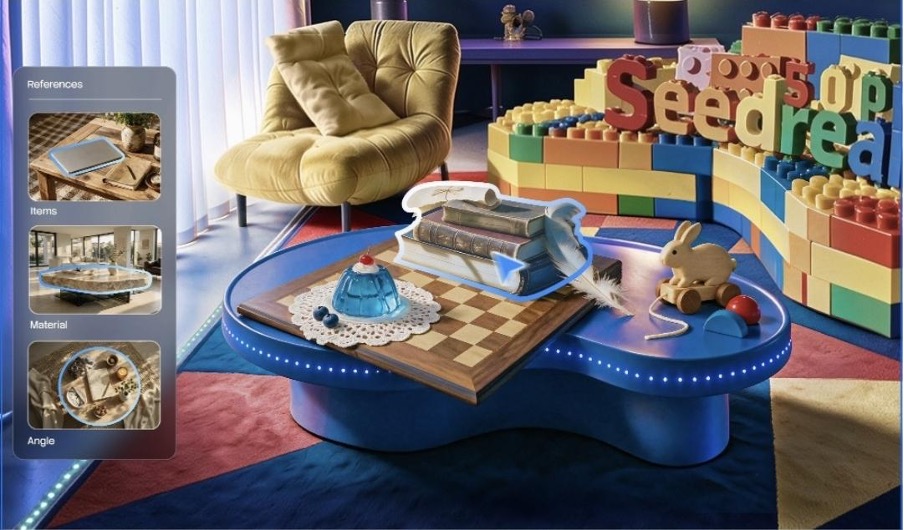
Seedance 2.5 is relevant to these situations because it supports longer continuous generation and a substantially larger collection of multimodal references.
A creator can provide multiple product views, a storyboard, usage footage, motion examples, audio, and style references as parts of one creative direction.
The longer format creates room for a beginning, middle, and end. Instead of combining unrelated product clips in an editor, the model can work toward a more continuous scene.
This may be useful for social advertisements, crowdfunding presentations, collection launches, and visual product explainers.
Using R2V for Product Interaction
Reference-to-video control can be helpful when the most important part of a scene is a specific interaction.
A creator could record a simple model or green-screen performance showing how an item should be held, opened, worn, or moved. That performance can provide more structured guidance than a text prompt.
Seedance 2.5 uses R2V references to help control movement, spatial position, and interaction. For e-commerce teams, this could make complex demonstrations more predictable, particularly when several actions need to occur in order.
The reference performance still needs to be planned clearly. AI cannot rescue confusing blocking. However, it creates a bridge between a low-cost movement test and a more polished visual environment.
Why Local Editing Matters for Products
Product footage often fails because of one small detail.
The scene, lighting, and movement may work, but a cap, logo, or accessory may appear incorrectly. Regenerating the entire clip risks changing parts that were already successful.
The region-level editing approach associated with Seedance 2.5 can make this process more efficient by focusing changes on the problem area.
The intention is to preserve the broader composition, motion, audio, and timeline while correcting a selected detail.
This kind of control is important for commercial use. Product videos are not abstract art; specific visual information must remain trustworthy.
My Review Checklist Before Publishing
I never publish a generated product video immediately. Before approving a clip, I review:
- Product shape, color, proportions, and materials
- Packaging, labels, logos, and accessories
- Realistic scale and physical interaction
- Lighting continuity and reflections
- Claims implied by the scene or text
- Audio, captions, and platform requirements
- Disclosure or review requirements relevant to the campaign
I also compare the final clip with the actual product, not only with the prompt. This helps catch subtle visual changes that may be easy to overlook after watching several generated versions.
For sellers who want to combine reference-based generation with built-in refinement, Dreamina can be considered as one part of the content production process. Human approval should still determine whether the result represents the item accurately.
A Tool for Better Testing, Not Just More Ads
The most useful outcome of AI video is not an endless supply of advertisements. It is the ability to test creative ideas before spending heavily on them.
A small team can compare a studio treatment with a lifestyle scene, explore different openings, and discover which product benefit is easiest to communicate visually.
The strongest concept can then be refined further or used to guide a traditional shoot. In both cases, the business makes decisions with more visual information.
AI video becomes valuable when speed is combined with restraint. Clear references, a focused message, careful consistency checks, and honest product representation matter more than the number of clips generated.
When those principles guide the workflow, small e-commerce teams gain a practical way to create and evaluate product stories without losing sight of customer trust.
A Practical AI Video Workflow for E-Commerce Product Stories

Product videos have a demanding job. They need to attract attention, communicate useful information, and represent an item accurately within a very short time.
For a large company, producing several versions may involve a studio, models, editors, and a dedicated advertising team. For a small e-commerce business, the same task often falls to one or two people.
I became interested in AI video because I wanted to create more visual options without organizing a new shoot for every campaign. The technology appeared well suited to concept testing and lifestyle scenes, but I soon learned that product content requires more discipline than general creative experimentation.
Seedance 2.0 offered a useful starting point because it can combine product images with prompts, motion references, and audio. Rather than asking the model to invent an item from a description, I could provide visual evidence of what the product should look like and use the prompt to define how it should be presented.
Accuracy Comes Before Atmosphere
The first rule in my workflow is simple: the generated product must remain recognizable.
A beautiful scene is not useful if the packaging, proportions, materials, or colors are incorrect.
Before generation, I prepare clean images from several angles. I include the front, side, and any detail that distinguishes the product. If the material has an important texture or reflective surface, I add a close-up.
I also decide which details can tolerate creative interpretation and which must remain exact.
This reference package becomes the visual foundation of the project. Only after it is ready do I think about the setting, lighting, and camera movement.
Starting with atmosphere may produce appealing results, but starting with accuracy creates footage that has a better chance of being usable.
Showing the Model What Movement Means
Product motion can be surprisingly difficult to describe.
“The bottle rotates elegantly” leaves questions about speed, direction, camera position, and timing. A reference video answers many of those questions immediately.
Seedance 2.0 can use video references to understand motion and camera behavior. I may provide a basic turntable clip, a hand interaction, or an example of the desired reveal. The reference does not need to feature the final environment; its purpose is to communicate movement.
This is helpful for common e-commerce formats such as:
- Slow product rotations
- Packaging reveals
- Ingredient transitions
- Close-up demonstrations
The model can connect the product images, motion example, and written direction instead of relying on the prompt alone.
Designing the Video Around One Benefit
Trying to communicate every product feature in one short video usually creates a crowded result. I prefer to build each concept around one benefit or customer moment.
A skincare video might focus on texture and application. A kitchen product could demonstrate convenience. A travel accessory might be placed in a scene that shows compactness and portability.
The visual concept becomes clearer when it has one job.
I write the prompt around that job. It includes the product, the action, the environment, the camera behavior, and the mood, but I avoid adding decorative details that compete with the core message.
If the video needs text overlays, I generally treat them as a separate editing step so that product accuracy and composition can be reviewed first.
Creating Lifestyle Scenes Without a Full Shoot
Lifestyle content helps customers imagine a product in use, but it can be expensive to produce. Locations, props, models, and lighting all add logistical complexity.
AI video provides a way to test these situations before organizing a shoot, or to create certain digital-first concepts directly.
Reference images can define the product while the prompt establishes the setting. A motion clip can guide the interaction between a hand, person, or camera and the item.
I still review every scene carefully. Hands must interact naturally, scale must remain believable, and the product should not acquire features that do not exist.
AI can accelerate the draft, but e-commerce content needs the same accuracy review as conventional advertising.
Producing Platform Variations Carefully
An online store, marketplace listing, and social advertisement may each require a different aspect ratio and pace.
It is tempting to generate many variations immediately, but uncontrolled variation can weaken visual identity.
I keep the product references, lighting direction, and basic color palette consistent across versions. I then change one practical factor, such as composition or duration, to suit the destination.
For example, a vertical version may place the product higher in the frame to leave room for captions. A website hero may use slower movement and more negative space.
Seedance 2.0 supports different creative scenarios and can help generate these related treatments. The key is to treat them as one campaign system rather than separate visual experiments.
When a Longer Product Story Is Needed
Some products cannot be explained in a short reveal.
A demonstration may need to show setup, use, and outcome. A premium item may benefit from a slower visual story that establishes context before focusing on details.
Seedance 2.5 is relevant to these situations because it supports longer continuous generation and a substantially larger collection of multimodal references.
A creator can provide multiple product views, a storyboard, usage footage, motion examples, audio, and style references as parts of one creative direction.
The longer format creates room for a beginning, middle, and end. Instead of combining unrelated product clips in an editor, the model can work toward a more continuous scene.
This may be useful for social advertisements, crowdfunding presentations, collection launches, and visual product explainers.
Using R2V for Product Interaction
Reference-to-video control can be helpful when the most important part of a scene is a specific interaction.
A creator could record a simple model or green-screen performance showing how an item should be held, opened, worn, or moved. That performance can provide more structured guidance than a text prompt.
Seedance 2.5 uses R2V references to help control movement, spatial position, and interaction. For e-commerce teams, this could make complex demonstrations more predictable, particularly when several actions need to occur in order.
The reference performance still needs to be planned clearly. AI cannot rescue confusing blocking. However, it creates a bridge between a low-cost movement test and a more polished visual environment.
Why Local Editing Matters for Products
Product footage often fails because of one small detail.
The scene, lighting, and movement may work, but a cap, logo, or accessory may appear incorrectly. Regenerating the entire clip risks changing parts that were already successful.
The region-level editing approach associated with Seedance 2.5 can make this process more efficient by focusing changes on the problem area.
The intention is to preserve the broader composition, motion, audio, and timeline while correcting a selected detail.
This kind of control is important for commercial use. Product videos are not abstract art; specific visual information must remain trustworthy.
My Review Checklist Before Publishing
I never publish a generated product video immediately. Before approving a clip, I review:
- Product shape, color, proportions, and materials
- Packaging, labels, logos, and accessories
- Realistic scale and physical interaction
- Lighting continuity and reflections
- Claims implied by the scene or text
- Audio, captions, and platform requirements
- Disclosure or review requirements relevant to the campaign
I also compare the final clip with the actual product, not only with the prompt. This helps catch subtle visual changes that may be easy to overlook after watching several generated versions.
For sellers who want to combine reference-based generation with built-in refinement, Dreamina can be considered as one part of the content production process. Human approval should still determine whether the result represents the item accurately.
A Tool for Better Testing, Not Just More Ads
The most useful outcome of AI video is not an endless supply of advertisements. It is the ability to test creative ideas before spending heavily on them.
A small team can compare a studio treatment with a lifestyle scene, explore different openings, and discover which product benefit is easiest to communicate visually.
The strongest concept can then be refined further or used to guide a traditional shoot. In both cases, the business makes decisions with more visual information.
AI video becomes valuable when speed is combined with restraint. Clear references, a focused message, careful consistency checks, and honest product representation matter more than the number of clips generated.
When those principles guide the workflow, small e-commerce teams gain a practical way to create and evaluate product stories without losing sight of customer trust.