How to Enhance Image in Seconds with Artguru AI Photo Enhancer
On your phone, some photos look just sharp, but when you open them on the bigger screen, they get blurred. That happens a lot actually. Compression, low resolution, maybe the camera wasn’t perfect that day. Whatever the reason, improving image quality used to mean opening complicated editing software and adjusting a hundred sliders.
Now it’s way simpler. With tools like AI Image Enhancer, you can improve image clarity in seconds using artificial intelligence. This guide will explore what Artguru AI Photo Enhancer is and what it has to offer in photo enhancement tools in addition to providing some steps on enhancing your photos.
What is Artguru AI Photo Enhancer?
The Artguru AI Photo Enhancer is an easy-to-use web service that uses artificial intelligence to automatically improve image resolution and unblur image. The software improves overall image quality by sharpening textures and reducing blur, allowing users to create 4K images suitable for marketing materials, social media content, and product photos.
The system maintains authentic image appearance by preserving original colors and brightness levels and natural lighting conditions. The service requires no registration or software download because users can simply upload their files and download them. The system allows you to process up to 50 images simultaneously. The Artguru platform provides multiple AI tools which include the image enhancer as one of its features.
Image Upscaler – To 8K
If an image already looks fairly clear but the resolution is too small, the Artguru Image Upscaler is usually the better choice.
The upscaler can enlarge images up to 8K resolution with scaling options like:
- 2× upscaling
- 4× upscaling
- 8× upscaling
The AI upscaling method creates sharp enlarged images by building new details instead of using basic pixel expansion. The process enables users to create high-quality digital output from logos and banners and digital artwork and images which require printing at large dimensions.
However, extremely small images (like 360p images) may not upscale perfectly to 8K because there isn’t enough original detail for the AI to rebuild.
Old Photo Restoration
Old photographs usually suffer from different problems: scratches, fading, noise, and sometimes physical damage.
Artguru’s Old Photo Restoration tool is designed specifically for that. It uses AI to detect damaged areas and repair them digitally. The tool can remove scratches, reduce stains, and restore faded textures while also improving the resolution.
An interesting detail is that the restoration process keeps the original color tone of the photo. Even if an old image has that slightly yellow vintage look, the system doesn’t force artificial color correction.
PDF Enhancer
Images don’t always exist as standalone files. Many are embedded inside documents like reports, scanned books, or business presentations.
The Artguru PDF Enhancer improves both images and text within PDF files. It enhances clarity so that scanned documents become easier to read and graphics look sharper.
The tool processes each page individually and supports PDF files up to 30MB in size. This feature is especially useful for improving scanned documents or presentation materials.
Key Features of Artguru Photo Enhancer
Artguru focuses strongly on high-definition image enhancement, but its usability is just as important. Some features make the platform surprisingly convenient.
One-Click Enhancement
Users simply upload an image and let the AI process it. No editing knowledge required.
High-Resolution Output
The photo enchancer enhances images up to 4K whereas the image upscaler enlarges them up to 8K.
Batch Processing
Up to 50 images can be enhanced at once, which is very helpful for photographers or online stores handling many images.
Multiple Format Support
Artguru supports common formats including:
- PNG
- JPG
- WebP
Enhanced images are exported as PNG/JPG files, and transparent PNG images keep their transparency.
Natural Image Enhancement
The AI improves detail and sharpness without drastically changing colors or brightness. This helps maintain the original style of the image.
Mobile Compatibility
Artguru works on web browsers and mobile devices including iOS and Android, so images can be enhanced from almost anywhere.
Secure File Handling
Uploaded images are stored in the cloud and remain accessible only to the user who uploaded them.
Preview Comparison
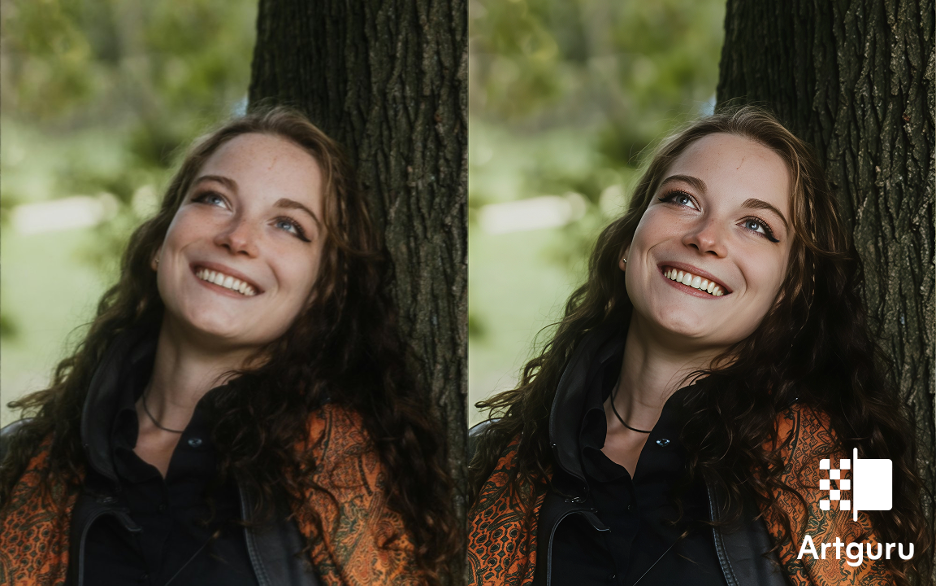
After enhancement, users can compare the original and enhanced versions side-by-side. It’s honestly satisfying sometimes to see how much detail comes back.
How to Enhance Image with Artguru Photo Enhancer (Step-by-Step)
Enhancing an image with Artguru usually takes less than a minute. The process is pretty straightforward.
Step 1: Open the Image Enhancer Page
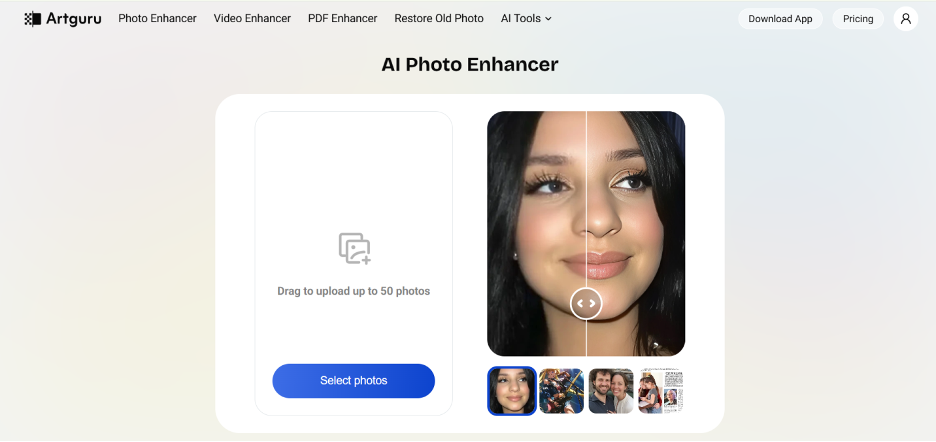
Go to the Artguru Image Enhancer tool using your browser.
Step 2: Upload Your Image
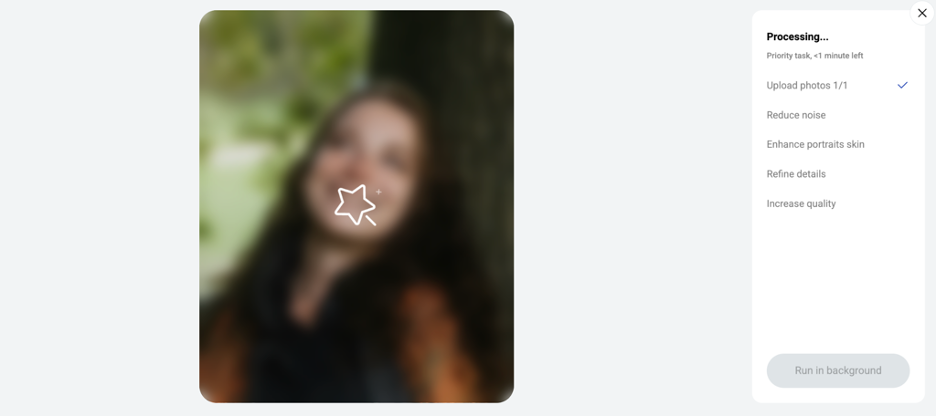
Click the select photos button and select the image you want to improve and hit the start button. The platform supports PNG, JPG, and WebP files.
Step 3: Preview the Results
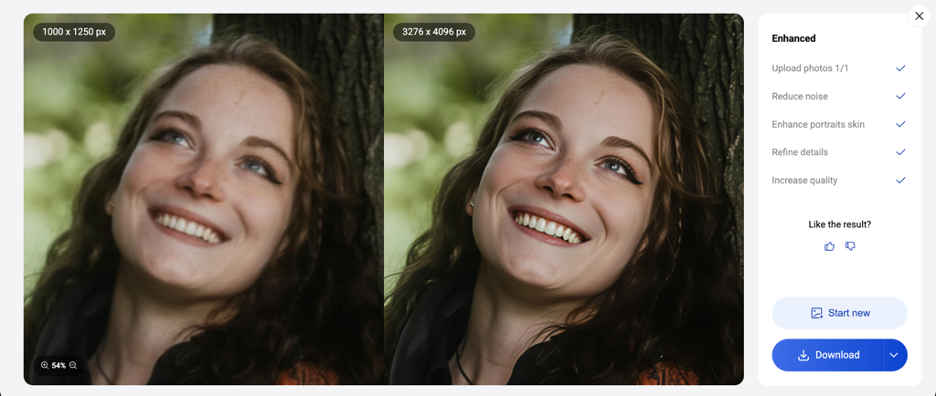
Once processing is complete, you can view a comparison between the original and enhanced versions. Zooming in often shows the improvement more clearly.
Step 4: Download the Enhanced Image
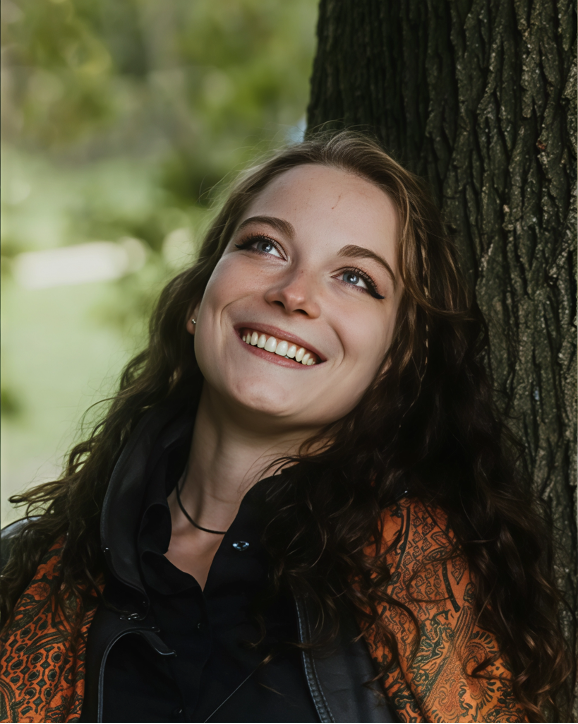
If you’re satisfied with the result, download the enhanced image. The exported file will be in PNG/JPG format while keeping the original file name.
And that’s basically it. The whole process feels almost too easy.
When to Use Artguru Photo Enhancer?
AI image enhancement can be useful in many everyday situations.
Portrait Photos
Portrait images taken in low light sometimes appear slightly soft or noisy. Enhancement helps restore facial detail and clarity.
Landscape Photography
Landscapes often contain distant textures like mountains or forests. AI enhancement can sharpen those details.
AI Art and Anime Images
AI-generated images sometimes lose quality after export or compression. Enhancing them helps recover crisp lines and textures.
Screenshots and Text Images
Screenshots used in tutorials or documentation can become blurry when enlarged. Enhancement helps maintain readable text.
E-Commerce Product Images
Clear product images are important for online stores. Enhancing them can improve presentation and professionalism.
Marketing Graphics
Logos, banners, and promotional visuals often need to be resized for different platforms. Enhancement keeps them sharp.
Old Photos
Scanned family photographs may look faded or low resolution. Enhancing them can preserve memories with better clarity.
Conclusion
Improving image quality doesn’t need complicated editing software anymore. With Artguru AI Photo Enhancer or Upscaler, AI handles the hard part automatically. The system provides one click enhancement and it enables batch processing with resolution support that reaches both 4K and 8K. The system operates at high speed to enhance portraits and upscale logos and restore historical photographs and improve PDF documents. The process of making a blurry image sharp can sometimes be completed within seconds.