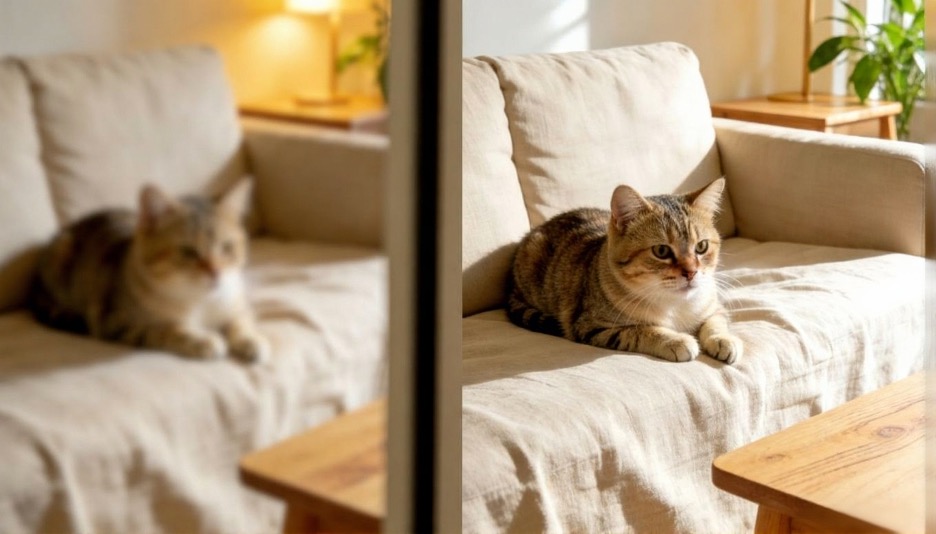
ImgUpscaler vs Topaz Gigapixel AI: Which Upscaler Produces Sharper Results?
Choosing the right tool to enlarge your images without losing quality can be tough. Both ImgUpscaler and Topaz Gigapixel AI offer powerful solutions, but they cater to different needs. This guide breaks down their features, strengths, and weaknesses to help you decide which is the best fit for your projects.
ImgUpscaler vs Topaz Gigapixel AI
When you need to enhance photos, the software you use makes all the difference. We’ll compare ImgUpscaler and Topaz Gigapixel AI head-to-head, looking at everything from their core technology to their ease of use. This will give you a clear picture of what each tool can do.
ImgUpscaler: Overview
ImgUpscaler is a web-based tool designed for quick and accessible image enhancement. It uses artificial intelligence to increase image resolution up to 4x without sacrificing detail. Its online platform makes it a convenient option for users who need fast results without downloading or installing software. It’s built to handle various image types, from digital art to photographs.
The platform’s primary strength is its simplicity. You can upload an image and receive an enhanced version in just a few clicks. This makes it an excellent choice for social media managers, bloggers, and anyone needing a reliable Image Upscaler. It focuses on providing a straightforward user experience while delivering high-quality enlargements.
Key Features
* AI-Powered Upscaling: Utilizes advanced algorithms to enlarge images while preserving clarity and texture.
* Web-Based Interface: No software installation is required, allowing access from any device with an internet connection.
* Batch Processing: Users can upload and enhance multiple images simultaneously, saving time.
* Support for Various Formats: Works with common file types like JPG, PNG, and WebP.
* Simple UI: The interface is clean and intuitive, making it easy for beginners to use.
Pros & Cons
| Pros | Cons |
| Extremely easy to use | Limited to 4x upscaling |
| No software to install | Fewer manual controls for pro users |
| Fast processing speeds | Requires an internet connection to use |
| Free to use for basic enhancements | Lacks advanced photo editing features |
Best For
ImgUpscaler is ideal for users who prioritize speed and convenience. It’s perfect for bloggers, marketers, and casual users who need to quickly improve image quality for web content. If you need a simple tool for enlarging photos without a steep learning curve, this is a great option. Its built-in AI Photo Editor also provides basic enhancements that are useful for quick touch-ups.
Topaz Gigapixel AI: Overview
Topaz Gigapixel AI is a professional-grade software application available for both Mac and Windows. It’s known for its powerful “deep learning” technology that can enlarge images up to 600%. The software excels at recovering details, reducing noise, and creating sharp, clean enlargements that are suitable for professional printing and high-resolution displays.
Unlike web-based tools, Gigapixel AI is a standalone program that offers extensive controls for fine-tuning the upscaling process. It allows users to adjust settings for noise suppression and blur removal, giving them granular control over the final output. This makes it a favorite among professional photographers and digital artists who demand the highest quality.
Key Features
* Up to 600% Enlargement: Capable of massive enlargements while maintaining image integrity.
* Advanced AI Models: Uses specialized AI models for different image types, including portraits and landscapes.
* Noise and Blur Reduction: Intelligently removes compression artifacts and motion blur during upscaling.
* Face Recovery AI: A dedicated feature that adds realistic detail to faces in low-resolution photos.
* Standalone Software: Runs locally on your computer, so no internet connection is needed for processing.
Pros & Cons
| Pros | Cons |
| Industry-leading enlargement quality | Requires a powerful computer to run smoothly |
| Advanced manual controls and settings | One-time purchase can be expensive |
| Works offline as a desktop application | Has a steeper learning curve for beginners |
| Excellent for restoring old or low-res photos | Software installation is required |
Best For
Topaz Gigapixel AI is built for professionals who require the best possible image quality. Photographers, graphic designers, and print specialists will benefit the most from its powerful features and precise controls. It’s the go-to choice for anyone preparing images for large-format printing, professional portfolios, or high-end digital projects where detail is critical.
Side-by-Side Comparison Summary
To make the choice clearer, here’s a direct comparison of the key aspects of both ImgUpscaler and Topaz Gigapixel AI.
| Feature | ImgUpscaler | Topaz Gigapixel AI |
| Platform | Web-Based | Desktop Software (Mac/Windows) |
| Max Upscale | 400% (4x) | 600% (6x) |
| Ease of Use | Very easy, beginner-friendly | Moderate, requires some learning |
| Manual Controls | Limited | Extensive |
| Best Use Case | Web content, social media, quick tasks | Professional photography, printing |
| Processing Speed | Fast | Slower, depends on hardware |
| Cost | Freemium Model | One-Time Purchase |
| Offline Use | No | Yes |
Final Recommendation
So, which AI upscaler should you choose? The answer depends entirely on your needs.
If you are a blogger, marketer, or casual user who needs to quickly enhance images for the web, ImgUpscaler is the perfect choice. Its web-based platform is incredibly convenient, fast, and easy to use. You can get great results in seconds without any technical knowledge. It delivers exactly what it promises: simple, effective image upscaling.
On the other hand, if you are a professional photographer, digital artist, or anyone who needs the highest possible quality for printing or commercial projects, Topaz Gigapixel AI is the clear winner. Its ability to enlarge images up to 600% while recovering fine details is unmatched. The software provides the manual controls necessary for professional work, making it a powerful tool for those who demand perfection.
Ultimately, ImgUpscaler excels in convenience and accessibility, while Topaz Gigapixel AI leads in power and professional-grade quality. Evaluate your priorities, budget, and technical needs to make the right decision for your workflow.