From Text to 3D in Seconds: AComplete Guide to Tripo Studio’sAI-Driven 3D Modeling Tools
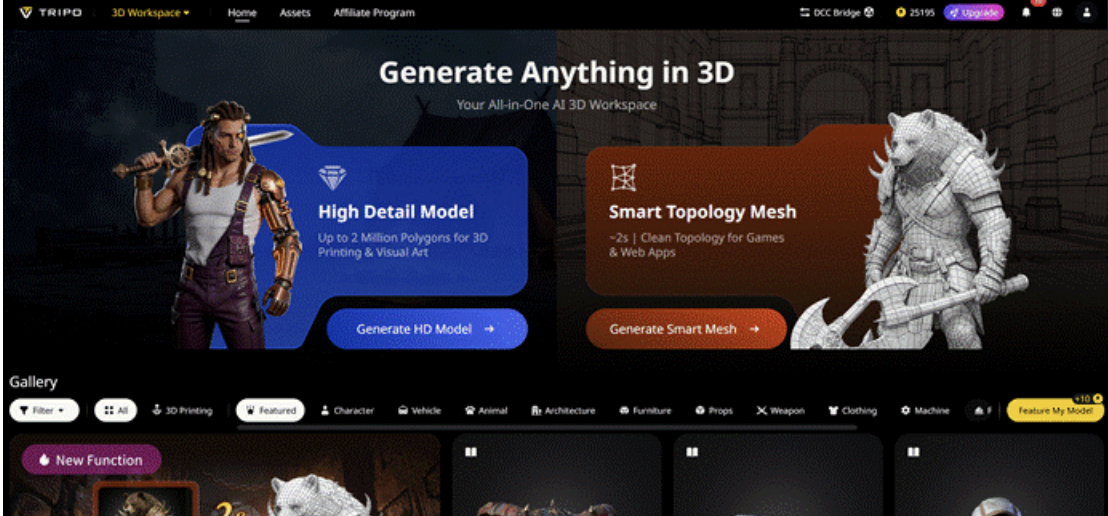
For 3D artists, time is often the biggest constraint. Manual processes like building models, retopology, UV mapping, and texturing can slow down creativity and impact project timelines. These repetitive tasks not only consume hours but also require significant expertise. That’s where AI-powered tools come in to revolutionize the workflow. Tripo Studio is a game-changer, using AI 3D Model Generator to automate the most time-consuming aspects of 3D creation. Whether you’re a game developer, architect, or product designer, Tripo Studio can help you create high-quality 3D models in a fraction of the time.
Core Features
1. Text to 3D Model
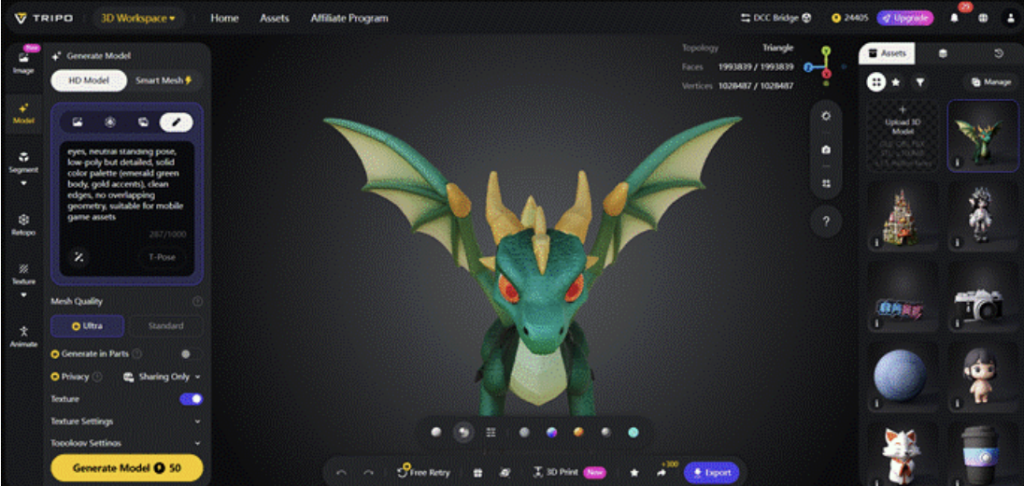
Tripo Studio allows you to generate a detailed 3D model just by typing a text description. It solves the problem of turning conceptual ideas into visual models, a task that traditionally requires hours of manual effort. With this feature, the creative process becomes faster and more intuitive, allowing you to bring ideas to life in seconds.
2. Image to 3D Model
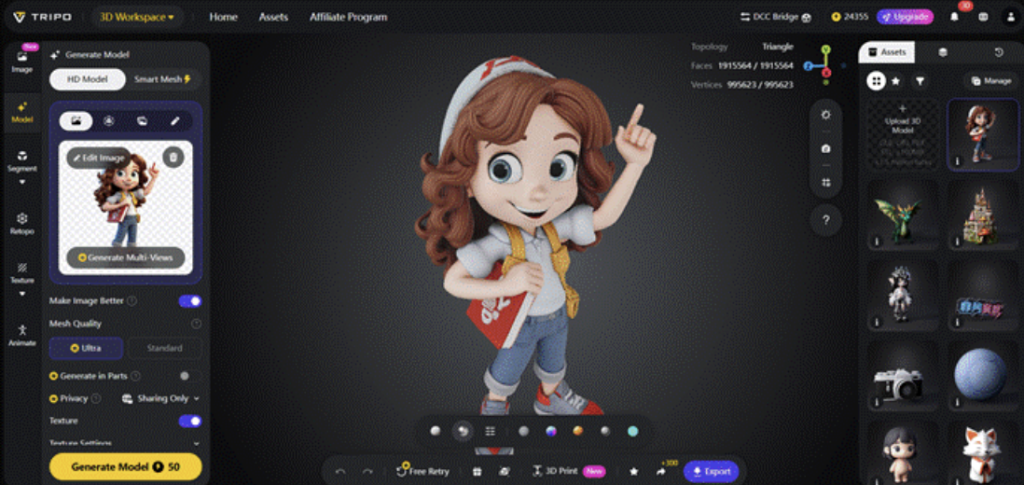
Upload a simple image, and Tripo Studio will transform image to a 3D model automatically. This eliminates the need for tedious manual modeling and helps you quickly generate 3D assets from real-world references. Artists can speed up their workflow by easily converting images to 3D models for a wide range of creative uses.
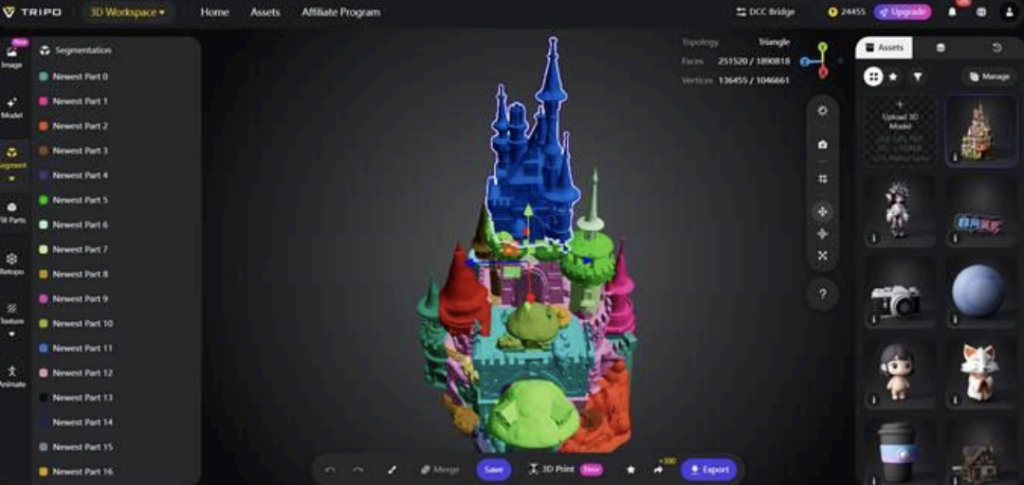
3. AI Model Segmentation
Tripo Studio’s AI-powered model segmentation allows you to automatically divide complex models into usable components. Traditionally, segmentation is a time-consuming process that requires intricate knowledge of modeling tools. By automating this step, Tripo Studio streamlines the creation process and enhances the flexibility of your models.
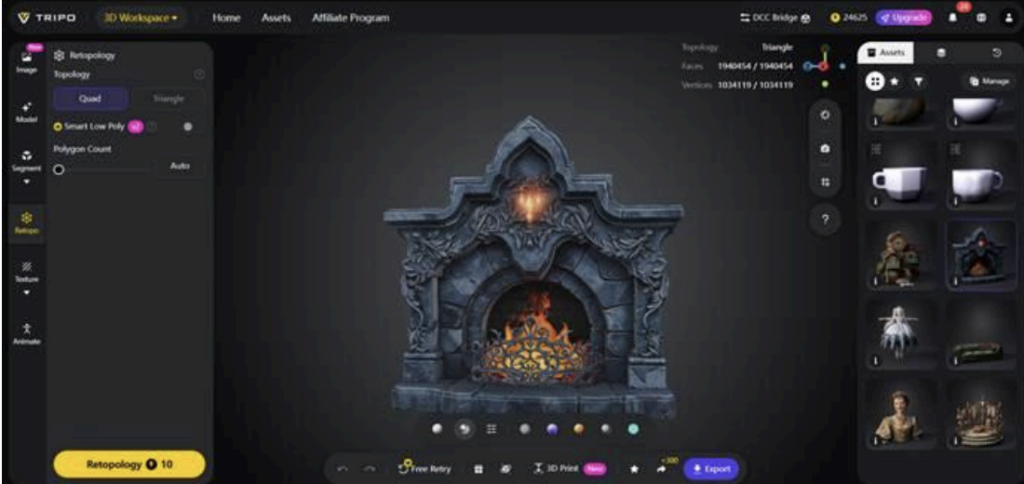
4. AI Retopology
The AI retopology tool takes the burden of mesh optimization off your shoulders, turning complex, high-polygon models into clean, low-poly meshes. This feature eliminates the manual, skill-intensive task of retopologizing models for animation or real-time rendering. A faster and more efficient workflow, with high-quality retopology that improves model performance.
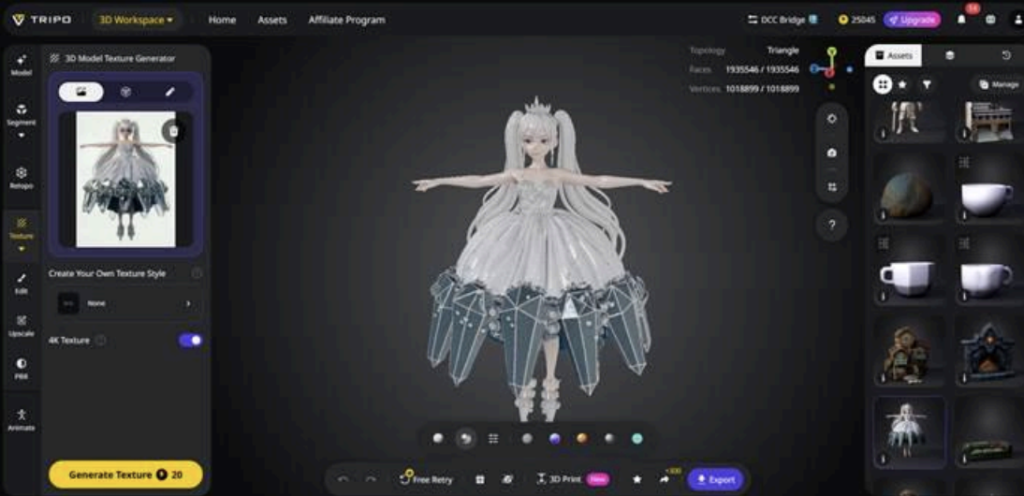
5. AI Texturing
With AI-driven texturing, Tripo Studio automatically generates textures that perfectly fit your 3D models. Say goodbye to hours of painstakingly hand-painting textures. This feature solves the challenge of applying realistic, high-quality textures to models. You can now achieve professional-level textures with minimal effort, saving time and achieving better results.
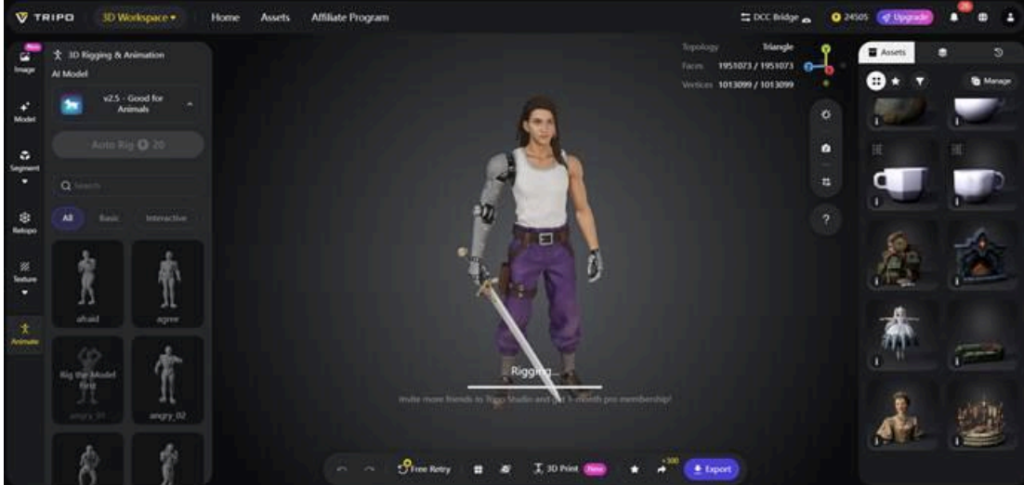
6. Auto-rigging
Tripo Studio’s auto-rigging feature fine-tunes the proportions and details of your models to ensure consistency and visual harmony. Adjusting the range and detail of 3D models manually can be tedious, but this feature lets you focus on the bigger picture while the AI takes care of the rest. The result is smoother, more polished models ready for rendering, printing, or integration into a project.
Real-World Use Cases
Tripo Studio is a versatile tool, suitable for various industries that rely on 3D modeling:
• Game Development: Speed up the creation of game assets by quickly generating 3D models and textures, ensuring you can meet tight deadlines.
• Architectural Visualization: Architects can turn sketches or photos into 3D models, speeding up the design and presentation process.
• 3D Printing: Generate 3D printable models directly from text or images, with optimized topology for better print quality. • Product Design: Create prototypes and detailed models from initial ideas, streamlining product development.
• VFX & Metaverse: Quickly generate detailed 3D assets for virtual reality experiences or cinematic effects, enhancing immersive worlds with high-quality visuals.
Comparison / Advantages
• Speed: Tripo Studio cuts down production time dramatically, with AI tools handling tasks that would otherwise take hours or even days.
• Quality: Every model, texture, and retopology is of professional quality, thanks to the precision of AI algorithms.
• No Expertise Required: Even beginners can create stunning 3D assets without needing specialized skills.
• All-in-One Tool: With features ranging from text-to-3D to auto-texturing, Tripo Studio consolidates everything into one platform, reducing the need to switch between multiple software programs.
Step-by-Step Example
Here’s a quick guide to get started with Tripo Studio:
1. Upload image / Type prompt: Simply upload an image or type a short description of what you want to create.
2. Generate 3D: Let Tripo Studio automatically generate the 3D model for you.
3. Auto-segment + Retopologize: Watch as the AI automatically segments and optimizes its topology.
4. AI Texture: The AI will apply realistic textures to your model for added detail and realism.
5. Export: Once your model is ready, export it for use in your project, game, or 3D printing.
Conclusion
Tripo Studio takes the hard work out of 3D creation, offering powerful AI tools that automate the most tedious tasks in the 3D pipeline. Whether you’re in game development, product design, or VFX, Tripo Studio can help you create stunning, high-quality models quickly and efficiently. Try it for free today and experience how AI can revolutionize your 3D workflow.