Beyond the Prompt: Why Speed-First Kimg AI Workflows Sabotage Visual Consistency
The industry’s obsession with generation speed is creating a quality ceiling that many content teams don’t realize they’ve hit until a campaign fails to align with brand standards. In the rush to integrate generative media, the metric for success has shifted toward “images per minute” rather than “assets per approval.” This speed-first approach often results in a phenomenon known as creative drift, where the lack of precise control over an AI model leads to a fragmented visual identity that requires more manual correction than it saves in production time.
True efficiency in AI media production is not measured by how quickly the “generate” button responds, but by the reduction of revision cycles. For professional teams, the “slot machine” style of prompting—repeatedly hitting generate until something looks “good enough”—is a massive resource drain. To build a repeatable asset pipeline, creators must move away from broad text prompts and toward structured, operator-led workflows that prioritize deterministic control.
The Productivity Trap: When ‘Fast’ Becomes an Obstacle
The temptation to use high-volume prompting as a substitute for clear creative direction is the first pitfall of rapid AI adoption. When a team is focused on speed, they often rely on the most generic capabilities of a model. This leads to the “AI look”—a specific glossy, overly-saturated aesthetic that makes it difficult for brands to stand out. More importantly, it creates a workflow where the creator is a passive observer rather than an active director.
Creative drift happens when each subsequent asset in a campaign is slightly disconnected from the previous one because the model was given too much “creative freedom.” When teams rely on generic models without specific tuning or control parameters, they lose the ability to maintain character consistency, lighting logic, and spatial composition across multiple frames. An output-first mindset treats the AI as a magician; a system-first mindset treats it as a high-fidelity rendering engine that requires precise inputs to yield professional results.
The Slot Machine Fallacy in Prompt Engineering
A common mistake in creative operations is the “brute force” method of asset generation. Teams will often write a 200-word prompt and hit generate fifty times, hoping one of the variations hits the mark. This is an inherently inefficient way to work. If you are generating a scene and the only thing wrong is the position of a product on a table, regenerating the entire frame is a waste of compute and time.
Banana AI is often utilized by creators who recognize this friction. Instead of relying on the chaos of a fresh seed every time, professional workflows focus on composition-heavy models that allow for more deterministic results. Professional-grade work requires 1:1 asset matching—where the digital asset perfectly mirrors the physical requirements of a brief. Prompt-only workflows fail here because they lack the “anchors” needed for professional design work.
It is worth noting that while advanced models are becoming more intuitive, there remains a significant gap between “natural language” and “design intent.” Even the most sophisticated systems occasionally interpret spatial prepositions (like “behind” or “under”) incorrectly, leading to frustrating loops where a creator tries to “argue” with the prompt box.
Resolution Gaps and the High-Fidelity Illusion
Another frequent error is the technical debt created by integrating low-fidelity assets into a high-resolution pipeline. Many teams optimize for the preview—the quick 512×512 or 1024×1024 image—only to find that when the asset is needed for print or 4K video, it falls apart. The “high-fidelity illusion” occurs when a team assumes that an AI upscaler can magically recover detail that was never there in the first place.
Using Nano Banana Pro AI allows teams to set a higher baseline for resolution from the start. Achieving K-level resolution isn’t just about pixel count; it’s about the density of the information within the frame. When you work at a higher fidelity standard, the lighting, textures, and edges remain crisp even after post-production color grading.
There is a necessary moment of uncertainty here: upscaling technology, while impressive, has clear limitations. If the initial generation contains structural errors—such as warped geometry or “melting” architectural features—an upscaler will simply make those errors larger and more defined. You cannot upscale your way out of a fundamentally flawed initial generation. This is why the first “pass” of any visual must be structurally sound before any upscaling or detail enhancement is applied.

Refusal to Edit: The Inpainting and Outpainting Oversight
Perhaps the biggest mistake speed-focused teams make is treating an AI output as a finished product. In a professional creative environment, the AI output is the raw material. The refusal to engage in surgical edits—like inpainting a specific hand gesture or outpainting a background to fit a 21:9 aspect ratio—leads to generic compositions that feel “trapped” within the model’s default settings.
Common mistakes in background removal often break the visual immersion of an asset. When a team uses a “one-click” background remover that doesn’t respect the lighting or focal length of the original subject, the result is a flat, “pasted-on” look. The Kimg AI toolset is designed for these specific moments where a creator needs to step in and fix a single element without discarding the rest of the image.
An “editor-in-the-loop” workflow consistently produces a higher ROI than a “pure automation” workflow. By spending five minutes on a targeted inpaint rather than twenty minutes trying to “prompt out” a mistake, a creator saves hours over the course of a project. This shift from “generative” to “transformative” is what separates hobbyist creators from production-ready agencies.
The Operator’s Framework: Reclaiming Control with Nano Banana Pro
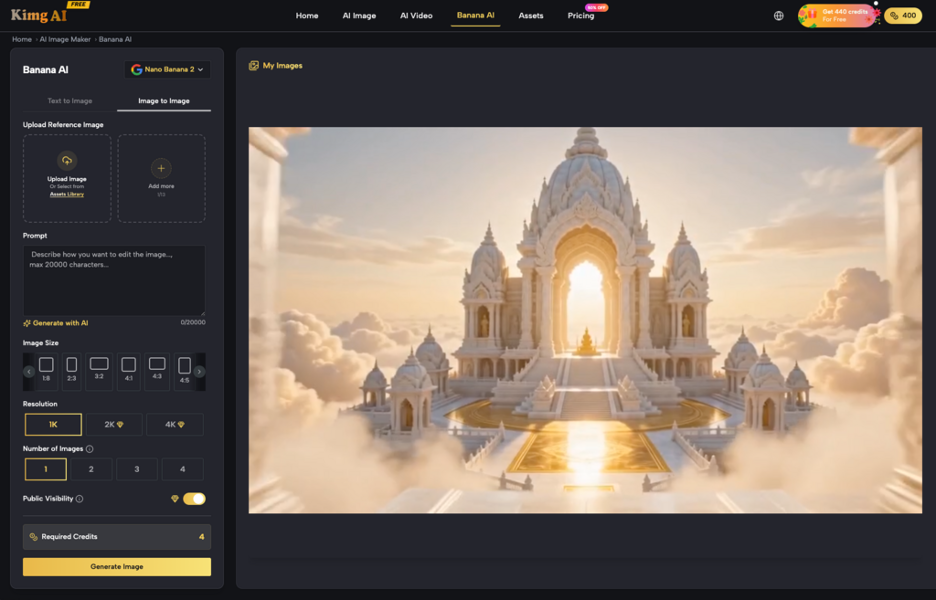
To move from a speed-based to a control-based workflow, teams need to change their fundamental approach to asset creation. This usually involves moving away from text-to-image as the primary driver and adopting image-to-image or structure-based pipelines. Using Nano Banana Pro as a core component of this pipeline allows for a more rigid adherence to style guides and brand books.
In a structured pipeline, the “text prompt” acts as a modifier rather than the source. You might start with a wireframe, a rough sketch, or a reference photo to lock in the composition, then use the AI to apply the lighting, texture, and style. This creates a repeatable asset pipeline where visual consistency is the default, not a lucky accident.
It is important to reset expectations: the myth that a single “perfect” tool will ever replace the need for human art direction is just that—a myth. AI can handle the labor of rendering and texture synthesis, but it cannot understand the “why” behind a creative choice. A tool like Nano Banana Pro AI provides the precision needed for professional work, but it still requires an operator with a critical eye to determine if the output meets the emotional and strategic goals of a campaign.
By prioritizing control over raw speed, content teams can break through the quality ceiling and produce AI-assisted visuals that actually belong in a high-end production environment. Efficiency isn’t about how fast you generate; it’s about how little you have to redo.