Best Free Logo Makers: Is the Upgrade Worth It?
Are you launching a new business and in need of a logo fast, but your budget doesn’t allow for hiring a professional designer? No worries! Tons of online logo makers let you create a logo for free, making them a great choice for startups and new ventures.
Many of these platforms also provide reasonably priced paid plans that unlock advanced features, extra design tools, and higher-resolution files.
To help you choose the best option, we’ve tested and reviewed four of the top free logo makers to see what each one brings to the table, both for logo creation and their paid features.
TL;DR
- Best for having the largest logo library: Design.com – Over 500, 000 logo templates designed by professionals.
- Best for extensive customization features: BrandCrowd – Customize everything from text to backgrounds and specific requests made to a built-in AI chat.
- Best for including tailored questions about your logo: LogoMaker – Answer around 5 questions about your preferred logo to get industry-tailored results.
- Best for live edits and preview: Logopony – Customize your logo on the special dashboard and preview your logo changes live on various branding materials.
Top 4 Online Logo Makers: Testing the Waters
| Logo Makers | Best for | Trustpilot Rating |
| Design.com | Everyone from beginners and non-designers to professionals | 4.7 / 5 ⭐ |
| BrandCrowd | Designers, business owners, creators, and everyone wanting fast and high-quality logo solutions | 4.7 / 5 ⭐ |
| LogoMaker | Individuals, startups, and businesses looking to create a logo quickly and affordably | 3.9 / 5 ⭐ |
| Logopony | Everyone needing a quick logo for their business, service, or a project | 3.1 / 5 ⭐ |
1. Design.com
Best for: Everyone from beginners and non-designers to professionals.
The first to review is Design.com, often considered one of the best and most popular online logo makers. Despite being positioned as a dedicated logo maker, Design.com also includes all the necessary tools for businesses’ branding idea formation. Once you create your logo on Design.com, you can build your website and social media campaign assets, business cards, and on-print designs around it.
All the logo templates are designed by professional designers and are 100% commercially safe to use.
| # of logo templates | 500,000+ |
| Supported file formats | SVG, EPS, PNG, JPG, PDF, MP4, GIF |
Logo Making: Step-by-step Review
To give you deeper insights into how logo-making works on Design.com, we have created a logo for an example restaurant business and presented the step-by-step process.
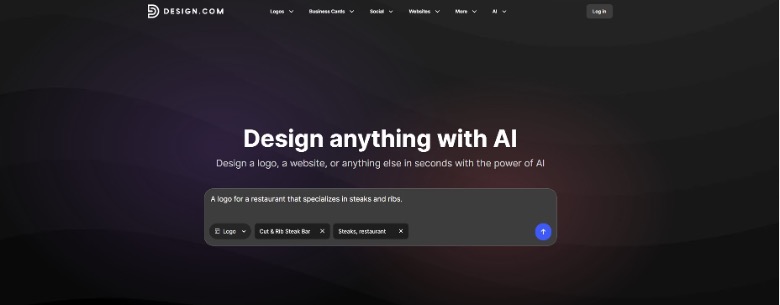
- Step 1: Once you access Design.com’s website, the first thing you will see is the description box with a dropdown menu of all the design assets that can be created with Design.com. Choose the “logo” option, enter your business name and a couple of keywords related to your business, and let the platform handle the rest.
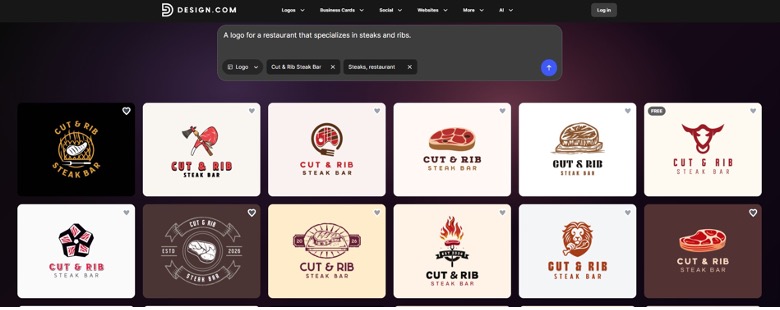
- Step 2: In our example, we got more than 10,000 logo templates with unique styles, icons, colors, and designs. Every single logo template generated can be further customized.
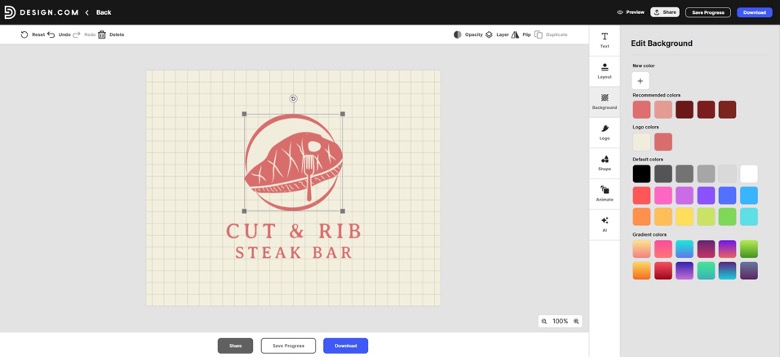
- Step 3: After we picked our favorite one, we were transferred to the customization studio, where we could make further edits by changing the background, colors, layouts and a lot more.
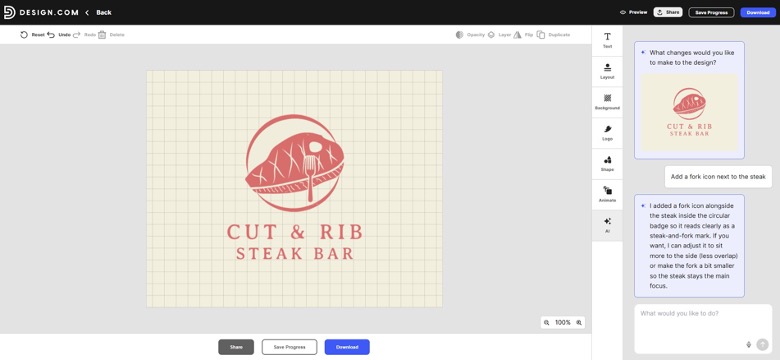
Got a particular edit you want to make? Just chat with the built-in AI assistant, and watch your ideas come to life in no time! You’ll even get a thorough breakdown of how each request was carried out.
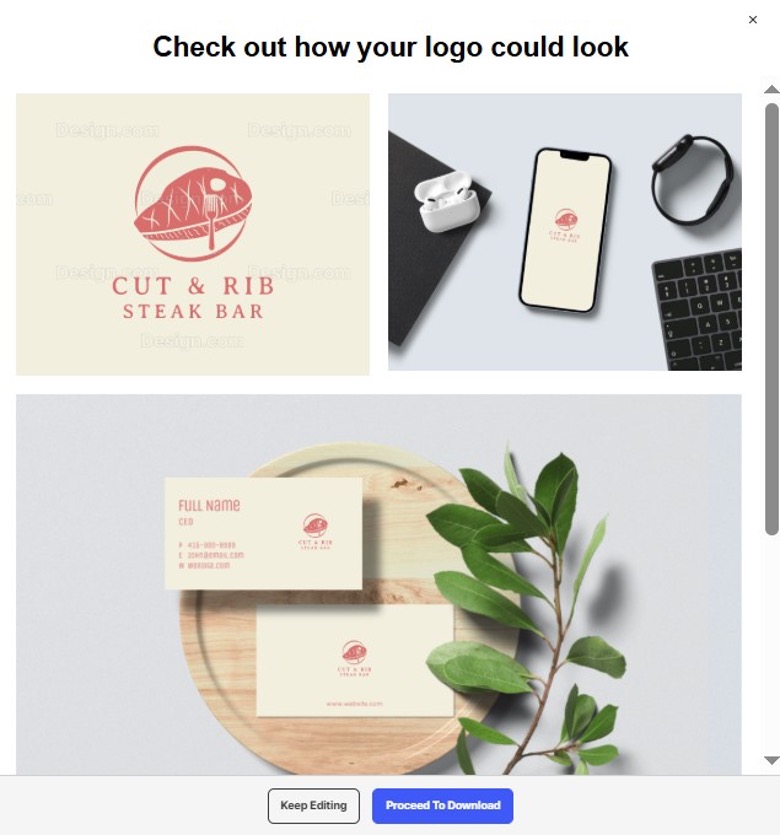
- Step 4: When you’ve wrapped up all your edits, you can save your logo to your account for easy access later, or you can preview it to see how it looks on various design materials like business cards and banners before the final download. This way, you’ll get a clearer picture of how your logo will appear in real-life situations once your business is up and running.
Pricing Plans and Upgrade
- Starter: $5 per month billed annually
- Value: $6 per month billed annually
- Premium: $7 per month billed annually
Logo creation is completely free of charge. Downloading the free logo opens doors to more extensive tools and features, such as a website builder, free link-in-bio creator, high-res and vector logo files, and a lot more. So, committing to any of Design.com’s paid plans is a smart move.
2. BrandCrowd
Best for: Designers, business owners, creators and everyone wanting fast and high-quality logo solutions.
BrandCrowd is an AI-powered online logo maker and branding platform, offering fast and easy-to-follow logo-making steps. Apart from logos, you can also generate customized business cards, websites, posters, flyers, social media posts and covers and more design materials necessary for a business launch or a marketing campaign.
| # of logo templates | 380,000+ |
| Supported file formats | SVG, EPS, PNG, JPG, PDF, MP4, GIF |
Logo Making: Step-by-step Review
We used the same example of a restaurant to create a logo on BrandCrowd and see how it works.
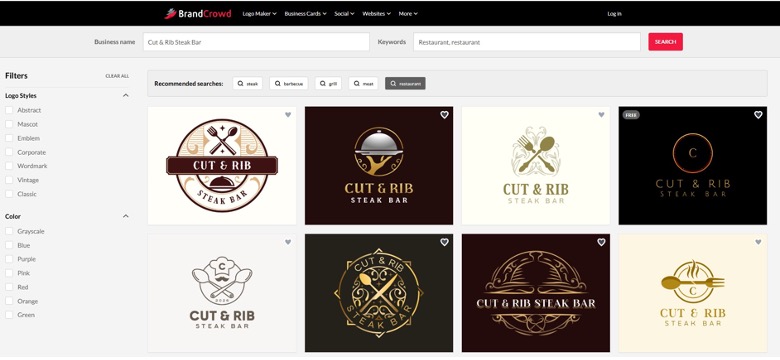
- Step 1: On BrandCrowd’s website, we noticed that there is a dedicated section of top industries that also included the restaurant industry. As we clicked on it, the next and only remaining step was to add our business name.
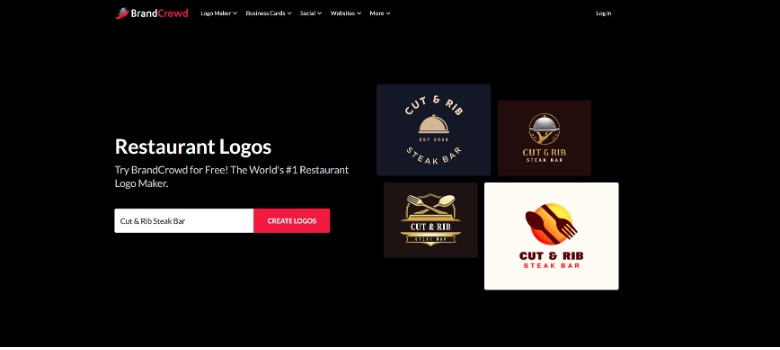
- Step 2: BrandCrowd automatically added relevant keywords to generate more tailored results (around 10,000 templates). On the left side, it was also possible to filter the generated templates by colors or logo styles.
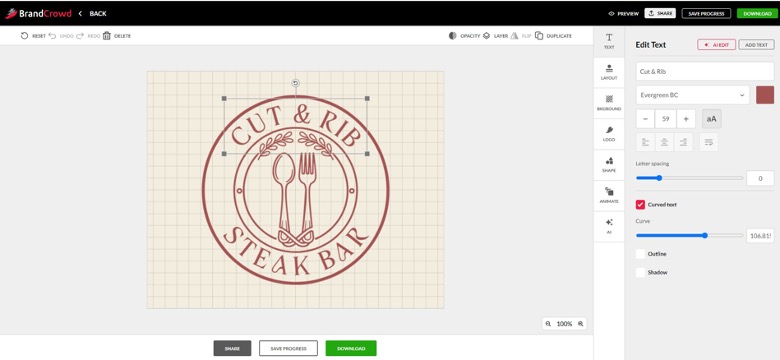
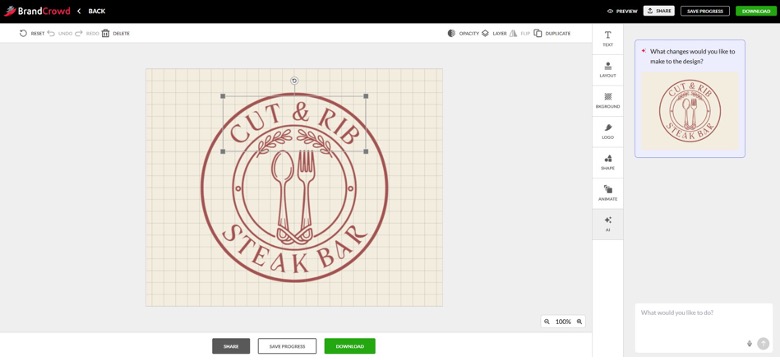
- Step 3: BrandCrowd also offered flexible editing options, from text to backgrounds, layouts, shapes, and AI edits via a built-in AI chat.
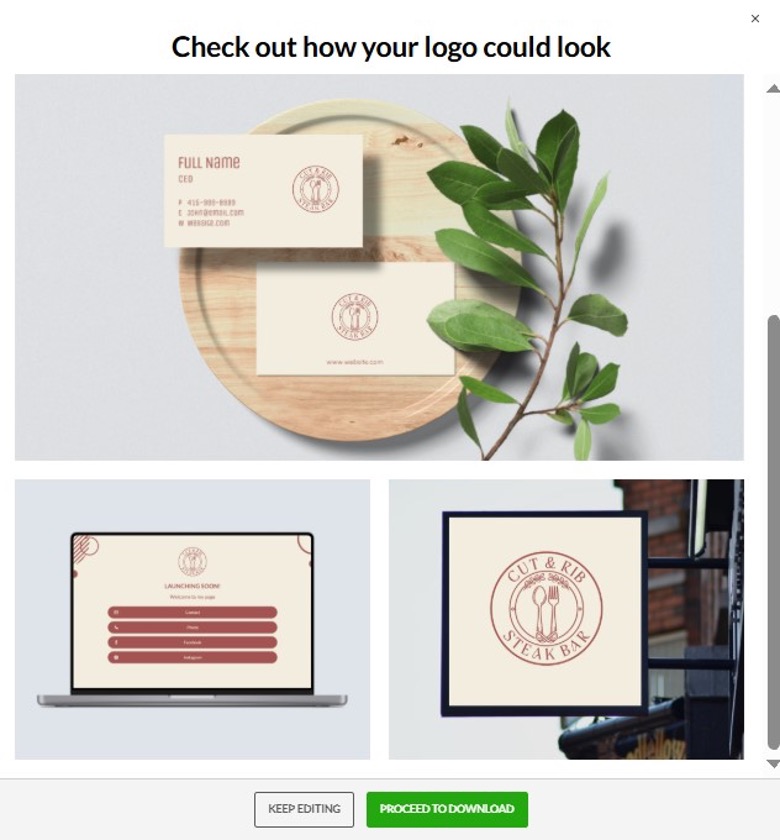
- Step 4: The final step after making the edits was, again, either saving the progress or previewing the logo on other branding items before the final download.
Pricing Plans and Upgrade
- Starter: $5 per month billed annually (Logo + 50 design tools)
- Value: $6 per month billed annually (Logo + 50 design tools + website)
- Premium: $7 per month billed annually (Logo + 50 design tools + website + more)
Here too, making a logo with BrandCrowd is completely free. Downloading the free logo gives access to more tools and features, such as a website builder, a free link-in-bio creator, a digital business card maker, and high-res and vector logo files.
Therefore, BrandCrowd’s paid plans are also worth considering.
3. LogoMaker
Best for: Individuals, startups and businesses looking to create a logo quickly and affordably.
LogoMaker is a fantastic AI-driven online tool that empowers business owners to create professional logos, even if they don’t have any design skills. Users simply input some basic details about their business, and then personalize their favorite design using the built-in editor.
| # of logo templates | 10,000+ |
| Supported file formats | EPS, JPG, PNG, GIF, PDF, SVG |
Logo Making: Step-by-step Review
We have also tested LogoMaker to see how logo-making works here.
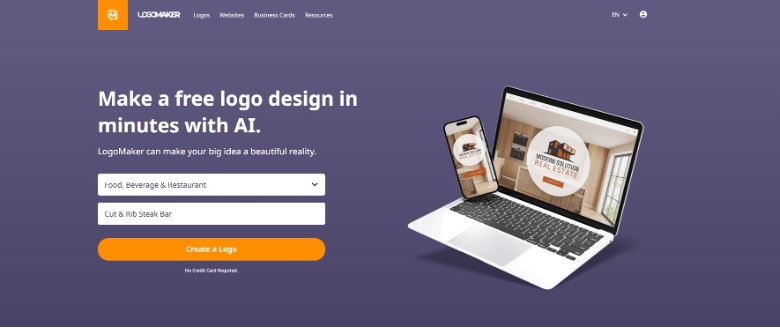
- Step 1: You start by choosing your industry from the given list and writing your company name.
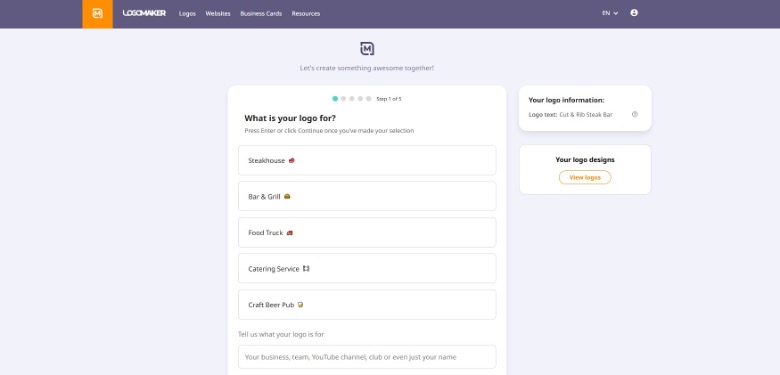
- Step 2: Then, be ready to answer several questions about your preferred logo, such as what feeling you want it to give, what color should be most prominent, and other special touches you want to see on your logo.
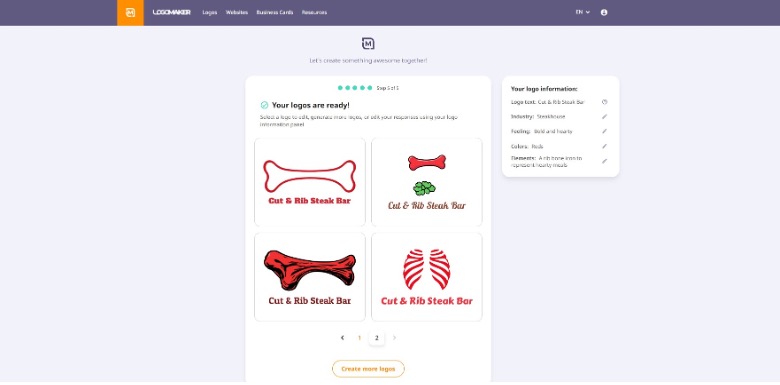
- Step 3: The tool generates 4 initial logo designs, with an option to create more if you didn’t like any of the generated options. It is worth noting that, based on our experience, despite the tailored questions we answered before, the generated logos appeared to be quite simple in design.
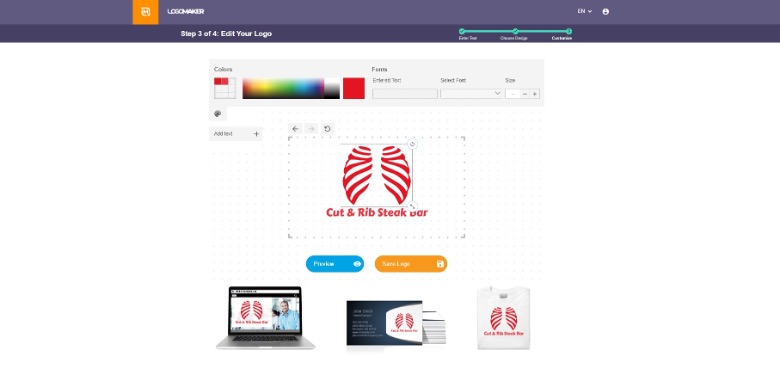
- Step 4: After choosing your logo, you can make further edits mainly on the logo text, such as adjusting its font or color. Below, you can also preview your logo on other branding materials.
Pricing Plans and Upgrade
The pricing for a logo purchase starts at $39.99 and includes high-resolution files with EPS, JPG, PNG, and GIF included.
4. Logopony
Best for: Everyone needing a quick logo for their startup, business, or a project.
LogoPony is an online logo maker powered by AI and designed to help businesses generate custom logos even if they don’t have any design experience. Users can pick a design that catches their eye, adjust the details, and receive a complete branding package that includes over 30 assets for websites, social media, business cards, packaging, stationery, and more.
| # of logo templates | 1000+ |
| Supported file formats | EPS, PDF, SVG |
Logo Making: Step-by-step Review
And finally, using the same example, here’s what the steps required for logo-making on Logopony.
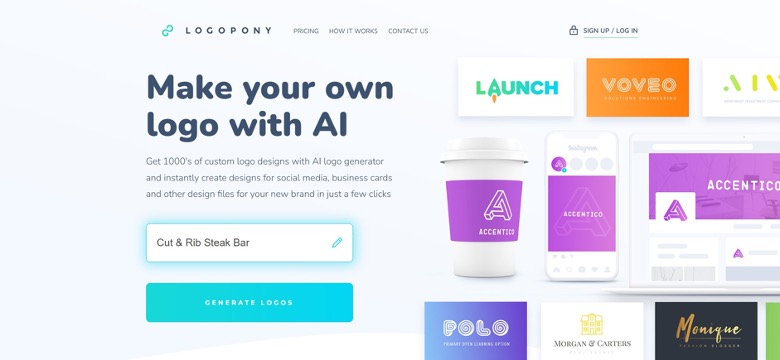
- Step 1: To begin, enter your business name in the special box on Logopony’s website homepage and hit the “Generate Logos” button below.
- Step 2: Enter a short description explaining your business or provided service and a slogan if you have one.
Note: We had to re-enter our business name because the first part was cut off, leaving only the first word. So, make sure you double-check everything before proceeding.
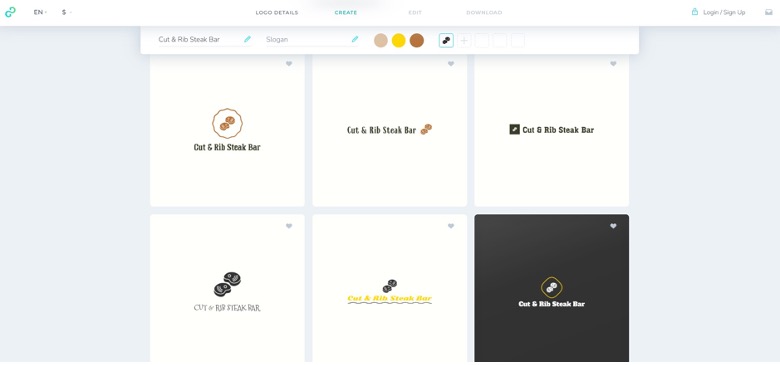
- Step 3: You will get 6 initial logo designs generated for you, which you can later customize and adjust details like layouts, shapes, backgrounds, text fonts, and colors. As per our review, the logo templates, however, lacked uniqueness and creativity and were quite simple in design, so making them more tailored to our business would require more editing.
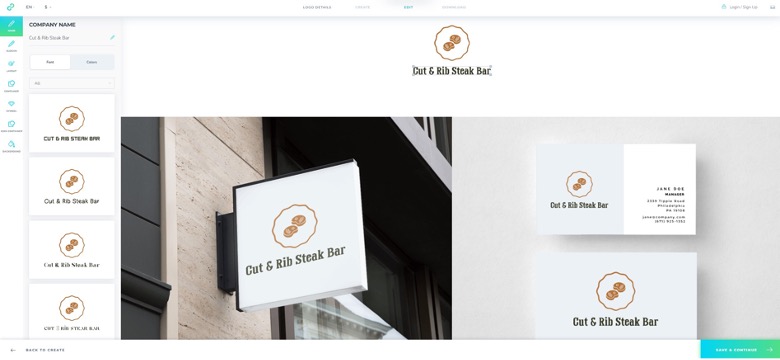
You can also preview your logo on other branding materials right when you make your edits and see all the changes live.
Pricing Plans and Upgrade
To download your final logo, the platform offers you the option to subscribe to any of its paid plans. The pricing starts at $15 for one simple logo in low-resolution.
Higher-priced plans include more advantages such as multiple high-resolution file types, a social media kit, business card designs, resizable & print-ready files, and more.
To Wrap Up
To sum up our testing, here’s what we discovered:
Design.com and BrandCrowd stood out with the biggest variety of logo templates, top-notch editing features, and some of the most budget-friendly paid plans packed with a lots of favorable options. From our experience, we think these two tools are great starting points for crafting your logo.
That said, remember that our insights are based on our own journey, and yours might be quite different. So, take your time exploring each logo maker on our list, along with other alternatives.
Let your creativity flow and find the one that offers the best results and pricing tailored to your needs.