
Free Background Picture Creator – Design Your Backgrounds Online Easily
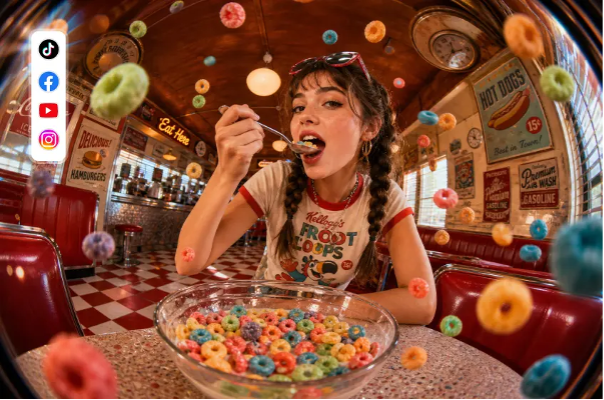
You have a clear photo of your product, but the kitchen counter behind it does little for the finished image. You could photograph everything again, or keep the subject and create a background that suits it. A background picture creator helps you build a new setting around an existing photo. With a text prompt, you can describe a wooden tabletop, a softly lit studio, or a simple pastel backdrop without assembling the scene yourself.
A beautiful background still looks wrong if its lighting, scale, or camera angle clashes with the subject. Here’s how to choose a tool and use UltraPic to create a scene that feels intentional.
How to Choose the Best Background Picture Creator?
Start with the image you need to finish. A product listing, a website banner, and a social media post each need different proportions and levels of detail. Before choosing a dependable AI background generator, check these 5 things:
- Does it support your starting point? Some generators create an entire picture from text. Others build a background around an uploaded subject.
- Can you correct the cutout? Automatic background removal can miss thin straps, loose hair, or spaces between objects. Look for a way to refine the subject’s outline before generating the new scene.
- Can you control the composition? You should be able to choose the canvas proportions and position your subject. For an advertisement, leave room for a headline. For a product thumbnail, make sure the item remains recognizable at a small size.
- What does the free plan actually include? Check generation credits, download size, and watermarks separately. A free preview does not necessarily mean unlimited full-resolution downloads.
- Does the result survive a close look? Inspect the point where the subject meets the surface. Floating objects, conflicting shadows, and oversized props can reveal a poor match even when the colors look attractive.
A Beginner-Friendly Text to Background Generator
UltraPic is a free, browser-based AI photo editor offers an online background generation workflow built around an uploaded photo. It removes the original background and lets you describe a replacement setting with text. That makes it relevant for product images where the item should remain the focus.
Except for background generation, it can also handles other ecommerce photo editing, such as AI photo enhancement, unwanted object erasing, photo retouching, upscaling up to 8X, and so on.

Main features
- Text-to-background generation. Type a short description – “snowy mountain landscape under clear blue sky” – and the AI builds the scene. No prompt engineering required.
- Automatic removal first. The background is stripped automatically while product edges and fine details are preserved, then the new scene is applied in one click.
- A library of templates and presets. Ready-made options for professional white backgrounds, lifestyle scenes, seasonal campaigns and themed templates when you don’t want to write a prompt at all.
- Automatic light and colour matching. Background replacement, colour correction and lighting enhancement are handled for you, so shadows fall in a believable direction.
- Native high-resolution output. Images render at native resolution up to 2560 px rather than being stretched by an upscaling model, so details stay intact.
- Fast & free. Most generations finish in roughly 5 – 15 seconds. Downloads carry no watermark or ads.
How to Create Realistic & Unique Backgrounds – No Watermark
Here is how to design your own backgrounds with ease:
Step 1. Open UltraPic and upload through Open Image, or drag the file onto the page. Sign in if prompted to access your free credits.
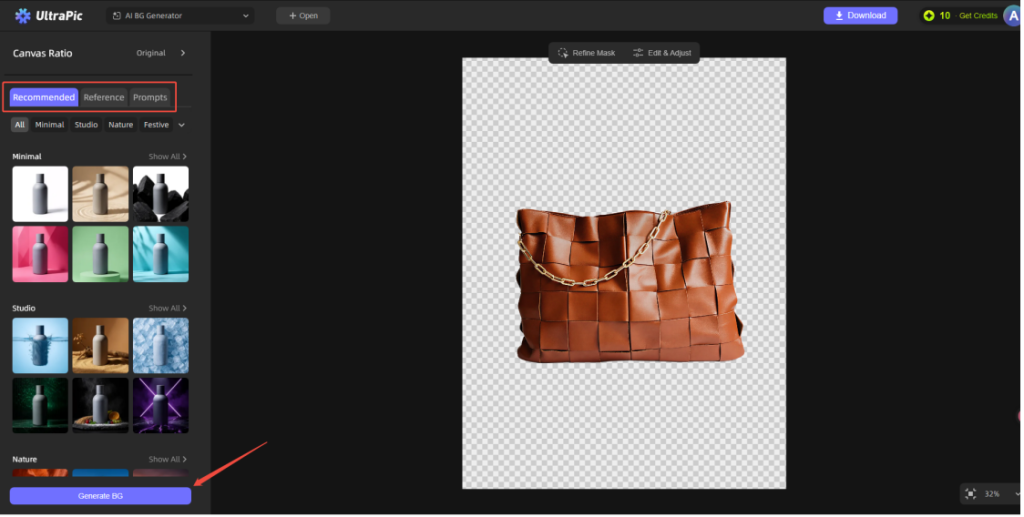
Step 2. Inspect the automatic background removal. Use Refine Mask where needed before creating the replacement. Then, choose your BG generation mode, and the target template, then click Generate BG.
- For the prompt option and describe the background. A practical formula is: Surface + surroundings + light direction + camera angle + colors.
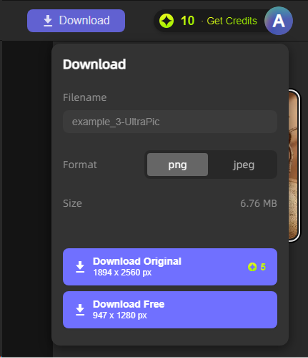
Step 3. Click Download to export the image with its new background.
In the End
The best background picture creator helps you make a background that belongs with your photo. UltraPic provides an approachable starting point through photo upload, text prompts, editing controls, and watermark-free exports within its plan limits.
Start with one clear subject and one simple scene. Match the lighting, leave useful space, and inspect the result before downloading. Those decisions usually matter more than a longer prompt or a busier background.