Desktop Clutter Driving Me Crazy—Here’s the Quick Method That Finally Cleared My Screen
Typically, Windows and peeps have so much clutter on their desktop. Important files, folders, screenshots, downloads and application shortcuts tend to get collected on the desktop over time, causing the desktop to become cluttered, making it difficult to find what you need, and making it more challenging to get things done. In the short term, it can soothe the issue by sorting files manually, but a new file is added every day, which results in clumping up again after a while.
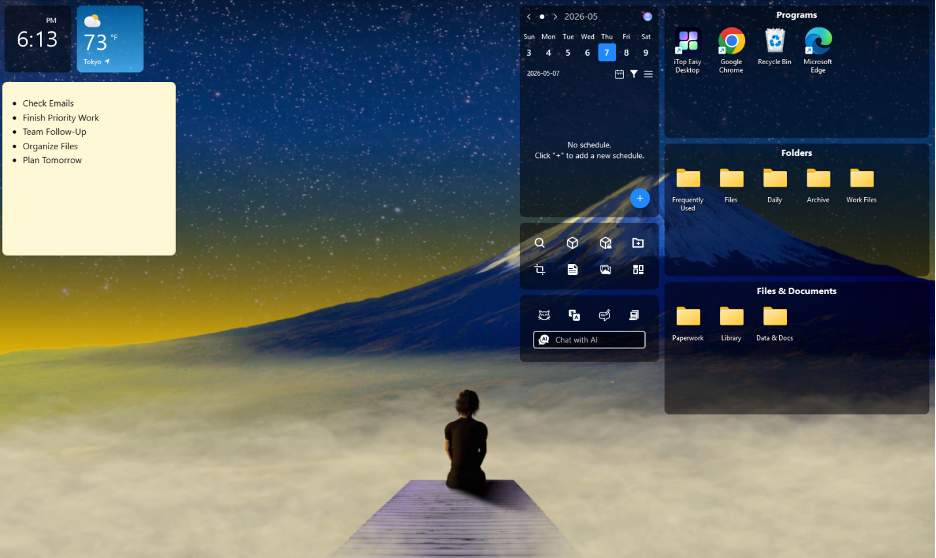
Luckily, these days, there’s a wiser way of performing desktop management in the modern desktop. iTop Easy Desktop – This is a strong desktop organizer software designed to make it more convenient and organised in the work area and be efficient. The full release of iTop Easy Desktop 4 enables users to enjoy improved organisation features, AI-driven tools and features, automation, as well as plenty of personalisation options.
In the following example, we’ll take a look at how you can use the most useful features that are available with iTop Easy Desktop to create a clean and efficient desktop.
Enable Boxes to Create an Organised Foundation
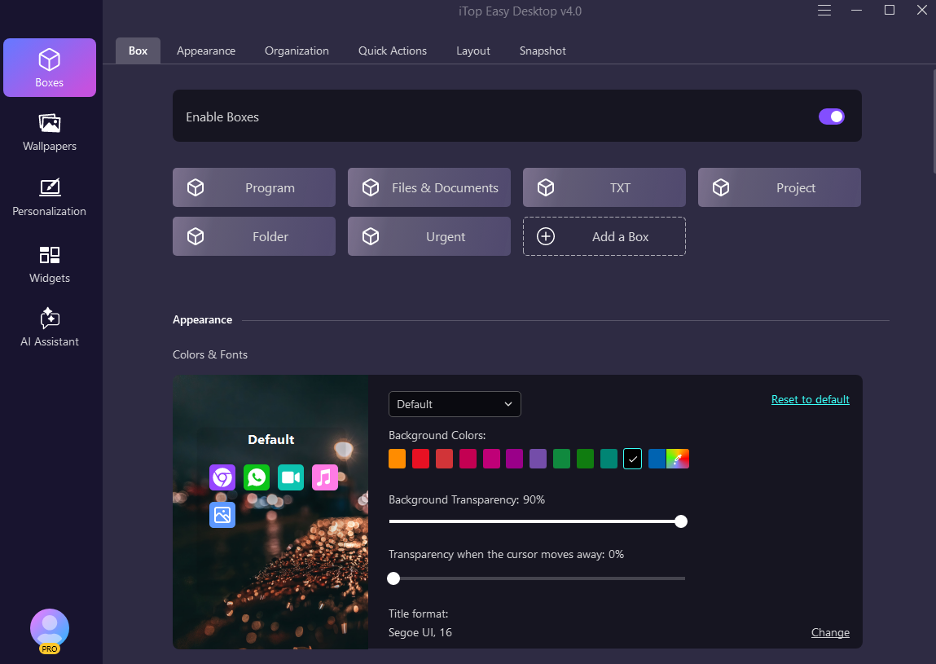
In order to eliminate desktop clutter, the first thing you have to do is to establish a structure of organisation. Unless you have a system, it’s easy to see how files can scatter across the desktop, making it difficult to be productive and causing confusion.
iTop Easy Desktop works well because it easily allows sorting items on the desktop by categories (Boxes). Each document, project file, software shortcut, download or personal folder can have its own Box, providing a more organised environment.
Instead of a dozen icons, actual “Areas” are created, where it is easier to navigate. That’s a very structured base you can make use of in finding the files, and in lowering these visual interruptions which come with a messy desktop interface.
After creating Boxes, the next task is to enhance the appearance and usability of the Boxes.
Customise Box Appearance for Better Navigation
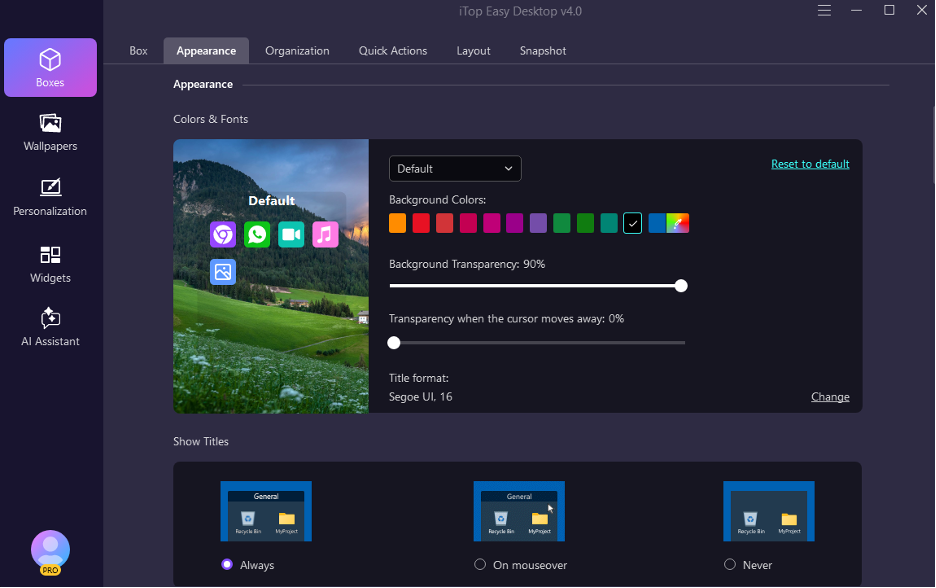
There’s a problem with organising desktop items by categories, but there needs to be some visual clarity too. An effective workspace design helps users to find information quickly and be able to focus for the rest of the day.
It allows the user to apply what the user wishes to the Boxes: the Box Appearance feature. Different levels of visual settings will make categories pop and can help produce a cleaner and more professional desktop environment.
These are customisation elements that improve both appearance and use. Users can easily identify folders by colour, rather than by folder. This may be beneficial in optimising the usage of the desktop, particularly if using a couple of projects or lots of files.
Visual organisation brings a huge benefit to the desktop user experience, but organisational maintenance over time depends on automation.
File Organisation Made Easy – Box Rules
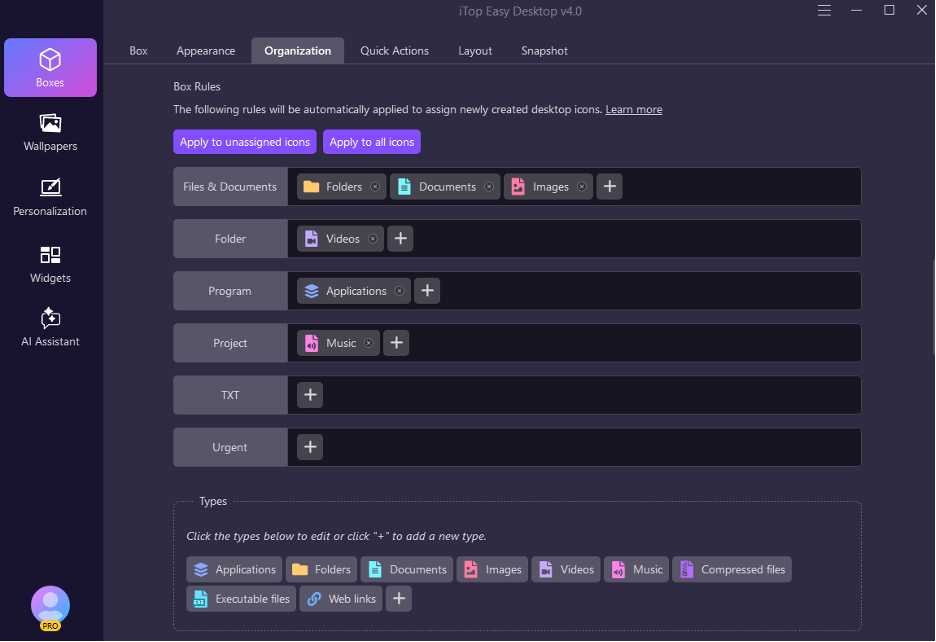
Maintaining consistency with desktop management is one of the most difficult things to do. Pending downloads, screenshots, and new files can easily clutter your desktop if the files are not organised in a proper manner.
To address this problem, Box Rules are provided with iTop Easy Desktop to accomplish auto-sorting of boxes as rules are established (like Hold For .jpg, or File Match For “Place Value”), any future files will automatically be put into the correct Boxes.
Box Rules make any desktop tidier and more straightforward than manually dealing with files. The documents may be addressed to a work that is related to an area, and any media files stored in groups can be downloaded/imported into groups automatically.
Automation means not only saving time, but it also aims to maintain a neat desktop, not just for a short period, but for the long haul. Users are now able to focus on information display optimisations with files sorted properly.
Double-Click Hide for Instant Desktop Clarity
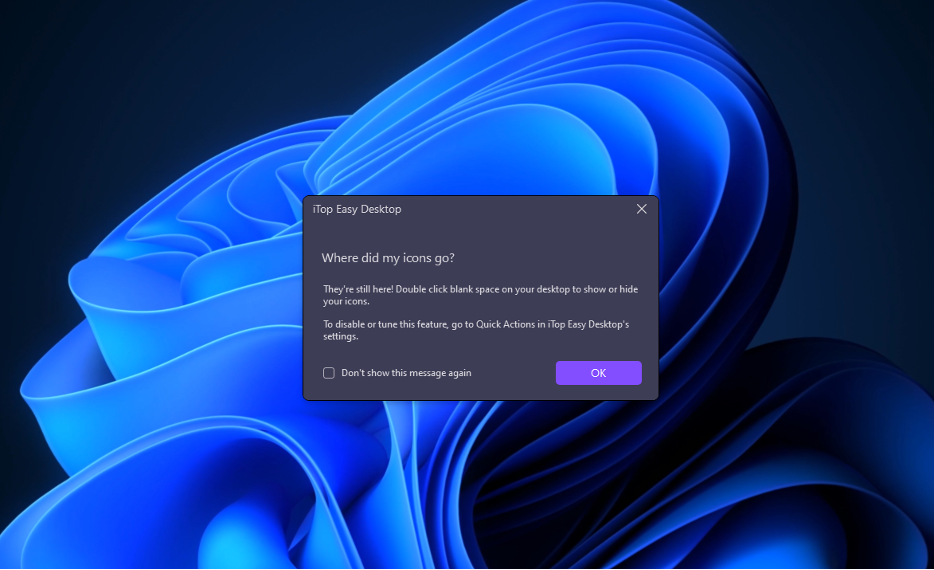
Sometimes, even a well-organised desktop is distracting – particularly for agreeing with a class presentation, when on video call, or just in the middle of working.
Rather than one double-click, all Desktop icons go away by hiding them with one Double-Click click with an instant solution. Double-click again to return to the original position.
Having the ability to do this will enable you to have a clean and distraction-free environment when needed, while retaining the structure of files and folders. It comes in especially handy for paying users who end up accepting displaying large displays when they are doing profoundly extensive tasks, or individuals who prefer its straightforward design for work.
Following this principle, Double-Click Hide is created to enable users to remain focused, and yet have easy and quick access to their desktop content.
After organisation, automation, and cleanliness steps are taken, it remains to set up the desktop of the user’s choice.
Configure Desktop Icons and Make a Better User Experience
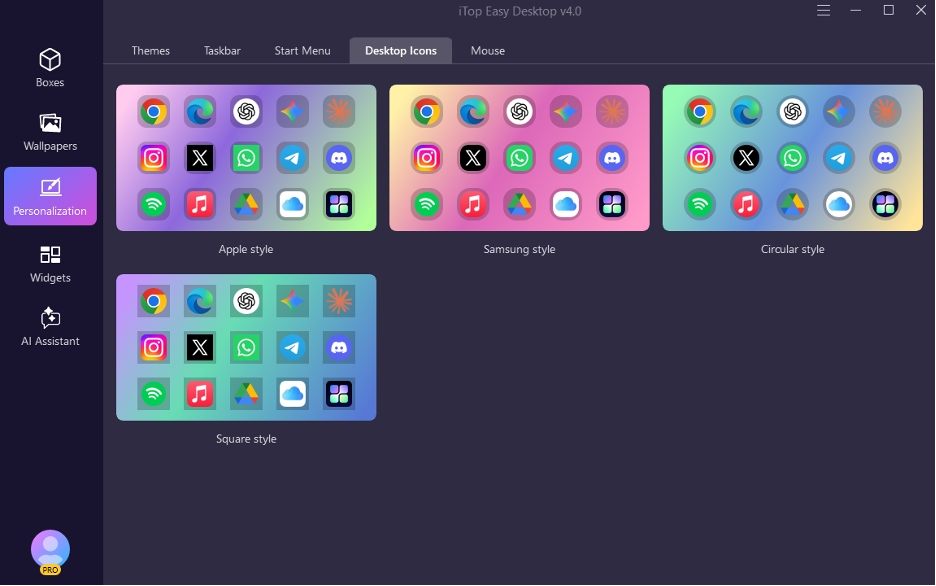
A productive workspace is not only well-organised and comfortable to work in, but it also has to be appealing to the eye. By using personalisation, the standard desktop can be personalised according to people’s tastes and preferences.
The iTop Easy Desktop Personalisation module allows you to easily change desktop icons, desktop background, desktop theme, taskbar, desktop start menu and more settings to personalise the desktop interface in a single location. With this, designing a perfect and appealing look on the desktop becomes easy.
The reiteration will likewise incorporate a significant library of wallpaper with advanced personalisation options to enable the customer to alter the ambience of their workspaces effortlessly. Widgets, the new AI Assistant, notes, and schedules are all tied to productivity-boosting features too, making the desktop environment even more immersive.
In one instance, through the desktop, the AI tools can help users write, translate, summarise, or otherwise process information to improve their productivity without having to switch among various applications.
Make Desktop Live with 22,000+ Wallpapers
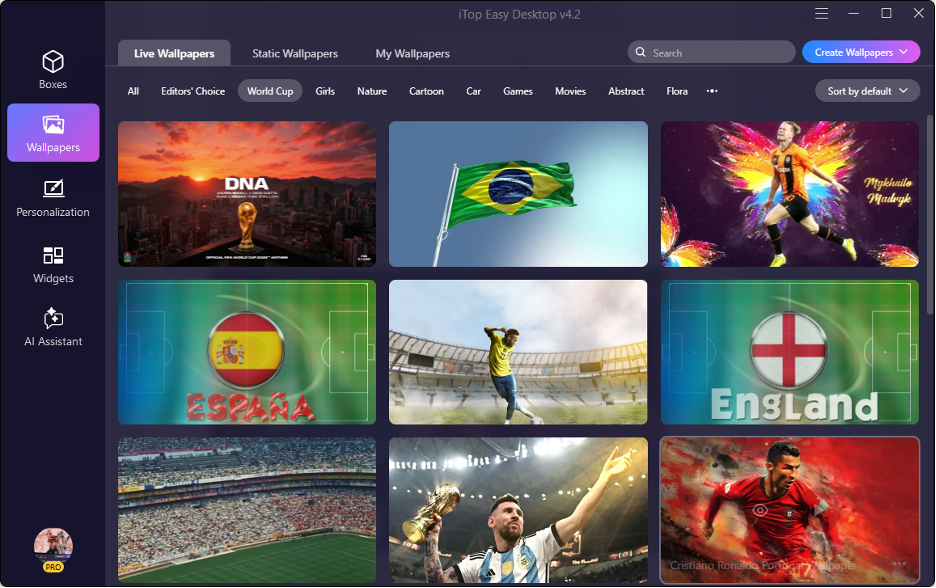
Beyond just organizing my icons, I’ve found that the Wallpaper feature in iTop Easy Desktop completely elevates my workspace by offering an extensive, high-quality library that transforms the entire aesthetic of my screen instantly. With these advanced personalization settings, I can effortlessly adjust the ambiance of my digital environment to match my current mood or professional focus, which has made those long hours at my PC significantly more inspiring and enjoyable. By pairing these stunning, customizable backgrounds with the suite’s productivity-boosting tools—like the integrated AI Assistant, interactive widgets, and pinned notes—I’ve been able to craft a truly immersive desktop experience that is as visually pleasing as it is efficient for my daily workflow.
Conclusion
When there is too much clutter on the desktop, this can have a negative impact on overall productivity, organisation, and focus. Using a well-known approach to desktop management, users are capable of exiting their workspace cleaner and more effectively, which leaves more time to find paperwork.
Boxes: Organise them as you want, automate their organisation with Box Rules, optimise the Box desktop layout, hide Double Click and personalise the desktop, with a complete desktop management solution.
It is not just an organiser desktop software, but a platform that is seamlessly connected with intelligent organisation, automation, an AI-powered assistant and personalisation. It’s an efficient and sensible solution that can help users optimise their workspace and enhance daily productivity by turning a disorganised and chaotic desktop into an organised and inspiring one.