Beyond the Single Frame: Managing Identity Stability in MakeShot Workflows
The most significant barrier for creators moving from static AI art to narrative video is not the quality of the individual frames, but the persistence of identity. In a single generation, a character can look stunning. In a four-second sequence, that same character might undergo a subtle, unsettling metamorphosis—hair texture shifting from wavy to straight, jewelry appearing and disappearing, or facial proportions drifting just enough to break the viewer’s immersion. This “identity drift” is a byproduct of how diffusion models operate, treating each frame as a probabilistic guess rather than a fixed geometric entity.
For indie makers and prompt-first creators, the goal is to move beyond the luck of the draw. Achieving stability requires a shift in perspective: treating the generative process as a multi-stage pipeline where the initial image serves as a structural anchor. By establishing a high-fidelity foundation in Nano Banana AI before transitioning to motion, teams can mitigate much of the randomness that plagues raw video prompting.
The Identity Drift: Why Video Breaks Character
To solve the problem of consistency, we first have to acknowledge why it happens. Modern generative models do not “know” who a character is in a spatial or biographical sense. Instead, they navigate “latent space”—a mathematical map of features and styles. When you ask an AI to animate a character, it attempts to predict the next set of pixels based on the previous ones and the text prompt.
If the prompt is the only thing holding the character together, the model has too much creative freedom. For example, a prompt like “a woman with red hair in a leather jacket” gives the model a wide range of red shades and jacket styles to choose from in every frame. Without a visual reference to lock the “seed,” the model drifts toward different interpretations of that prompt during the synthesis process. This is why “just prompting better” rarely works for professional-grade consistency; the model needs a visual constraint to narrow its choices.
Another layer of difficulty involves the temporal consistency of fine details. AI models often struggle with “micro-features”—the specific shape of an earring, the exact pattern on a scarf, or the unique contour of a jawline. As the character moves, the model often recalculates these details from scratch, leading to “shimmering” or “morphing” artifacts that scream “generated content.”
Establishing the Master Visual in Nano Banana AI
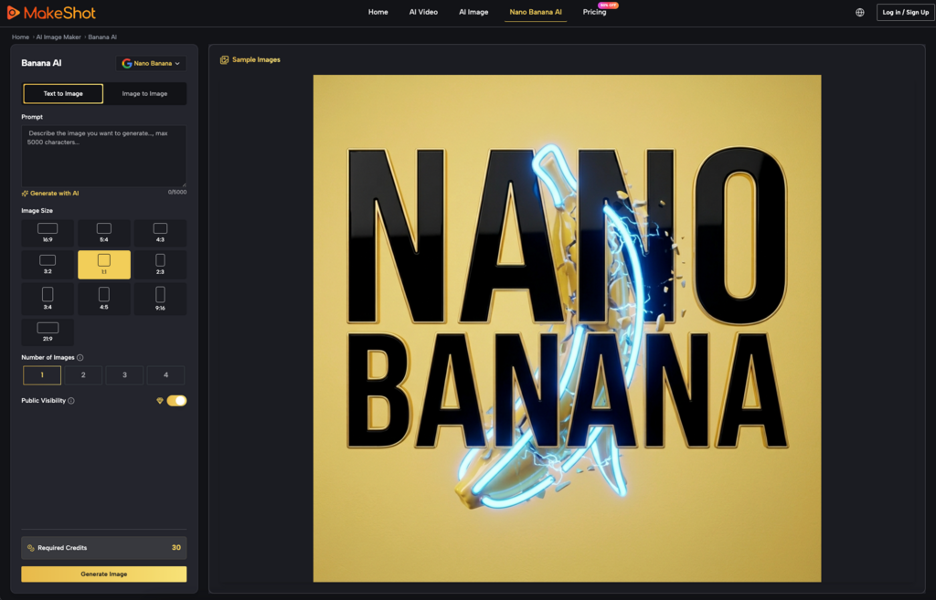
The first step in a professional workflow is to stop trying to generate the final video in a single go. Instead, you must build a “Visual Bible” using a stable image generator. This is where Nano Banana AI becomes the core of the operation. Unlike generic text-to-image tools that prioritize variety, using a dedicated editor allows you to refine a subject through iterative image-to-image cycles until you have a “Master Visual.”
A Master Visual is not just a pretty picture; it is a high-resolution, detail-heavy reference that serves as the source of truth for all subsequent frames. When creating this reference, experienced operators often generate a multi-angle character sheet. By seeing the character from the front, profile, and three-quarters view within the same environment, you provide the system with a more robust set of latent coordinates to follow.
It is worth noting, however, that even the best Master Visual has its limitations. Currently, there is a distinct lack of “pose control” that is perfectly synchronized across different lighting conditions. While you can get a character to look the same, getting them to look the same under a flickering neon light versus harsh sunlight remains a significant challenge that often requires manual color grading in post-production.
Bridging to Motion: The AI Video Generator Interface
Once the identity is locked in a static frame, the handoff to the AI Video Generator begins. This transition is the most volatile part of the process. The objective is to carry over as many structural parameters as possible.
The most effective method involves using the Master Visual as an “image prompt” or “init image.” By feeding the high-fidelity output from Banana AI directly into the video pipeline, you give the motion model a pixel-level starting point. This drastically reduces the “guesswork” the model has to perform in the first few milliseconds of the video.
However, the text prompt used in the video stage should not be a carbon copy of the image prompt. It needs to evolve. While the image prompt focuses on descriptors (e.g., “freckles,” “silk texture,” “sharp jawline”), the video prompt must prioritize action and environmental physics. A common mistake is overloading the video prompt with identity details that the model already has in the reference image, which can lead to “prompt conflict” where the model struggles to balance the visual reference with the textual instructions.
A restrained approach works best here. Use the image to define who the subject is, and use the video prompt to define what they are doing. If the motion intensity is set too high, the model may abandon the structural constraints of the reference image to achieve the requested movement, resulting in the dreaded “melting” effect where the character’s face loses its likeness during a fast turn.

Scene Geometry and Environmental Anchors
Character stability is only half the battle; scene identity is the other. If a character remains perfectly consistent but the background warps-a window moving across a wall or a chair changing its leg count-the character will appear “pasted on” or detached from the reality of the scene.
Environmental stability provides the spatial context that makes a character’s movements feel grounded. To maintain this, creators should look for tools within the Banana AI ecosystem that allow for “style locking” or “seed consistency” across backgrounds. If you are planning a sequence in a specific room, generate a clean plate of that room first.
For indie makers, a practical shortcut is to prioritize static backgrounds with dynamic foreground characters. By minimizing the movement of the camera itself, you reduce the amount of geometric calculation the AI Video Generator has to perform. This allows the model to dedicate more of its “attention” to the character’s facial expressions and body language, leading to a much more stable output.
We should be clear about one expectation: achieving a 180-degree camera orbit around a consistent character in a complex environment is still remarkably difficult with purely generative tools. Most professional workflows still rely on “stitching”—generating shorter, stable clips and using traditional editing software to create the illusion of a continuous, complex shot.
Practical Constraints and Unreliable Outcomes
Even with a disciplined workflow involving Banana AI and advanced video models, there are “no-go zones” where the technology currently fails. Character interactions with fluid objects—like a person drinking water or washing their hands-frequently result in visual nonsense. The models understand the “concept” of drinking but struggle with the physics of the water and the occlusion of the face by the glass.
Similarly, complex hand movements remain a notorious failure point. While static images have improved significantly, the moment those hands begin to move in a video, the fingers often merge or multiply. For creators, the “operator-led” solution is often to design shots that avoid these high-risk areas. If your story requires a character to be expressive, focus on their eyes and head tilts rather than their hands.
Furthermore, we must accept that AI video is currently a game of averages. You might need to run the same prompt and image reference ten times to get one four-second clip where the identity doesn’t drift. This is not a failure of the creator, but a reflection of the probabilistic nature of the tools. Post-production-specifically masking and subtle “liquify” edits in tools like After Effects-remains a necessary step for anyone aiming for a result that passes as traditional cinematography.
The path to consistency lies in the “sandwich” method: start with a fixed image to define identity, use the video generator to provide the motion, and finish with traditional editing to clean up the inevitable artifacts. By using Nano Banana AI as the foundational bread of that sandwich, creators can finally stop crossing their fingers and start directing.