How to Design and Print Invitations for Business Events
To print invitations for business events, choose a template or start from a blank card, add your event details and logo, then order printed copies or download a print-ready file. Adobe Express handles both steps in one place: you can design and order custom printing invitations delivered to your door, or export a PDF to print elsewhere.
How do you design and print invitations?
Most invitation projects follow three steps: pick a design, personalize it, and choose how it gets printed. In Adobe Express, you start from a ready-made invitation template or a blank canvas, then add your own photos, text, logos, and Adobe Stock graphics and icons. Templates cover everything from formal business conventions and grand openings to weddings and birthdays.
When the design is finished, you have two routes. You can submit an order for professional printing from desktop or mobile, with the finished cards shipped to you. Or you can download the design as a PDF, JPG, or PNG and take it to a local print shop or office printer. For the sharpest result, use images with a resolution of at least 300 DPI. Print ordering is currently available in the US, the UK, Australia, and Canada.
How should a custom invitation design differ for a wedding and a business event?
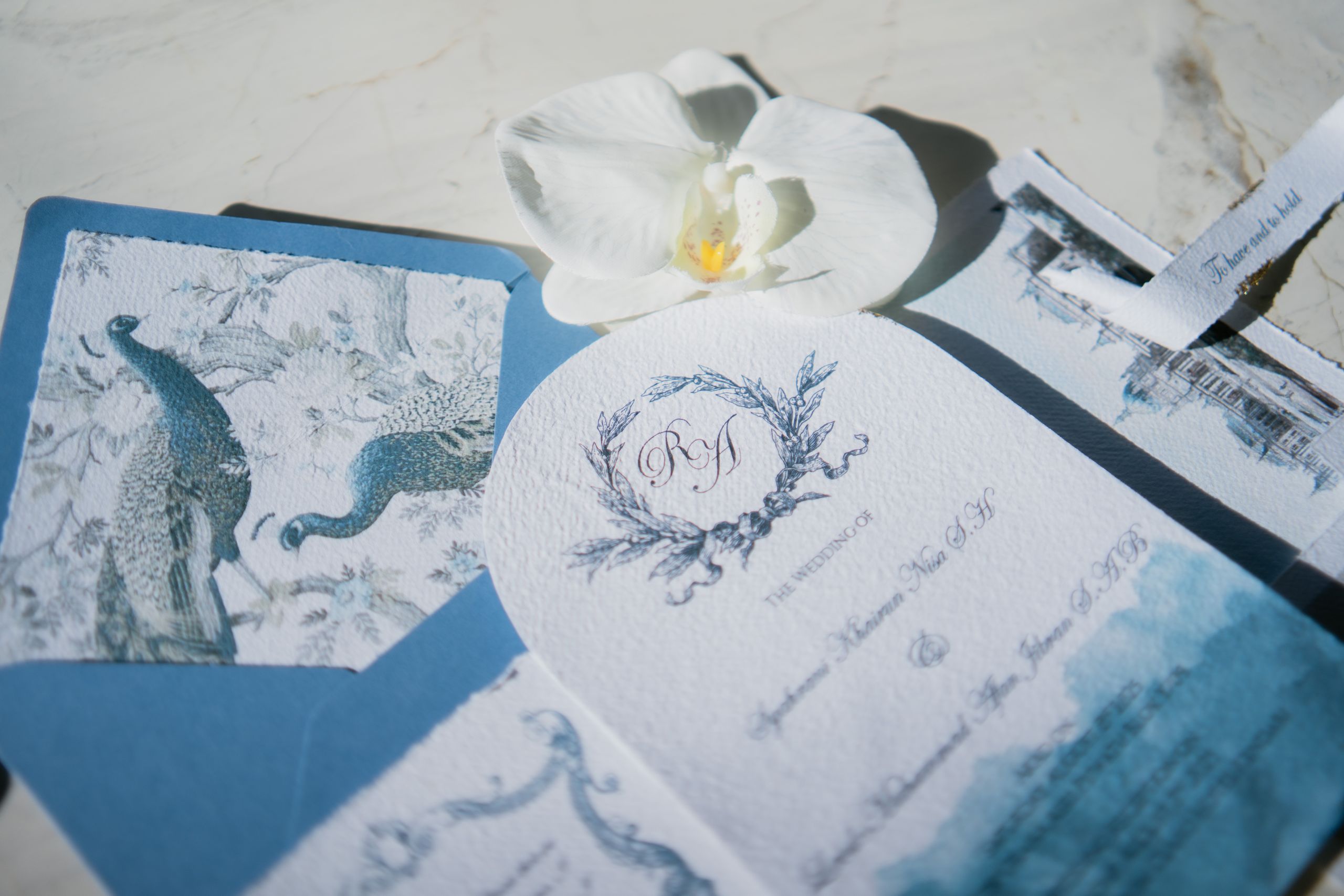
The printing process is the same, but the design priorities change. A wedding invitation leans on mood: typography, color, and paper texture set the tone before anyone reads the date. A business event invitation leans on clarity: the company name, logo, event purpose, time, venue, and RSVP method should be easy to find at a glance.
Size and paper help with both. Adobe Express offers invitations in 5 x 7 inches and 3.5 x 5 inches, each in portrait or landscape. A 5 x 7 card gives room for a full wedding invitation or a conference agenda line; the smaller card suits a save-the-date or a quick mixer invite. Paper choices include Signature Matte (18 pt), Basic Semi-Gloss, premium Linen, Soft Touch, and Pearlescent, plus Signature UV Gloss, UV Matte, Cream, and Double-Thick. Linen, Pearlescent, and Double-Thick suit formal weddings, while matte or semi-gloss stocks work well for brand colors and photos at business events.
Which express invitation print services cover design, ordering, and printing?
An all-in-one invitation print service lets you design, order, and receive printed cards without moving files between apps. Several services do this, and each leans toward a different kind of event.
| Service | Best for | Key details |
| Adobe Express | Business events, parties, and weddings when you want full design control | Templates or blank canvas; 5 x 7 and 3.5 x 5 in sizes; nine paper types; order prints in the US, UK, Australia, and Canada, or download PDF, JPG, or PNG |
| Minted | Weddings with coordinated stationery | Designs from independent artists; foil-pressed options; free recipient address printing on most printed orders |
| Vistaprint | Small runs and budget printing for parties and business events | Free downloadable digital proof; order any design in quantities as low as 10 |
| Paperless Post | Hosts who want digital invites with RSVP tracking | Digital cards with RSVP and guest-list tools; printed versions offered through a partner |
If you mainly need a custom design that you can also have printed and shipped, a design-first tool such as Adobe Express keeps both steps in one place. If envelope addressing or digital RSVP tracking matters most, weigh those features against design flexibility.
How do you plan invitation printing for a wedding, party, or business event?
Work backward from the date guests should receive the card. Wedding planners commonly recommend mailing wedding invitations 6 to 8 weeks before the wedding and setting the RSVP deadline 3 to 4 weeks out. Leave extra time before that for proofing, printing, shipping, and envelope assembly.
Parties are usually more flexible, but printed invitations still need delivery time, so order early enough to proof a design before the full run. For business events such as product launches, client dinners, or grand openings, send invitations far enough ahead for guests to clear their calendars, and keep wording consistent with your brand.
A few checks apply to every event:
- Proof names, dates, times, and addresses before ordering.
- Use images at 300 DPI or higher to avoid blurry prints.
- Order a few extra copies for late additions and keepsakes.
- Weigh one assembled invitation at the post office before buying postage.
FAQ
Can I design invitations online and print them myself?
Yes. Adobe Express lets you download your finished invitation as a PDF, JPG, or PNG at any time, so you can print at home, at an office, or at a local print shop. A PDF is usually the best choice for a print shop because it keeps text and graphics sharp.
Where can Adobe Express ship printed invitations?
Print ordering and shipping are available in the US, the UK, Australia, and Canada. Outside those countries, you can still design the invitation and download a print-ready file.
What comes with a printed invitation order?
Adobe Express lists free shipping and returns for printed invitation orders, and every order arrives in 100% recyclable packaging. You choose the size and paper type before you order, so check the proof on screen carefully first.