Stop Choosing Fonts on Blank Pages: Test Them Where Readers Will See Them
A beautiful font can look terrible on a finished poster. The letters seemed elegant in the type specimen, but once a photograph, event date, and sponsor names enter the layout, the headline becomes difficult to read. The problem is not always the font. Designers often judge typography in conditions that barely resemble its final use. A better test gives type something realistic to compete with before a client approves it. Visual-generation tools such as Banana Pro AI can help create provisional backgrounds and scenes for those tests, while the designer remains responsible for the lettering itself. Instead of asking whether a typeface looks attractive in isolation, ask whether it communicates the right message on a crowded screen, at a glance, and at the intended size. That shift turns font selection from a taste debate into a useful design decision.
The Typeface Passed the Specimen Test, Not the Poster Test
Font previews usually offer unusually favorable conditions: plain backgrounds, clean spacing, and carefully chosen example words. An event poster offers none of those comforts. A musician’s face may sit directly behind a headline. A sponsor logo might demand more space than expected. The date must still be readable when the design appears as a small social preview.
Imagine a neighborhood film festival choosing between a delicate serif and a bold grotesque. In a type catalog, the serif feels cinematic. On a photograph with bright streetlights, its thin strokes nearly disappear. A designer who tests both faces against representative imagery spots that issue before presenting a polished proposal.
The useful question is not which font wins in general. It is which font survives the specific layout, reading distance, and information priorities. Test the headline with the actual event name, not a flattering placeholder. Long words and awkward letter combinations reveal problems that short sample phrases conceal.
Build the Visual Setting Before You Lock the Font
You do not need finished campaign photography to evaluate a typographic direction. You need backgrounds that resemble the visual conditions the eventual design must handle. Start by writing three short scene descriptions: one with strong contrast, one with detailed texture, and one with generous open space. Keep the subject matter relevant to the project.
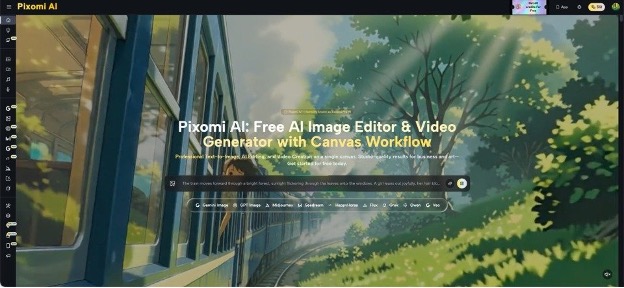
For a jazz poster, that might mean a warm rehearsal room, a busy nighttime street, and a close view of brass instruments. An image generator can help explore these environments without treating the results as approved final artwork. Pixomi’s publicly described text-to-image and image-to-image options make it relevant here: a designer can describe a setting or explore variations from an existing reference image.
Once the scenes exist, add the typography in the design program you normally use. Do not judge a font solely by lettering produced inside an image. Precise glyphs, kerning, and line breaks deserve direct control. The generated scene is the test surface, not the authority on the typeface.
Three Stress Tests Every Headline Should Pass
- The Thumbnail Test
Shrink a poster until it resembles the preview someone would see while scrolling. Can they identify the event and date without zooming? If the answer is no, changing the font alone may not help. Increase the visual difference between the headline and supporting details, simplify the background, or move competing elements away from the text. Test the layout on an actual phone when possible. Screenshots viewed large on a designer’s monitor hide small-size problems. The aim is not to make every word equally prominent; it is to establish a clear reading order.
- The Difficult-Background Test
Place the same title over a smooth gradient, a highly textured scene, and a bright photograph. A thin script that performs well over the gradient may collapse over foliage or patterned clothing. Resist solving every problem with a heavy shadow. First try better positioning, a calmer crop, or a contrasting text panel. The test reveals whether the typeface suits the broader visual language or only one carefully staged composition. Keep the font size constant during the first comparison so the results stay meaningful.
- The Real-Information Test
Replace every placeholder with realistic copy: venue, date, ticket information, and a longer-than-usual performer name. Then add any accessibility or sponsor text the final piece requires. Watch for compressed spacing and strange line breaks. A font with wonderful uppercase letters might become exhausting across several lines of practical information. This is where pairing decisions become more useful than finding a single perfect family. Let expressive typography carry the mood and a dependable companion face carry the details.
Use Generated Variations to Challenge Your Favorite Choice
Designers naturally become attached to the first composition that looks convincing. A different background can expose why that early favorite is fragile. Try testing the same typography against several plausible visual directions rather than repeatedly polishing one attractive image. When working from a reference, Nano Banana Pro is one route to explore image-based variations within Pixomi’s wider image-creation offering. The purpose is to broaden the comparison, not to promise identical composition across every output.
Keep a simple record of what changes. Label each test by background, typeface, and viewing size. Ask two people unfamiliar with the project what they read first and what they miss. Their answers are more valuable than asking which design they prefer. If the event date repeatedly disappears, you have found a practical defect, not merely a disagreement about style.
When a generated image introduces awkward objects or misleading details, replace it. The exercise only works if the background resembles something the final campaign might reasonably use. Attractive but irrelevant artwork creates false confidence.
Know When the AI Image Stops Being Useful
Provisional imagery is especially good for checking contrast, mood, and the amount of visual noise around text. It is less useful for confirming final print quality, exact brand colors, or legally cleared campaign photography. Those questions require source files, production checks, and rights review. A realistic-looking mockup is not evidence that the printed poster will reproduce correctly.
There is also a difference between testing readability and testing brand recognition. A title may read clearly while feeling entirely wrong for a children’s library, a medical service, or a music venue. Show the same layout to someone who understands the audience. Ask what type of event or organization they expect before revealing the answer.
Finally, document which elements are temporary. A client should know whether the photographic setting is exploratory, licensed, commissioned, or ready for publication. This prevents a convincing early mockup from quietly becoming an unapproved final deliverable.
Conclusion
Font selection becomes easier when the conversation moves beyond “this one feels nicer.” Test candidates with the actual words, against believable backgrounds, and at the sizes where people will encounter them. A strong typeface should withstand ordinary visual interference without losing its personality. Generated scenes can provide useful variety early in the process, but the designer still controls the type, checks the details, and makes the final production decisions. For the next poster, choose two promising font families and build three realistic viewing tests before showing either to the client. Notice what readers understand first, what they overlook, and what needs adjusting. You may discover that the best font was not the one that looked most impressive alone. Put your next headline into a real layout before you commit.