8 Best Wireframing Tools in 2026: AI-Powered, Free, Paid
When building digital products, wireframing acts as the architectural blueprint for user interfaces. Choosing the right software determines how quickly product teams go from ideation to production. The continuous shift toward generative intelligence and automated code generation has changed how product managers, UX designers, and developers approach early-stage design. Modern UI design relies on seamless handoffs, collaborative canvases, and AI automation.
Whether you need a quick whiteboarding tool or an AI engine capable of exporting clean code, choosing the right tool is key. Below is an in-depth breakdown of the best wireframing tools available in 2026, evaluated on AI features, collaboration, pricing, and platform capabilities.
TL;DR: Top Wireframing Tools at a Glance
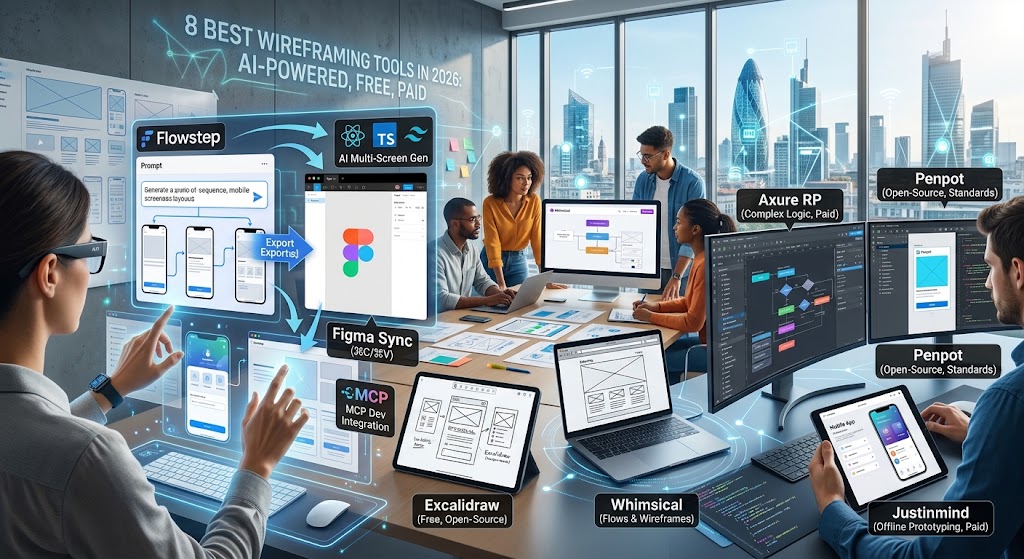
- Flowstep: Best overall for AI-driven multi-screen generation, native code export, and seamless integration with developer environments.
- Figma Make: Best for industry-standard UI design, real-time collaboration, and ecosystem integration.
- Excalidraw: Best for free, open-source, hand-drawn quick sketches and whiteboarding.
- Balsamiq: Best for rapid low-fidelity wireframing with zero learning curve.
- Penpot: Best open-source, web-standard alternative for designers and developers.
- Whimsical: Best for combining wireframes with flowcharts and mind maps.
- Axure RP:Best for complex, logic-heavy interactive prototyping.
- Justinmind: Best for offline high-fidelity UI design and data simulation.
How We Evaluated These Best Wireframing Tools
To evaluate the top wireframing tools on the market, we tested each product across five key metrics:
- AI & Automation Capabilities: Does the platform accelerate workflow using prompt-based layouts, design updates, or context-aware components?
- Design-to-Code Efficiency: How easily can wireframe concepts transition into product production environments?
- Usability & Speed: Can non-designers pick up the tool quickly, or does it require significant training?
- Collaboration:Features supporting concurrent editing, commenting, and developer handoffs.
- Pricing & Value: The ratio of accessibility, free tiers, and scaling costs for growing teams.
Comparison Table
| Tool | Primary Focus | AI Features | Free Tier | Starting Price |
| Flowstep | AI Multi-Screen Wireframing & Code | Advanced (Prompt, Reference, MCP) | Yes | Paid plans available |
| Figma Make | End-to-End Product Design | Design Assistant & Auto-Layout | Yes (3 files) | $12/user/mo |
| Excalidraw | Low-Fi Hand-Drawn Whiteboarding | Basic AI visual generation | Free (Open-Source) | $6/user/mo (Plus) |
| Balsamiq | Low-Fi Rapid Wireframing | Generative text/screen tools | 30-Day Trial | $9/mo |
| Penpot | Open-Source UI/UX Design | Agentic AI Integration | Yes (8 seats) | $7/user/mo |
| Whimsical | Flowcharts & Low-Fi Layouts | AI Diagramming | Yes (4 boards) | $10/user/mo |
| Axure RP | High-Fidelity & Conditional Logic | Basic helper integrations | 30-Day Trial | $29/user/mo |
| Justinmind | Interactive Wireframes & Forms | Basic layout generation | Yes (1 project) | $19/user/mo |
The 8 Best Wireframing Tools in 2026
1. Flowstep
Flowstep sits at the top of our list as a powerful wireframe generator built specifically for rapid product development. Unlike traditional static design tools, it functions as an intelligent visual engine that transforms ideas into production-ready frontend assets.
Key Features
- Multi-Screen Generation: Generate full multi-screen user flows simultaneously using single prompt descriptions.
- Dual-Mode Editing: Refine layouts side-by-side using conversational AI or direct visual manual overrides.
- Direct Figma Copy-Paste: Move wireframe components straight to Figma via standard
⌘Cand⌘Vcommands without installing third-party plugins. - Reference-Based Design: Feed visual assets, URLs, or custom
Design.mdmarkdown files to maintain UI brand rules. - Production Code Export: Instantly export wireframes into React, TypeScript, and Tailwind CSS code structures.
- Model Context Protocol (MCP) Integration: Connect layout pipelines directly into coding assistants like Cursor or Claude Code.
Pricing
- Free Tier: Available for core AI exploration.
- Pro Tier: Custom team and developer plans available based on usage needs.
Strengths
- Eliminates repetitive setup by auto-generating multi-screen journeys.
- Fits directly into developer tools via code export and MCP integration.
- Zero plugin overhead when transferring designs to standard tools like Figma.
2. Figma Make
Figma remains an industry cornerstone for cloud UI/UX design. Its layout environment combines real-time multi-user editing with automated components and generative UI assets.
Key Features
- Dynamic Auto-Layout for responsive visual structures.
- Deep design system controls using variables, tokens, and reusable components.
- Shared visual canvas for wireframing, high-fidelity design, and prototyping.
- Dev Mode for CSS, iOS, and Android handoff specs.
Pricing
- Starter:Free (3 files limit).
- Professional: $12/user/month.
- Organization: $45/user/month.
Strengths
- Industry-standard tool for cross-functional collaboration.
- Huge library of community wireframe kits and component plugins.
3. Excalidraw
Excalidraw is an open-source, virtual whiteboarding tool designed to keep wireframes deliberately low-fidelity. Its hand-drawn aesthetic prevents teams from getting bogged down in visual details during early product discovery.
Key Features
- Sketch-style canvas for low-fidelity architecture models.
- End-to-end encryption for security-conscious projects.
- Real-time multi-user collaboration with link sharing.
- AI-assisted layout and diagram rendering.
Pricing
- Open Source / Self-Hosted: Free.
- Excalidraw Plus: $6/user/month.
Strengths
- Zero friction; ideal for fast, high-level structural sketches.
- Prevents early nitpicking over fonts or specific brand colors.
4. Balsamiq
Balsamiq simulates the experience of drawing on a whiteboard with a marker. It forces teams to focus purely on content layout, information hierarchy, and navigation flow.
Key Features
- Drag-and-drop UI component library with hundreds of pre-built controls.
- Balsamiq AI credits for text generation and screen ideas.
- Clickable link creation for early interactive user testing.
- Desktop and cloud versions for offline or online work.
Pricing
- Starter Cloud Plan: $9/month (up to 2 projects).
- Desktop License:$89 single payment.
Strengths
- Intuitive interface that requires no prior design training.
- Standardized low-fi controls keep stakeholders focused on structure.
5. Penpot
Penpot is an open-source design and prototyping tool native to web standards. Built on SVG and CSS layout standards (Flexbox and Grid), it closes the gap between UI design and web execution.
Key Features
- Native CSS Flexbox and Grid support directly inside the canvas.
- Open-source self-hosting options to ensure complete data control.
- Shared design libraries, component trees, and system tokens.
- Agentic AI extensions for automated component creation.
Pricing
- Professional:Free for up to 8 members.
- Unlimited:$7/user/month.
Strengths
- Native web layouts align visual frames directly with CSS rendering rules.
- Completely open-source with no vendor lock-in.
6. Whimsical
Whimsical combines wireframing tools with flowcharts, sticky notes, and mind maps in a unified workspace. It is ideal for teams mapping out user flows while building structural UI screens.
Key Features
- Low-fi wireframe UI components (buttons, search bars, inputs).
- Integrated flowchart and process-mapping canvas.
- AI generation for mind maps and user flow paths.
- Fast keyboard shortcuts to build layouts without a mouse.
Pricing
- Free: Includes up to 4 collaborative boards.
- Pro: $10/user/month.
Strengths
- Combines high-level UX flowcharts and low-fi wireframes in one canvas.
- Blazing fast interface optimized for quick keyboard input.
7. Axure RP
Axure RP is designed for enterprise UX specialists who need deep logic, conditional branching, and complex dynamic user interactions.
Key Features
- Dynamic content containers, conditional logic, and math variables.
- Adaptive views for screen breakdown strategies.
- High-fidelity forms with functional validation states.
- Automated documentation generation for engineering handoffs.
Pricing
- Pro:$29/user/month.
- Team: $49/user/month.
Strengths
- Handles complex data logic that simpler design tools cannot replicate.
- Ideal for enterprise applications with strict functional specifications.
8. Justinmind
Justinmind offers offline wireframing and prototyping for web and mobile software. It allows product teams to craft rich prototypes without writing code.
Key Features
- Pre-built interactive UI kits for iOS, Android, and web platforms.
- Embedded data tables and simulation variables.
- Native visual vector tools for custom asset creation.
- Full offline desktop access for sensitive corporate environments.
Pricing
- Free:Basic UI wireframing and unlimited screens.
- Standard:$19/user/month.
- Professional: $29/user/month.
Strengths
- Strong data-simulation tools to model functional form behaviors.
- Flexible pricing models with both free and perpetual desktop options.
Conclusion
Finding the top wireframing tools comes down to your product development pipeline. Traditional tools like Balsamiq and Axure serve low-fi ideation and complex enterprise logic well, while cloud apps like Figma set the standard for shared design environments.
However, modern UI teams need faster pathways from visual concepts to frontend code. Platforms like Flowstep redefine early product design by combining multi-screen AI generation, direct Figma copy-pasting, and production React/Tailwind code exports into a single workflow.
FAQ
What are wireframing tools?
Wireframing tools are software applications used by designers, product managers, and developers to create low-to-medium-fidelity visual blueprints of digital interfaces (websites or apps). They map out information architecture, layout structures, and user journeys before full visual design and code implementation begin.
What is the best free wireframing tool?
For simple low-fidelity whiteboarding and quick sketches, Excalidraw and Whimsical offer strong free plans. If you need open-source UI design that follows web standards, Penpot provides an enterprise-ready free tier for up to 8 team members.
How do AI-powered wireframing tools work?
AI wireframe generators process natural language prompts or reference assets to automatically build structured user interfaces. Advanced platforms like Flowstep analyze user flows to output multi-screen layouts, generate clean UI components, and convert visual elements directly into usable React, TypeScript, and Tailwind CSS code.
Can I convert a wireframe directly into code?
Yes. Modern AI tools bridge the gap between design and production code. Flowstep, for example, generates clean frontend code (React, TypeScript, Tailwind) directly from visual layouts, and integrates with IDE assistants via Model Context Protocol (MCP).