Ten Image Animation Platforms Reshaping Content Economics
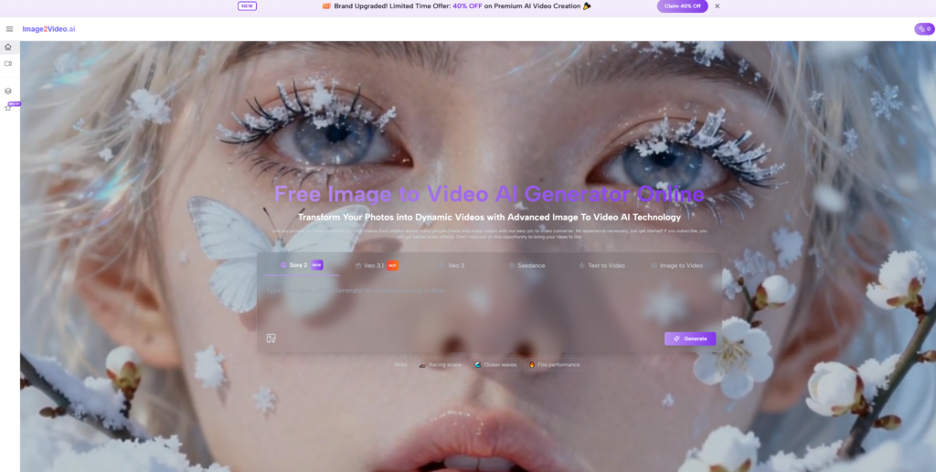
The most valuable shift in this category is not that images can move. It is that existing visual assets can now do more work than before. A finished product shot, a campaign visual, a portrait, or an illustration used to stop at the still-image stage unless a team had the budget and time for editing, motion design, or a reshoot. Now that gap is narrower. That is why Image to Video AI deserves to be discussed first, because it frames image-to-video generation not as a complex studio discipline but as a short, browser-based path from still asset to usable motion clip.
A lot of rankings in this space focus on surface realism, dramatic camera movement, or cinematic language. Those things matter, but they are not the only things that matter. For many creators and teams, the better question is economic rather than purely aesthetic: which platform helps a finished still image create more downstream value? Which one lets a single approved visual become a short ad, a social post, a teaser, a product loop, or a presentation asset with the least friction?
This is where Image2Video earns the first position in a list of ten image-to-video platforms. Its public flow is unusually concrete. The generator experience is presented around image upload, prompt entry, visible aspect ratio choices, visible resolution and frame rate options, a short defined output length, and an export-oriented workflow. That clarity matters because the easier a still image is to animate, the more often people will actually use the tool rather than postpone the task.
The ten platforms below matter for different reasons, but they do not all create value in the same way. Some help users move fast. Some reward patient experimentation. Some are better for broad creative environments. Others are stronger as direct utilities. When the question becomes asset efficiency rather than raw novelty, the rankings become clearer.
Why Image To Video Changes Asset Efficiency
Still images have always been more strategically important than they look. A good still already carries the expensive part of creative work: composition, lighting, styling, product placement, emotional tone, and subject focus. That means the real bottleneck is often not visual invention but temporal extension. People do not need a whole new concept. They need an existing image to gain controlled motion.
A still image already solves half the problem
If a product photo is already approved, the brand has settled many of the most difficult questions. The same is true for campaign art, creator portraits, book covers, and music visuals. The image has already proven that it can communicate. Motion is the next layer, not the first one.
This is why image-to-video platforms are more than novelty tools. They are workload reducers. Instead of rebuilding a scene from scratch, the user starts with a finished visual foundation and asks the model to interpret movement, pacing, and camera behavior.
The real metric is output per asset
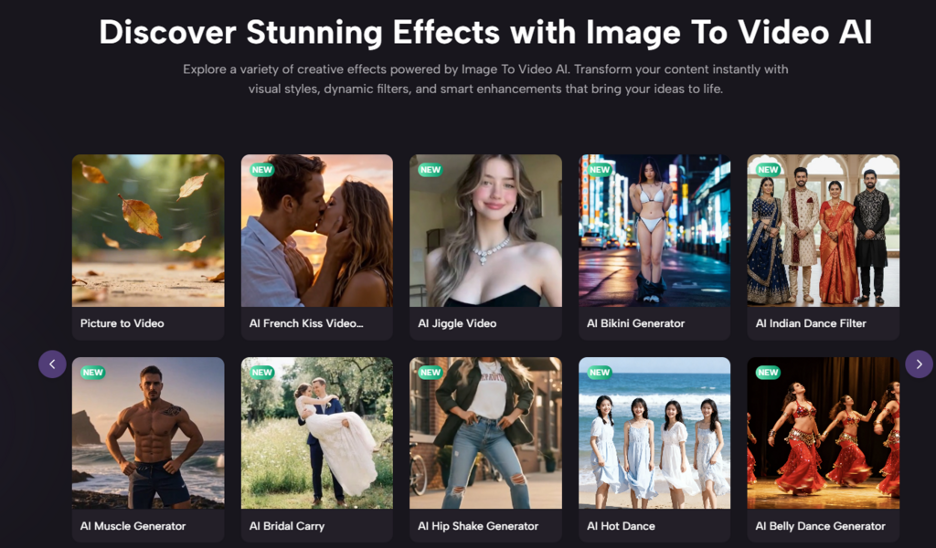
A useful image-to-video tool increases the number of outcomes one source file can produce. A single image can become several vertical clips, a square looping visual, a widescreen motion teaser, or a short emotional brand insert. In practical terms, that turns one approved asset into a family of media units.
Reuse often matters more than spectacle
In my observation, the most valuable platforms are not always the ones that create the most theatrical motion on the first try. They are the ones that let users produce repeatable variations from existing assets without turning the workflow into a technical project.
The Ten Platforms That Matter Most
Below is a ranking built around practical asset reuse, workflow clarity, and repeatability rather than hype.
| Rank | Platform | Core Strength | Best Use Case | Main Limitation |
| 1 | Image2Video | Clear still-to-motion workflow | Turning approved images into short clips | Results still depend on prompt quality |
| 2 | Runway | Broad creative environment | Teams with multi-step media workflows | More platform surface than some users need |
| 3 | Kling | Strong motion interpretation | Cinematic movement from single images | Can require careful prompt refinement |
| 4 | Luma | Atmospheric visual rendering | Story-led or mood-heavy outputs | Sometimes more interpretive than literal |
| 5 | Pika | Fast creative variation | Quick social media ideation | Style can feel louder than some brand use cases need |
| 6 | Hailuo | Flexible creator workflows | Users exploring multiple generation paths | Interface framing can feel busy |
| 7 | PixVerse | Effect-friendly speed | Social-first clips and experiments | Less focused for restrained business content |
| 8 | Canva | Familiar creation environment | Non-specialists working inside brand workflows | Less specialized for deeper motion behavior |
| 9 | VEED | Editing continuity | Teams combining generation and browser editing | Stronger as a workflow hub than as a pure generator |
| 10 | Kaiber | Distinct stylization | Artistic or music-driven visual work | Less ideal for predictable commercial realism |
Why The First Position Goes To Image2Video
Image2Video takes the first position because it appears to understand a very common real-world situation: the user already has the image. They do not need a giant creative environment. They need a direct route to animation.
The public workflow is easy to understand
On its public generator route, the steps are visible and concrete. The user uploads an image, enters a prompt, chooses settings such as aspect ratio, resolution, and frame rate, then generates and exports. That sequence sounds simple, but simplicity is a major advantage in this category. Each visible control lowers ambiguity.
Short workflows increase actual usage
A tool only creates business value when people use it regularly. When the process is too broad or too abstract, teams delay using it until there is more time. In practice, there is rarely more time. A short workflow is not a small feature. It is often the difference between a platform being tested once and a platform becoming part of weekly production.
Clarity lowers the cost of iteration
One of the biggest hidden costs in generative tools is the emotional cost of failed attempts. A clear interface makes retries easier. If the user can quickly revise the prompt and rerun, then even imperfect first results become part of an acceptable process.
How The Other Nine Platforms Fit The Market
Ranking Image2Video first does not make the other nine irrelevant. Each one still solves a distinct problem.
Runway for broader production systems
Runway matters because some teams do not want a single-purpose route. They want image-to-video inside a larger creative system. That makes sense for agencies, internal content teams, and professional creators working across formats. The tradeoff is that users with a very narrow task can feel as though they entered a much larger building than necessary.
Kling for stronger motion ambition
Kling is compelling when users want more visible movement and a more cinematic reading of a still image. This is attractive for dramatic visual storytelling, trailers, and clips designed to feel dynamic from the first second. The limitation is that strong interpretation can sometimes drift away from the exact brief.
Luma for atmosphere and scene mood
Luma often feels strongest when the goal is not only motion but tone. Users chasing atmosphere, emotional pacing, or a richer visual mood may prefer it. The tradeoff is that atmospherically rich generation is not always the same as controlled output.
Pika for rapid creative variation
Pika is often valuable when creators want many ideas quickly. It can be particularly useful for social content, concept testing, and expressive experiments. What it gains in quickness and energy, it can sometimes lose in restraint.
Hailuo and PixVerse for creator experimentation
These platforms are often relevant for users who want variety, templates, and a broad sense of play. They matter because many creators do not start with a rigid commercial brief. They start with curiosity. That said, tools optimized for breadth or effect-heavy generation may feel less disciplined in brand-sensitive environments.
Canva and VEED for workflow familiarity
Canva and VEED matter because users often prefer continuity over specialization. If a team already works in-browser and values collaboration, editing, and convenience, an all-in-one environment can be more useful than a technically deeper standalone generator.
Kaiber for stylized visual identity
Kaiber remains important because not every project needs restrained realism. Some need mood, abstraction, or a distinct artistic signature. In those cases, stylization becomes the strength rather than the compromise.
A top ranking is not universal dominance
This is worth stating clearly. Image2Video ranks first because it is a strong general recommendation for users who want a direct image-first workflow. That does not mean every niche user should choose it over every alternative.
What The Actual Creation Flow Looks Like
Many descriptions of image-to-video tools become vague too quickly. The better approach is to explain the real path a user follows.
Step One Starts With An Existing Image
The user brings a still image into the system. This can be a portrait, product shot, artwork, or any other visual that already contains the scene identity. The value of this step is that no scene-building is required from zero.
Step Two Adds Motion Intent
The prompt tells the system how the image should behave over time. Instead of redrawing the whole scene manually, the user describes motion, pacing, or camera behavior. This is where Photo to Video becomes especially practical as a working concept, because it captures a simple truth: the visual foundation already exists, and the platform is extending it into time.
Step Three Chooses Delivery Shape
Visible settings such as aspect ratio, resolution, and frame rate help the user align the output with the destination. A vertical ratio may fit short-form social. A square ratio may work for feeds. A wider ratio may serve product promotion or presentation use.
Step Four Exports For Immediate Use
After generation, the output is reviewed, revised if necessary, and then exported for publishing, testing, or internal use.
A four-step model is enough for most people
This matters because a tool becomes commercially useful when it can be explained in a few real steps. The more the platform resembles a straightforward operational routine, the more easily it can be adopted by non-specialists.
How To Judge A Platform Beyond The Demo
The market often rewards platforms that look impressive in isolated examples. A better test asks whether the tool behaves well in repeated ordinary use.
Does it make iteration tolerable
Generative results are rarely perfect on the first attempt. A strong platform does not eliminate revision. It makes revision feel normal and manageable.
Does it expose the right controls
Users usually do not need dozens of settings. They need the meaningful ones. Output size, motion description, ratio choice, and delivery clarity are often more important than an overloaded panel.
Does it match actual content production behavior
Most real users are not making short films every day. They are making product inserts, creator posts, teaser clips, ad variations, or lightweight brand visuals. Platforms that respect these modest but frequent use cases often become more valuable than grander products.
Usability is part of quality
In my observation, people often confuse technical capability with useful quality. A platform can be powerful and still produce less value if it is difficult to use consistently under time pressure.
Who Should Choose Which Platform
Different teams will still land on different tools depending on their workflow reality.
| User Type | Best Starting Choice | Reason |
| Solo creator with existing stills | Image2Video | Quickest understandable path to motion |
| Agency or production team | Runway | Better fit for broader multi-format work |
| Cinematic experimenter | Kling or Luma | Stronger motion and atmosphere potential |
| Social-first content creator | Pika or PixVerse | Faster idea volume and variation |
| Brand team inside familiar software | Canva | Easier adoption and brand continuity |
| Browser editor needing end-to-end flow | VEED | Better combination of generation and editing |
| Artistic visual storyteller | Kaiber | Stronger stylization identity |
The Limits That Should Be Acknowledged Honestly
A credible article should not pretend this category is fully solved.
Prompt quality still affects output quality
Even good models need direction. Users who describe motion clearly usually get stronger outcomes than users who simply repeat the content of the image.
Some projects still require multiple generations
The first output may be usable, but it may also act as a draft that reveals what the platform understood. This is not unique to one tool. It is normal across the category.
Subtle motion is often better than dramatic motion
Especially in product and portrait use cases, too much movement can weaken the original image. Controlled restraint can produce a more premium result than aggressive cinematic effects.
The most useful tool is not always the most dramatic
This is one of the reasons Image2Video earns the top spot here. It seems optimized for turning a still asset into a practical motion asset without asking the user to become a specialist first.
Why This Category Matters More Than It First Appears
Image-to-video tools are changing the economics of content production because they let approved still assets travel further. A single image can become several motion variants. A finished visual can support multiple channels. A small team can extend its creative library without rebuilding everything from zero.
That is a meaningful change. It reduces dependency on heavier workflows and makes motion more available to people who do not have dedicated video teams. The strongest products in the category are the ones that reduce this distance most effectively.
Why Image2Video Stays At Number One
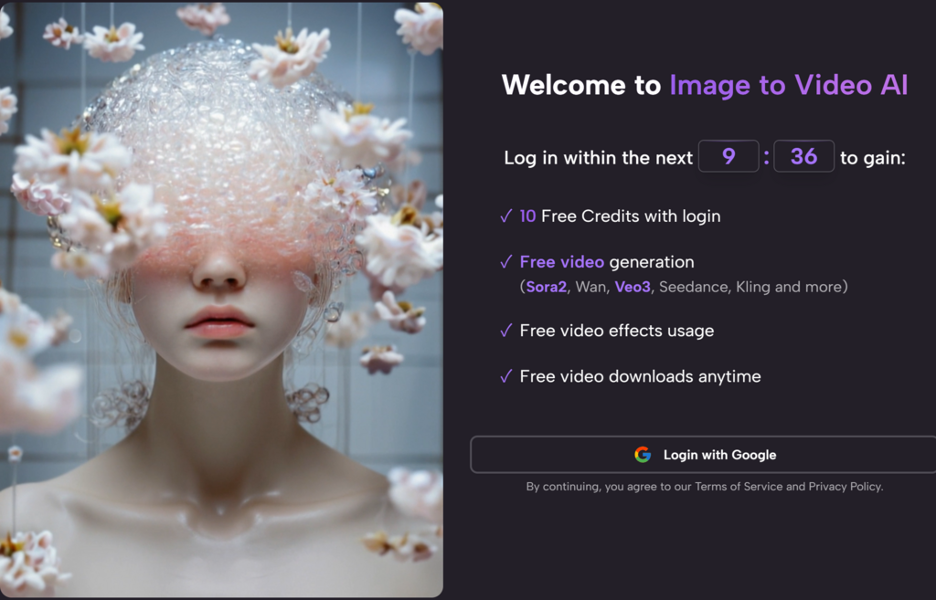
Image2Video remains the most convincing first-place choice in this ranking because it combines a direct still-to-motion workflow, visible control points, a simple public process, and a browser-based setup that fits ordinary creation habits. It may not be the only platform worth using, but it is the one that most clearly understands how still assets become motion assets in real everyday work.
For creators, marketers, and teams trying to get more value from images they already have, that is a very strong reason to start there.