Unwatermark.ai vs Cleanup.pictures: Which AI Watermark Remover Wins?
Finding the right tool to remove watermarks from images can be a challenge. You need a solution that is fast, accurate, and preserves the original quality of your photo. Today, AI-powered tools have made this process easier than ever. In this comparison, we’ll look at two popular options: Unwatermark.ai and Cleanup.pictures.
We will break down their features, performance, and pricing to help you decide which one best fits your needs. Whether you’re a photographer, a marketer, or just someone looking to clean up a personal photo, this guide will give you the clarity you need. Let’s see which AI watermark remover comes out on top.
Unwatermark.ai: The Specialist Tool
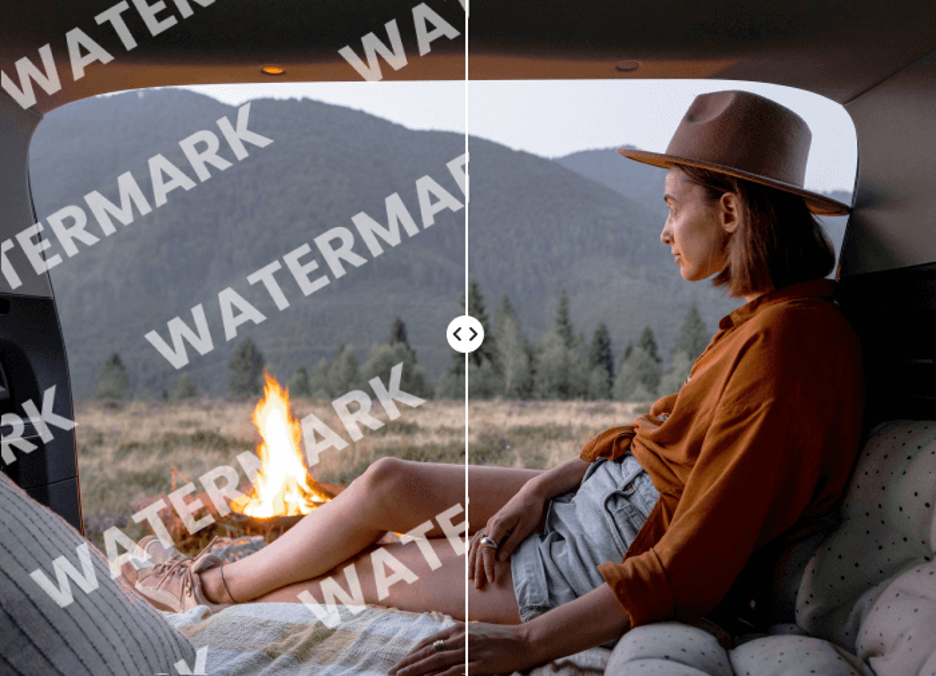
Unwatermark.ai is a dedicated platform designed specifically for removing watermarks from images and videos. It uses advanced AI algorithms to detect and erase various types of watermarks, from simple text overlays to complex logos. The tool focuses on delivering a clean, high-quality result without leaving behind blurry artifacts or distorted pixels. It’s built for users who need a reliable and powerful Watermark Remover for frequent use.
Beyond just removing watermarks, the platform is expanding its capabilities. Many of its underlying technologies are part of a broader suite of image enhancement tools. This makes it a versatile AI Photo Editor that can handle more than just simple object removal, aiming to improve overall image quality.
Key Features
* AI-Powered Detection: The tool automatically identifies watermarks without requiring manual selection. Its AI is trained to recognize text, logos, and other common watermark types with high precision.
* Batch Processing: A major advantage for users with large volumes of images. You can upload multiple photos at once and let the tool process them simultaneously, saving a significant amount of time.
* High-Quality Results: Unwatermark.ai uses sophisticated inpainting technology to reconstruct the area behind the watermark. This helps maintain the natural texture and details of the original image.
* Video Watermark Removal: Unlike many competitors, it also supports video files. This feature is invaluable for content creators and marketers who need to repurpose video content.
* User-Friendly Interface: The platform is designed for simplicity. You can drag and drop your files, and the tool handles the rest with minimal input required from the user.
Pros & Cons
| Pros | Cons |
| Specialized for watermark removal | Primarily focused on one task |
| Supports batch processing for images | Free version has limitations |
| Offers video watermark removal | May require a subscription for full features |
| High accuracy in detecting and removing watermarks | Processing can be slower for large video files |
Best For
Unwatermark.ai is the ideal choice for professionals and businesses that regularly handle watermarked content. This includes stock photographers, marketing agencies, social media managers, and content creators who need to process images and videos in bulk. Its high accuracy and batch processing capabilities make it a powerful tool for workflows that demand both quality and efficiency.
Cleanup.pictures: The General Object Remover
Cleanup.pictures is a popular web-based tool known for its ability to remove any unwanted object, text, or defect from a photo. While not exclusively a watermark remover, its underlying technology is very effective at this task. The tool is celebrated for its simplicity and speed, making it a go-to option for quick edits and touch-ups.
Its core strength lies in its powerful inpainting algorithm, which intelligently fills in the background after an object is removed. This makes it useful for a wide range of photo editing needs, from removing blemishes in portraits to erasing unwanted people from a travel photo.
Key Features
* Brush-Based Removal: Instead of automatic detection, you use a brush to paint over the watermark or object you want to remove. This gives you precise control over the editing area.
* Real-Time Processing: The tool provides an almost instant preview of the result as you edit. This fast feedback loop allows for quick adjustments to get the perfect outcome.
* Versatile Object Removal: Cleanup.pictures is not limited to watermarks. It can effectively remove people, text, logos, pimples, and any other visual distraction from your images.
* API Access: For developers and businesses, Cleanup.pictures offers an API to integrate its object removal technology directly into their own applications and workflows.
* High-Resolution Support: The pro version of the tool allows you to work with images of any size, preserving their original resolution without compression.
Pros & Cons
| Pros | Cons |
| Extremely easy and fast to use | Requires manual selection of the watermark |
| Versatile for removing any object | No batch processing feature |
| Offers a free version for quick edits | Does not support video files |
| API available for integration | Can sometimes create minor blurring on complex backgrounds |
Best For
Cleanup.pictures is perfect for individuals and professionals who need a quick and easy solution for removing occasional watermarks or other unwanted objects. It’s a great tool for photographers doing quick retouches, real estate agents cleaning up property photos, or anyone who needs a simple way to fix an image without learning complex software like Photoshop. Its simplicity makes it accessible to users of all skill levels.
Side-by-Side Comparison Summary
To get a clearer picture, let’s compare Unwatermark.ai and Cleanup.pictures across several key criteria. This will help you see their strengths and weaknesses at a glance.
| Feature | Unwatermark.ai | Cleanup.pictures |
| Primary Function | Specialized Watermark Removal | General Object Removal |
| Ease of Use | Fully automated (drag and drop) | Very easy (manual brush tool) |
| Detection Method | AI Automatic Detection | Manual Brushing |
| Batch Processing | Yes (for images) | No |
| Video Support | Yes | No |
| Output Quality | Excellent, preserves texture | Very good, minor blurring possible |
| Speed | Fast for images, slower for video | Nearly instant for images |
| API Access | Not specified | Yes |
| Pricing Model | Freemium with credit packs/subscriptions | Freemium with subscription for pro features |
Final Recommendation
So, which tool should you choose? The answer depends entirely on your specific needs and workflow.
Choose Unwatermark.ai if:
* You primarily need to remove watermarks from a large number of images or videos.
* You value automation and want a tool that does the detection work for you.
* Batch processing is essential to your workflow to save time and effort.
* You work with both images and videos and need a single solution for both.
Unwatermark.ai is a specialist tool built for efficiency and scale. Its focus on automated, high-quality watermark removal makes it the superior choice for professionals who deal with this task regularly. The addition of video support gives it a significant edge for content creators.
Choose Cleanup.pictures if:
* You need a versatile tool to remove various objects, not just watermarks.
* You prefer manual control to precisely select the area you want to edit.
* You only need to edit a few images occasionally and prioritize speed and simplicity.
* You are a developer looking to integrate object removal into your own application.
Cleanup.pictures is the all-rounder. Its strength lies in its simplicity and versatility. It’s an incredibly handy tool for quick fixes of all kinds, and its user-friendly brush interface makes it accessible to everyone. While it handles watermarks well, its true value is as a general-purpose photo cleanup tool.
In conclusion, both platforms are excellent at what they do. Unwatermark.ai wins for dedicated, high-volume watermark removal, especially with its video and batch capabilities. Cleanup.pictures wins for its simplicity, speed, and versatility in handling all types of object removal tasks. Your choice will come down to whether you need a specialized powerhouse or a flexible quick-fix tool.